SteelFusion Edge Hardware and Maintenance Guide
97
Viewing field-replaceable unit information Monitoring and Managing the Appliances with BMC
Configuring Platform Event Filtering
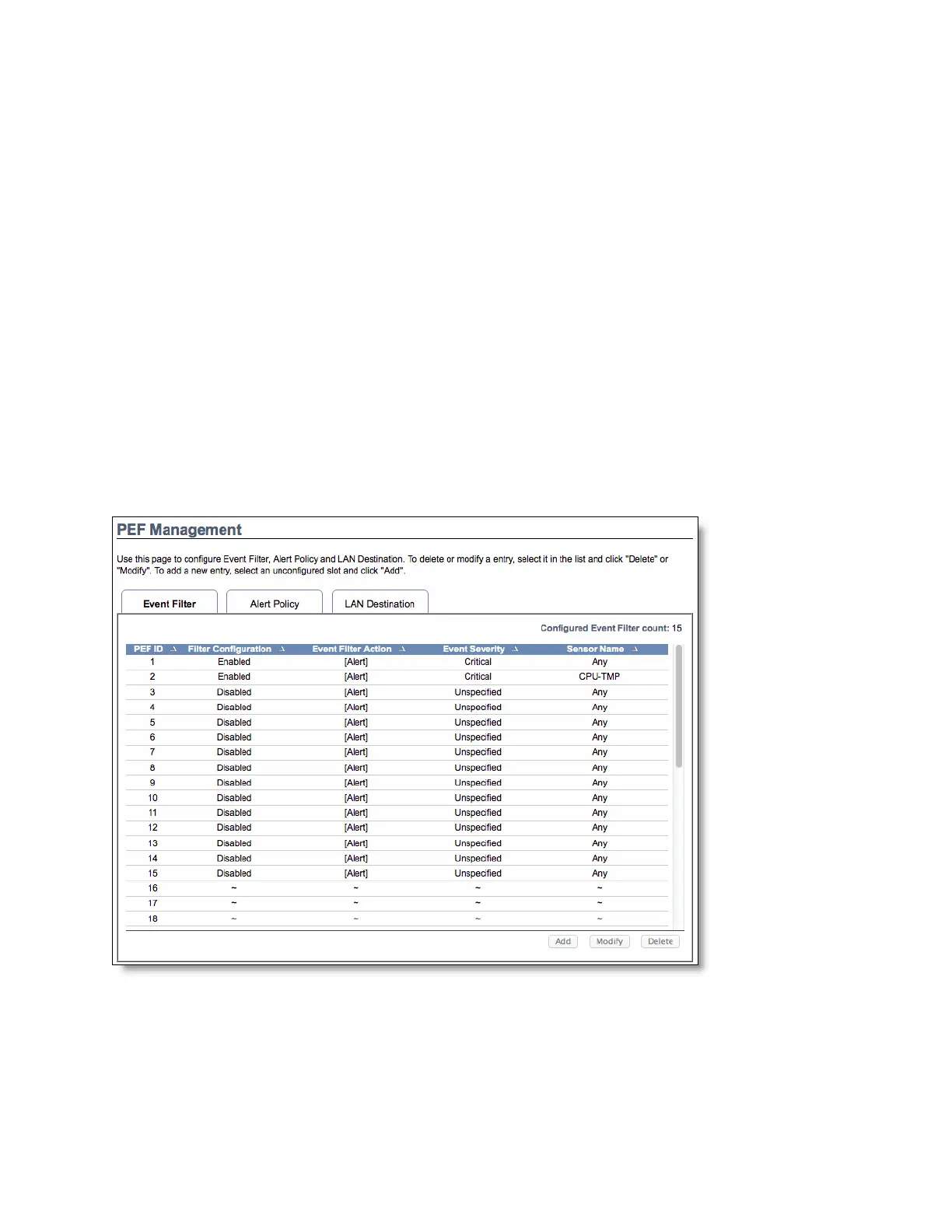
You can use the Configuration > PEF page to manage the Platform Event Filtering settings. You can
configure the Event Filter, Alert Policy, and LAN Destination for alerts. (See Figure D-5.)
To view the page, you must at least be an Operator. To modify or add a PEF, the user must be an
administrator.
The PEF page lets you configure the following:
Event Filter - Select the Event Filter tab to display configured event filters and available slots. You
can modify or add new event filter entry. By default, 15 event filter entries are configured among
the 40 available slots.
Alert Policy - Select the Alert policy tab to show configured Alert policies and available slots. You
can modify or add a new alert policy entry from here. A maximum of 60 slots is available.
LAN Destination - Select the LAN Destination tab to show configured LAN destinations and
available slots. You can modify or add a new LAN destination entry. A maximum of 15 slots is
available.
A tilde character (~) indicates a free slot.
Figure D-5. Platform Event Filtering
To add a new entry
Select a free slot and click Add. Alternatively, double click a free slot.



 To Next Page