46 SteelFusion Edge Hardware and Maintenance Guide
Replacing SteelFusion Edge Components Removing the chassis cover
Removing the chassis cover
This section describes how to remove the chassis cover on SteelFusion Edge appliances. It includes the
following procedures:
“Removing the chassis cover on 1U appliances” on page 46
“Removing the chassis cover on 2U appliances” on page 46
Removing the chassis cover on 1U appliances
This section describes how to remove the chassis covers for the SteelFusion Edge 2100 and
SteelFusion Edge 2200 appliances.
To remove the chassis cover on 1U appliances
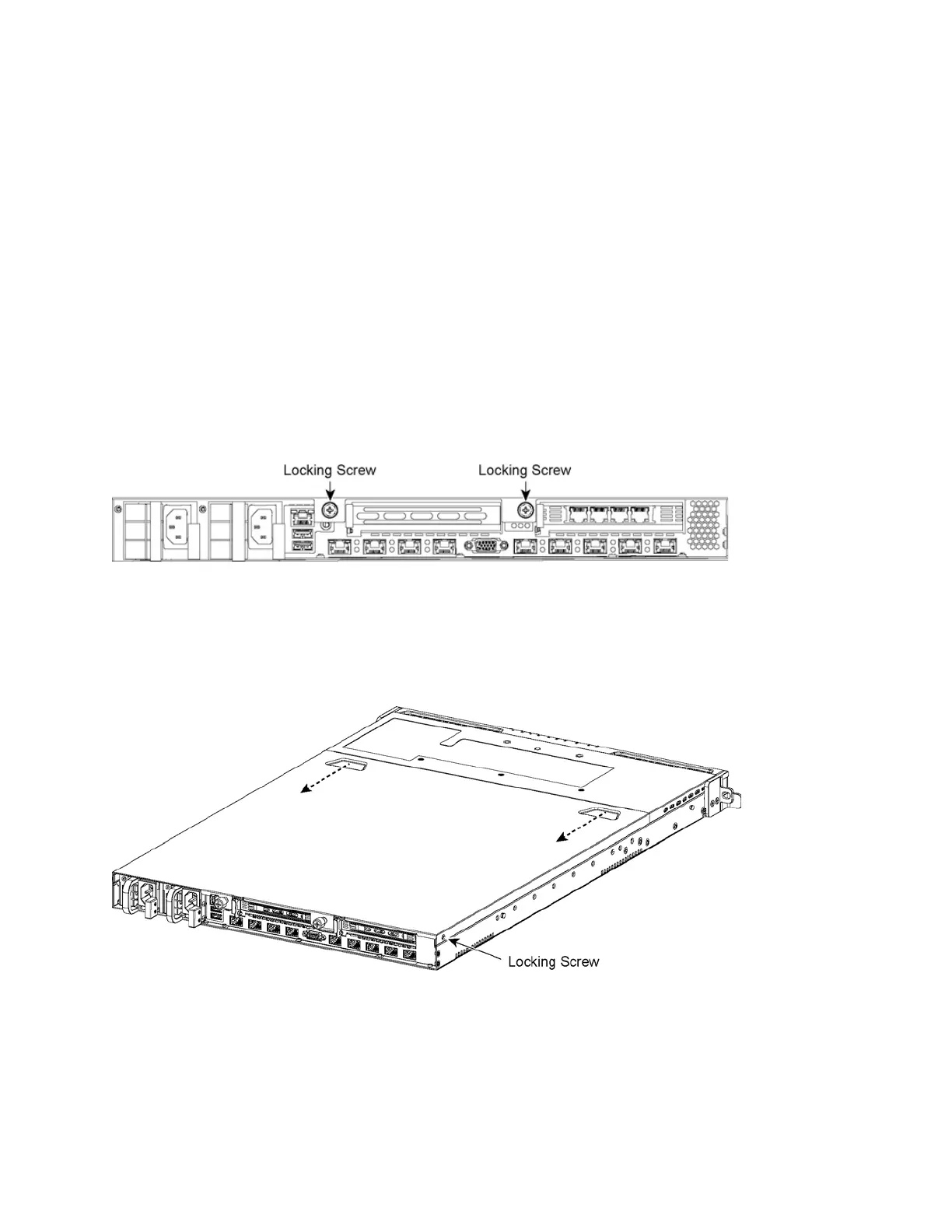
1. Loosen the two locking screws on the back of the chassis. (See Figure 4-3.)
Figure 4-3. Loosening the locking screws
2. Remove the third locking screw on the left side near the back of the top cover.
3. Position your thumbs in the indentations at the front of the appliance and slide the cover back from
the chassis. (See Figure 4-4.)
Figure 4-4. Removing the chassis cover
Removing the chassis cover on 2U appliances
This section describes how to remove the chassis covers for the SteelFusion Edge 3100, SteelFusion
Edge 3200, and SteelFusion Edge 5100 appliances.



 To Next Page