SteelFusion Edge Hardware and Maintenance Guide
45
Opening the bezel Replacing SteelFusion Edge Components
To open and remove the bezel on SteelFusion Edge appliances
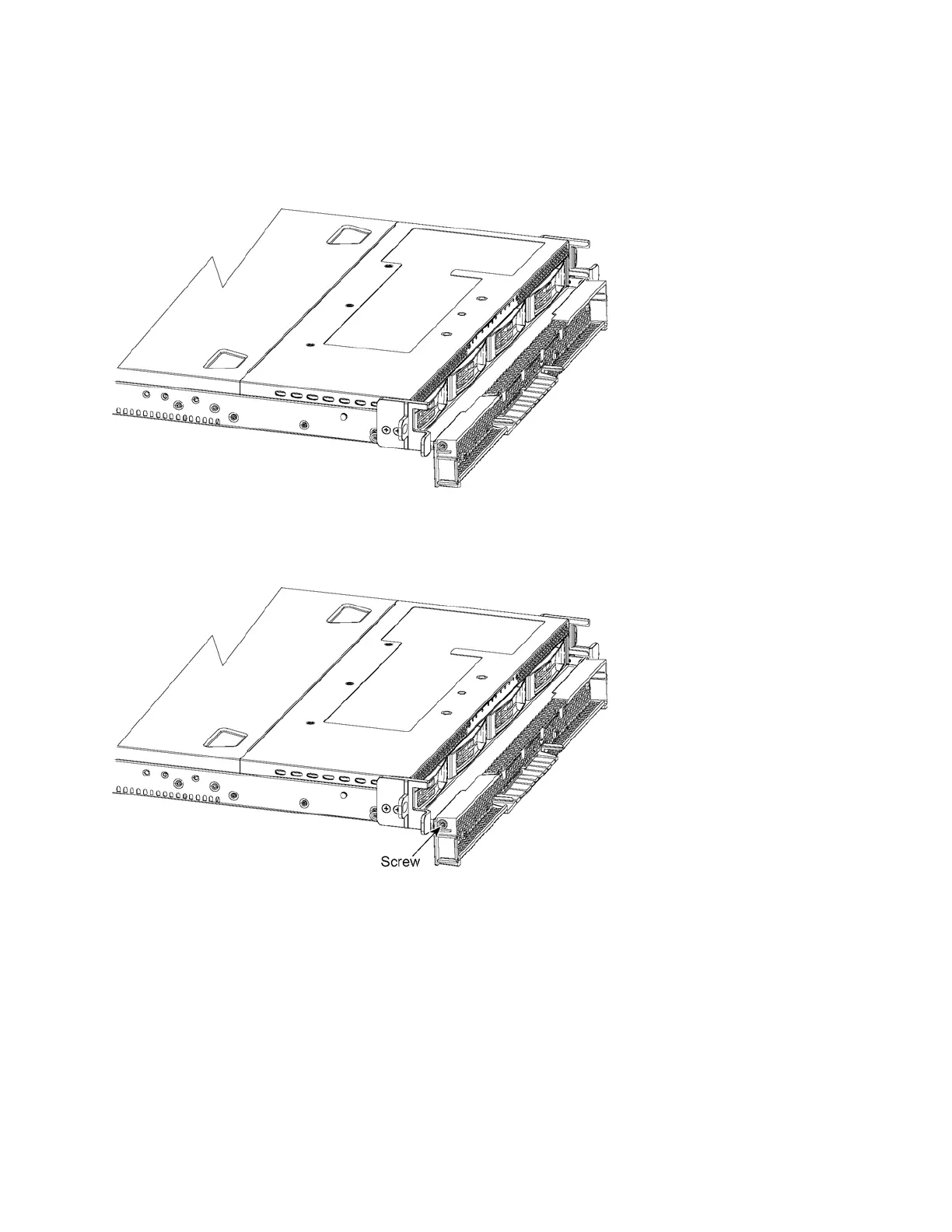
1. Press the release tabs on each side of the bezel and pull it toward you to open the bezel. The bezel
flips down and remains attached to the hinges. (See Figure 4-1.)
Figure 4-1. Opening the bezel on SteelFusion Edge appliances
2. Use a Phillips screwdriver to loosen the screws on both sides of the hinges to remove the bezel from
the appliance. (See Figure 4-2.)
Figure 4-2. Screw location on the hinge
3. Place the new bezel between the hinges and tighten the screws on both sides to secure the bezel to
the hinges.
4. Flip the bezel up to put it in the closed position.



 To Next Page