16 SteelFusion Edge Hardware and Maintenance Guide
SteelFusion Edge Overview 2U SteelFusion Edge appliances
2U SteelFusion Edge appliances
The SteelFusion Edge 3100, SteelFusion Edge 3200, and SteelFusion Edge 5100 are 2U appliances that
can provide WAN optimization, BlockStream-enabled storage, and hypervisor functionality. (See
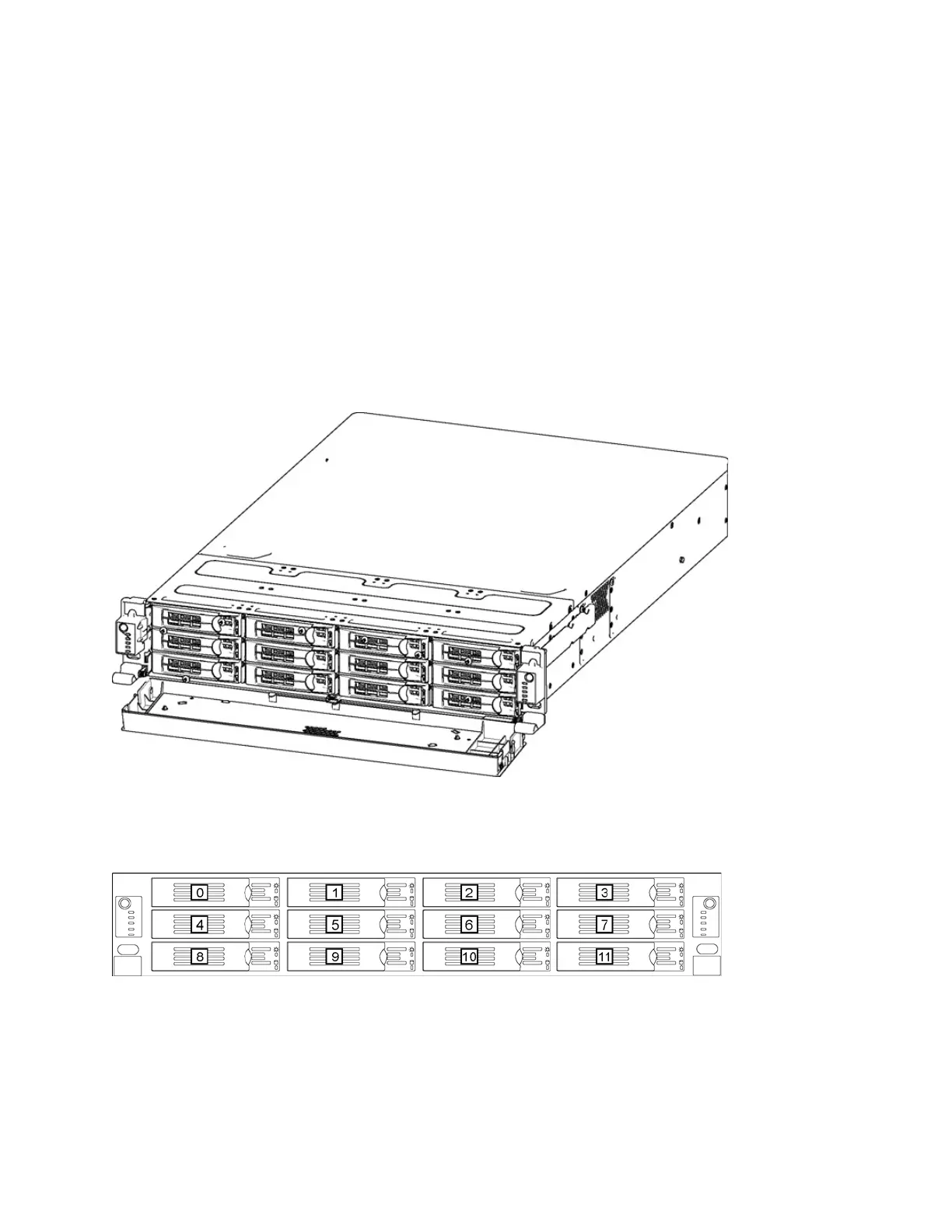
Figure 1-5.) They support two independent nodes with its own management and monitoring. The
appliances have 12 disk drive slots that are numbered 0 to 11. (See Figure 1-6.) The appliances also
support different combinations of network interface cards (NIC) that can be installed in the back of the
appliance. (See Figure 1-7.) Slots 1 to 4 are reserved for RiOS functionality while slots 5 and 6 are
reserved for the hypervisor (HYP). Slot 1 ships with the NIC-2-001G-4TX-EXP-BP already installed and
is used for RiOS functionality. The SteelFusion Edge is managed through the primary and auxiliary
interfaces using VMware tools, such as the vSphere Client and vCenter.
Note: For detailed information on the cards supported for the SteelFusion Edge slot configuration, see “Supported
NICs for SteelFusion Edge appliances” on page 30.
Figure 1-5. 2U SteelFusion Edge appliance (front view)
The disk slots are numbered 0 to 11 beginning at the top left. Figure 1-6 shows the disk slot number
scheme for the 2U SteelFusion Edge appliance.
Figure 1-6. 2U SteelFusion Edge disk slot numbers (front view)



 To Next Page