SteelFusion Edge Hardware and Maintenance Guide
53
Adding and replacing memory modules Replacing SteelFusion Edge Components
Installing additional memory modules in SteelFusion Edge appliances
Additional memory kits are available with certain SteelFusion Edge appliances to increase the memory
on the hypervisor node. This section describes how to add memory modules to the SteelFusion Edge
2100, 2200, and 3100 appliances.
Note: When you install or replace memory modules, you must wear a grounded ESD strap. For details, see the
“Electrostatic discharge guidelines”.
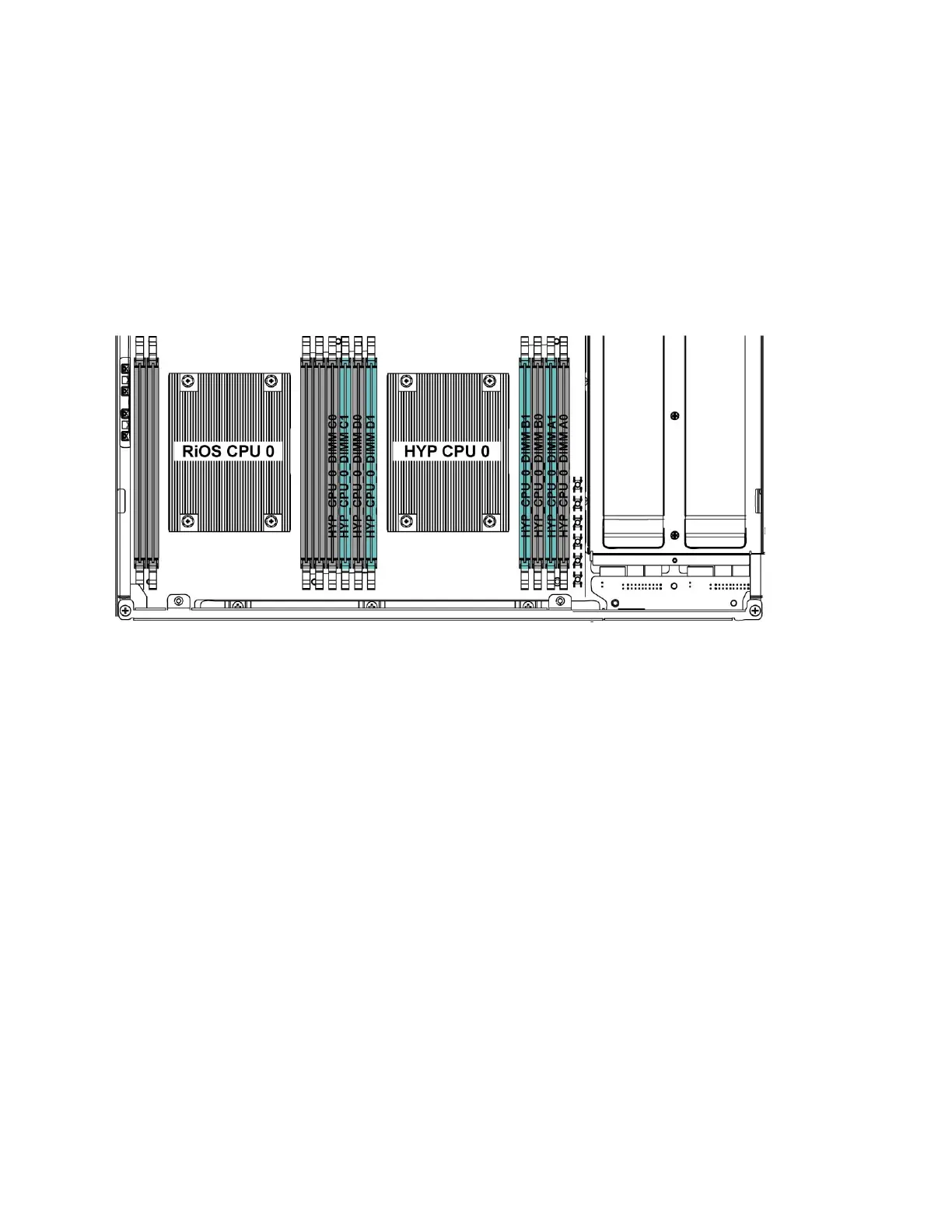
The following diagram shows memory module slot locations in these appliances. (Figure 4-12.)
Figure 4-12. Memory module slot locations
When adding memory to the SteelFusion Edge appliances, follow these guidelines:
SteelFusion Edge 2100, install the 16 GB memory modules in the available black slots:
HYP CPU 0 DIMM D0 (16 GB)
HYP CPU 0 DIMM B0 (16 GB)
SteelFusion Edge 2200, install the new 16 GB and 8 GB memory modules into the slots next to the
existing module of the same size:
HYP CPU 0 DIMM C1 (16 GB)
HYP CPU 0 DIMM D1 (8 GB)
HYP CPU 0 DIMM B1 (8 GB)
HYP CPU 0 DIMM A1 (16 GB)
SteelFusion Edge 3100, install the 16 GB modules in the available slots:
HYP CPU 0 DIMM C1 (16 GB)
HYP CPU 0 DIMM D1 (16 GB)
HYP CPU 0 DIMM B1 (16 GB)
HYP CPU 0 DIMM A1 (16 GB)



 To Next Page