SteelFusion Edge Hardware and Maintenance Guide
33
Installing NICs in 1U SteelFusion Edge appliances Installing Network Interface Cards in SteelFusion Edge Appliances
Installing NICs in 1U SteelFusion Edge appliances
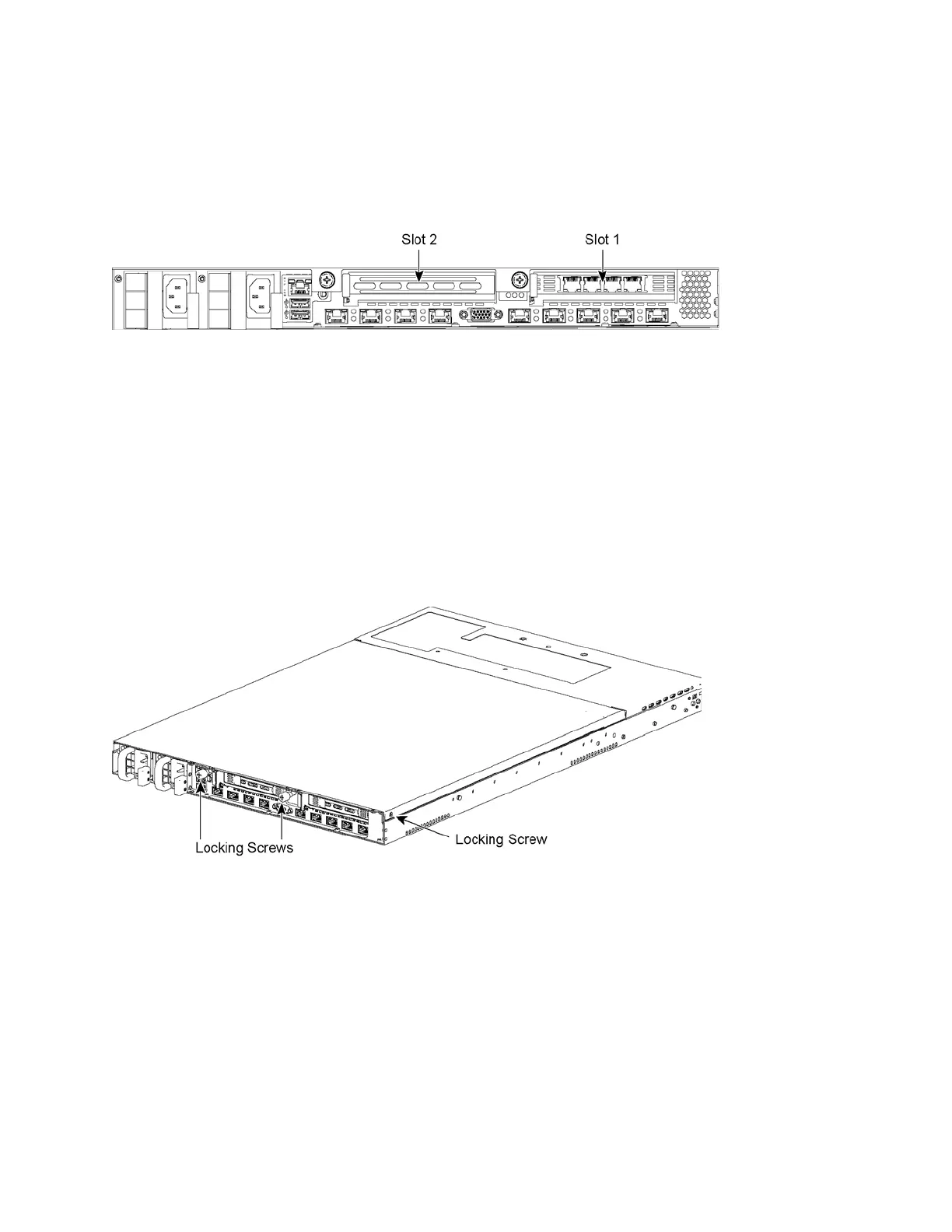
This section describes how to install NICs in 1U SteelFusion Edge appliances. Figure 3-1 identifies the
Peripheral Component Interconnect Express (PCIe) slot locations.
Figure 3-1. NIC slot locations for 1U SteelFusion Edge appliances
To install a NIC in the 1U appliances
1. Power down the appliance.
2. Remove the power-supply cord.
3. Remove the cables connected to the appliance.
4. Remove the appliance from the mounting rack, if necessary.
5. Unscrew the two locking screws on the back of the chassis. (See Figure 3-2.)
Figure 3-2. Locking screws
6. Remove a third locking screw on the left side near the back of the top cover.



 To Next Page