34 SteelFusion Edge Hardware and Maintenance Guide
Installing Network Interface Cards in SteelFusion Edge Appliances Installing NICs in 1U SteelFusion Edge appliances
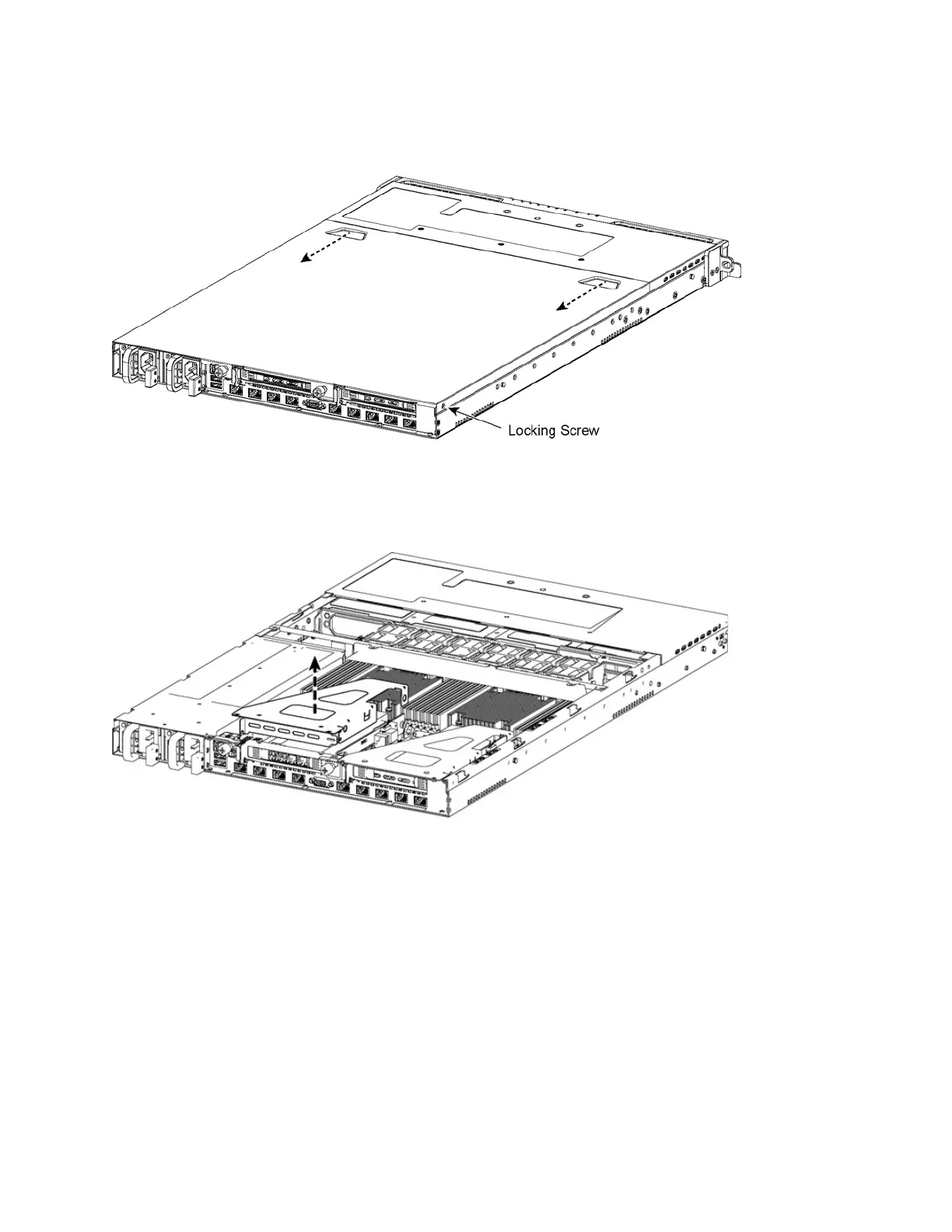
7. Position your thumbs in the indentations at the front of the appliance and slide the cover back from
the chassis. (See Figure 3-3.)
Figure 3-3. Removing the chassis cover
8. To release the PCIe carrier, remove the two locking screws.
9. Pull the PCIe carrier straight up to remove it from the appliance. (See Figure 3-4.)
Figure 3-4. Removing the PCIe carrier
10. Remove the two locking screws on the faceplate of the filler bracket on the rear panel of the PCIe
carrier.
11. If you are replacing an existing NIC, carefully pull the NIC from the riser card.
Do not attempt to remove the onboard NIC built into the motherboard. The NICs fit horizontally into
the PCIe carrier. The NIC connectors fit into the bus slots on the motherboard.



 To Next Page