70 SteelFusion Edge Hardware and Maintenance Guide
Replacing SteelFusion Edge Components Replacing fans
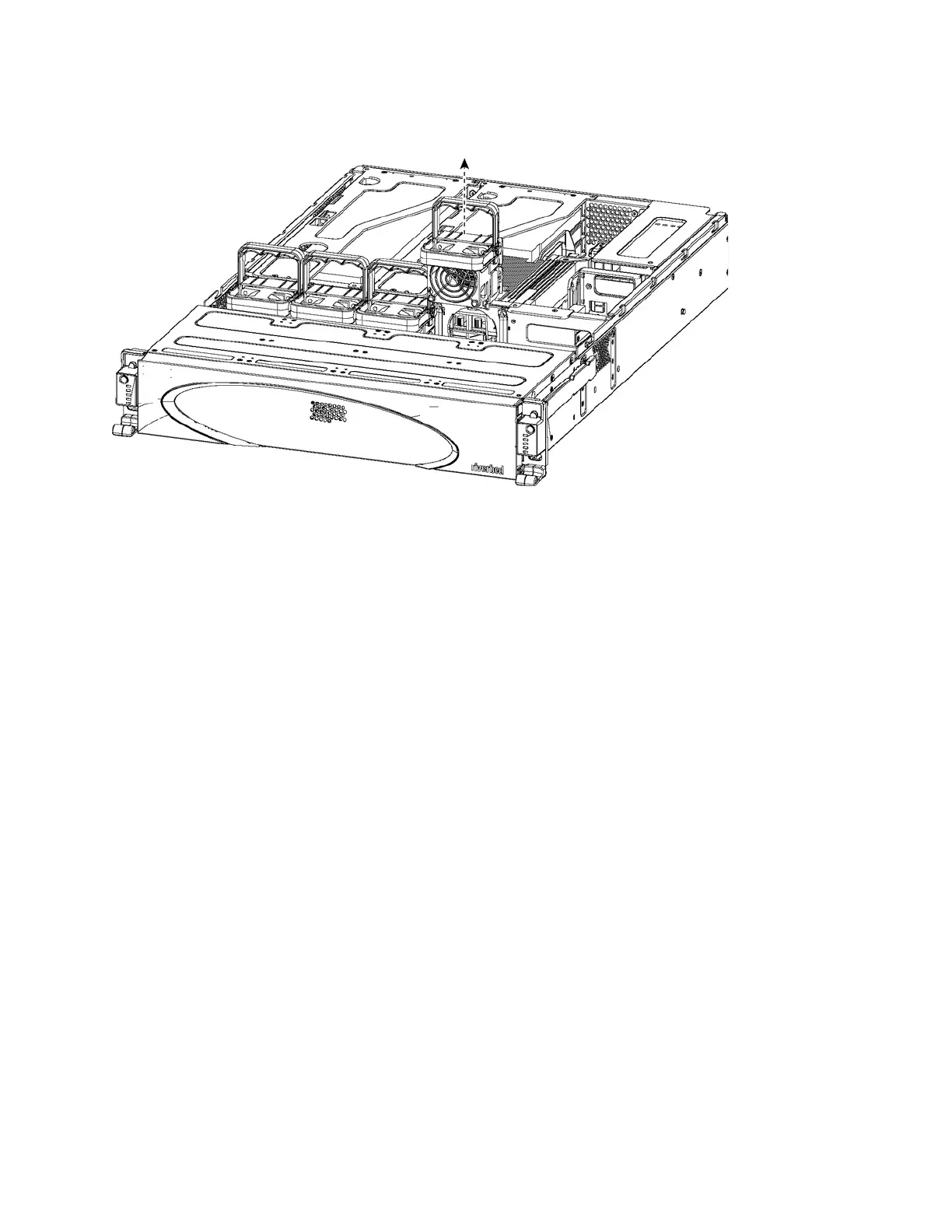
3. Pull the fan release lever upward and pull the fan up from the chassis.
Figure 4-33. Removing the fan
4. Plug the replacement fan into the chassis.
5. Replace the chassis cover.
Note: If the IPMI alarm triggers when you open the chassis cover, enter the clear hardware error-log command in
the CLI to clear the alarm. For details, see the Riverbed Command-Line Interface Reference Manual.



 To Next Page