115
Optical S/PDIF output socket
A digital output socket providing an S/PDIF signal is provided on the rear
of your sound system for connection to an amplifi er, mini-disc or other
equipment with a digital optical input.
Aerial removal
The fi tted telescopic aerial is suitable for most applications. The telescopic
aerial may be removed to allow connection to an external aerial using a
coaxial cable.
First remove the two small screws holding the antenna connector cover
in place (use a small cross-head screw driver). Then using the supplied
spanner, remove the telescopic aerial by rotating in an anti-clockwise
direction when viewed from the rear of the product.
This will expose an F-type connector to which an external aerial may be
connected.
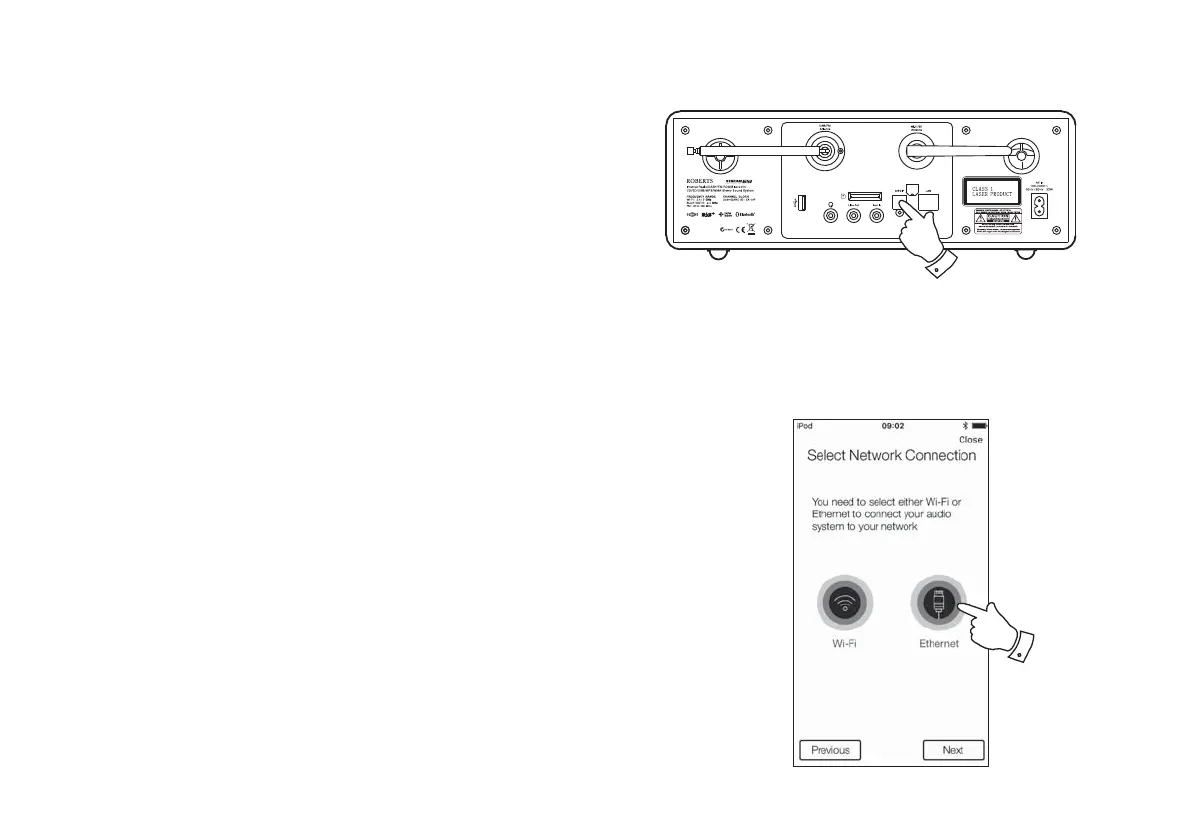
Using an Ethernet connection
If you choose to connect your sound system to the network using a wired Ethernet connection,
then an Ethernet cable of the appropriate length will be needed (cable not supplied).
The app will offer you an option to connect using Ethernet during the setup procedure.
1. Connect the Ethernet cable to the RJ45 Ethernet socket on the back of your sound
system.
2. Select the Ethernet option on the UNDOK app and follow the onscreen guide.
In situations where there are many WiFi networks in use, it is possible that multi-room
performance of the product may be improved by using the ethernet connection.
If it is intended to listen to FM radio extensively, then there may be benefi t in using a shielded
Ethernet cable since this may reduce possible interference to the sound system.
2



 To Next Page