Confi guration
10
5,6
6
6
Confi guration
Plugging in and language selection
Your sound system may be confi gured using either the display and buttons on the
sound system, or by using the UNDOK app.
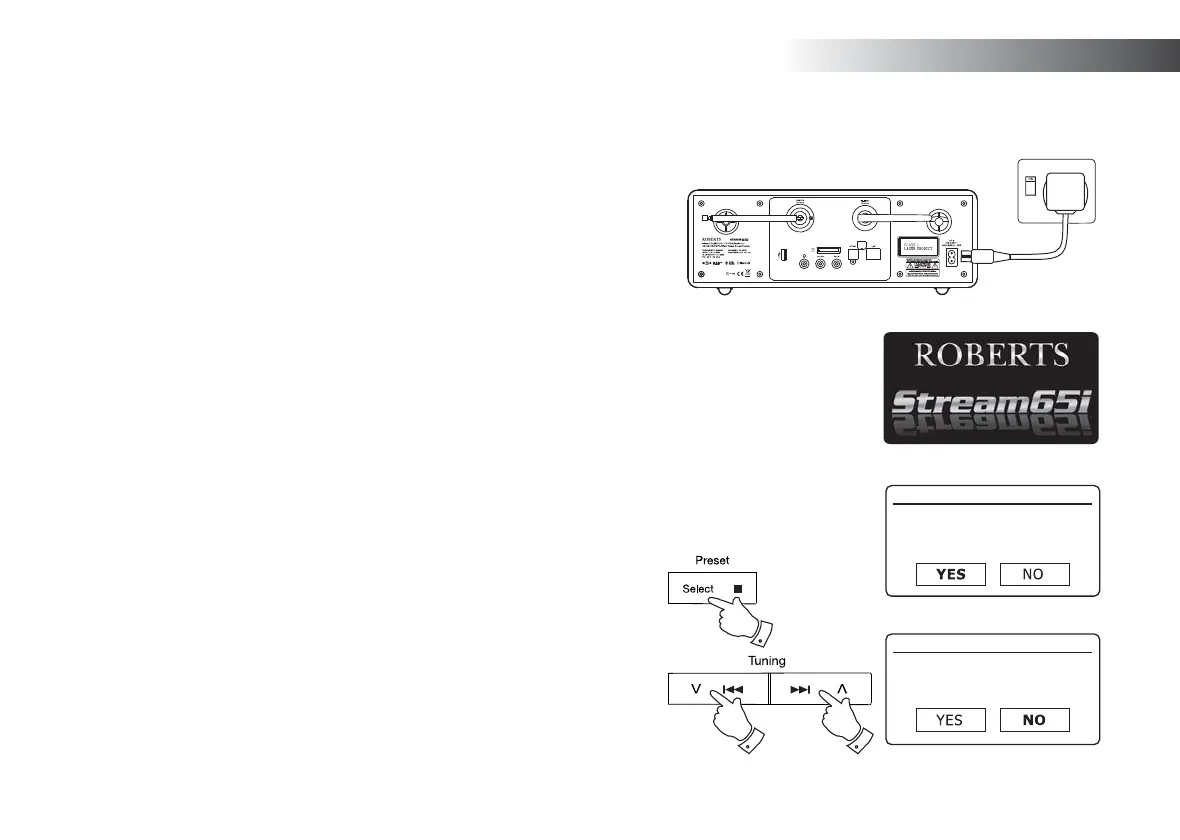
1. Place your sound system on a fl at surface and plug the mains lead into the
mains socket located at the rear of your sound system ensuring that the plug
is pushed fully into the socket.
2. If you wish to use a wired network connection, plug the Ethernet cable into the
RJ-45 socket at the back of the sound system.
3. Plug the other end of the mains lead into a wall socket and switch on the wall
socket.
IMPORTANT: The mains plug is used as the means of connecting the sound
system to the mains supply. The mains socket used for the sound system must
remain accessible during normal use. In order to disconnect the sound system
from the mains, the mains plug should be removed from the mains socket outlet
completely.
4. When you apply power, the display on the sound system will light up and say:
'ROBERTS' and 'Stream 65i'. If this is the fi rst time that you use your sound
system (or after a Factory Reset) the display will show 'Setup wizard' and 'YES'
will be highlighted on the screen.
Note: If you wish to use UNDOK to setup your sound system, please see page 18.
5. By default your sound system will display all menus and messages in English.
If English is your preferred language then press the Select button to select 'YES'
and to begin setting up your sound system.
If you selected 'YES' please skip to step 1 on page 12.
6. If your preferred language is not English, press the Menu Up or Down buttons so
that the 'NO' option is highlighted. Press the Select button to enter the selection.
Continue on the next page.
Setup wizard
Start now?
Setup wizard
Start now?



 To Next Page