70
Playing audio fi les in Bluetooth mode
When you have successfully connected your sound system with your
chosen Bluetooth device you can start to play your music using the
controls on the device.
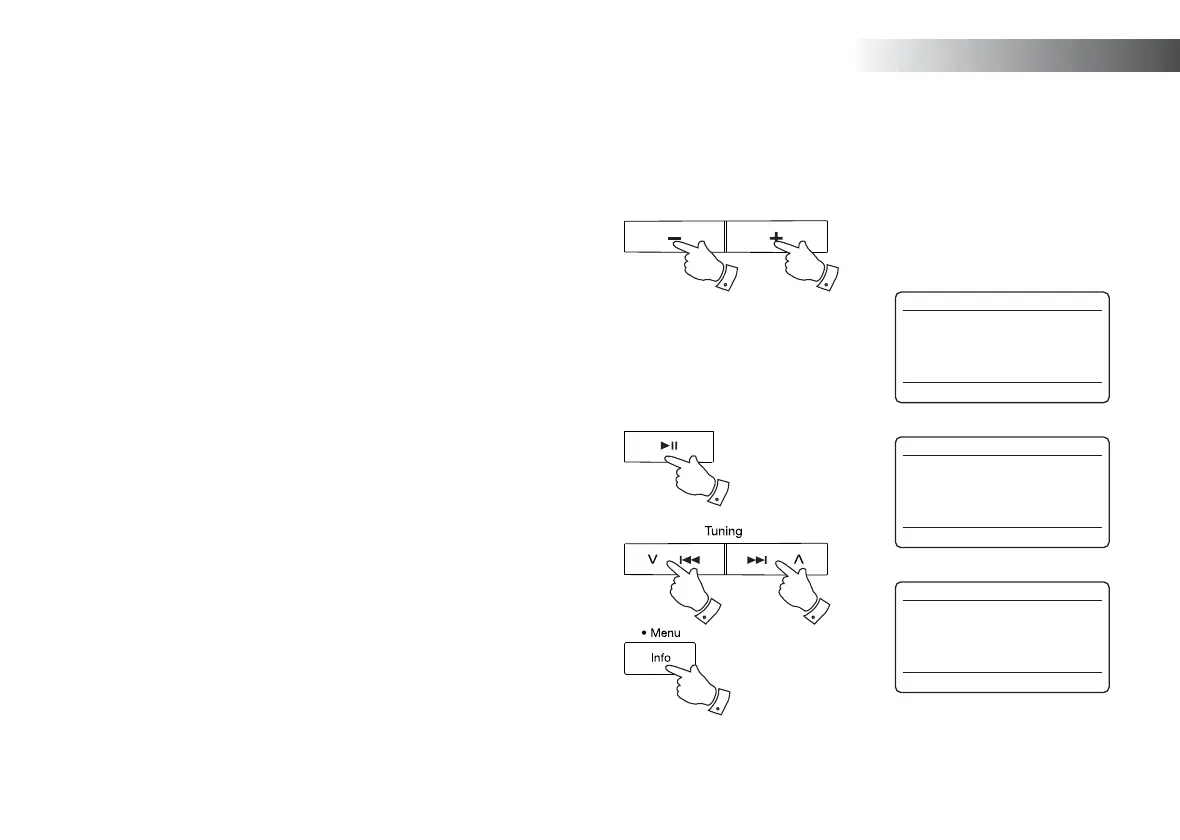
1. Once playing has started adjust the volume to the required setting
using the Volume buttons on your sound system or the connected
Bluetooth device.
2. The volume of your sound system in Bluetooth mode is affected by
the volume settings on the sound system and also on the connected
Bluetooth device.
If you adjust the volume control on the sound system but you fi nd that
the volume from the sound system is not suffi cient, it may be that the
volume setting of the connected device needs to be increased.
3. The audio player in your phone, tablet or PC may be able to respond
to the Play/Pause, Next track and Previous track buttons on the
sound system.
Note:That not all player applications or devices may respond to all of
these buttons.
4. If your connected device is able to provide information from the track
being played, you may press and release the Info button to display
the Title, Album and Artist details on the display.
Volume
1,2 1,2
3
33
4
12:34
Julia’s iPod touch
Playing
Bluetooth
12:34
Julia’s iPod touch
Pause
Bluetooth
12:34
Julia’s iPod touch
Title:
Home Again
Bluetooth
Bluetooth



 To Next Page