49
Presetting stations
Your sound system has ten memory presets each for DAB and FM radio. They
are used in the same way for each operating mode.
The radio station presets are retained even when the sound system is switched off.
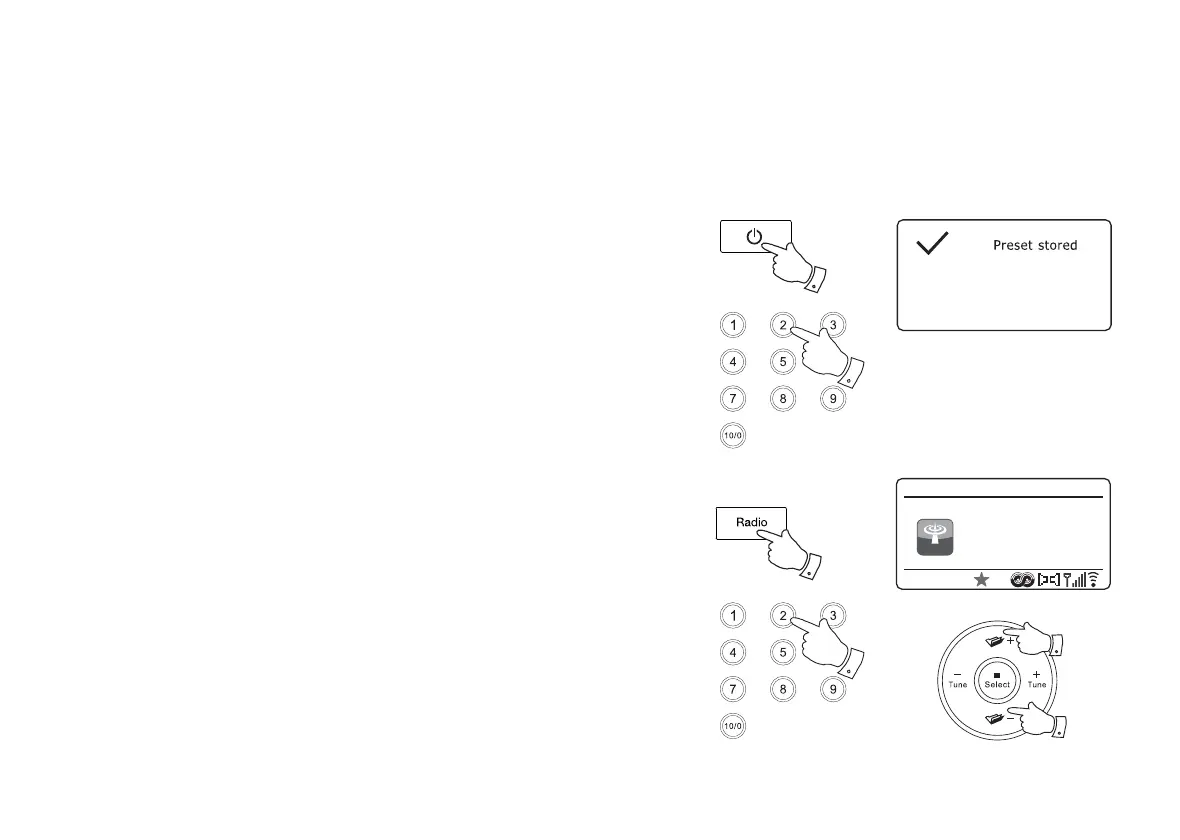
Storing a preset 1-10 using remote control
1. Press the On/Standby button to switch on your sound system.
2. Tune to the required station using one of the methods described on the
preceding pages.
3. To store the currently playing radio station as a preset, press and hold the
required Preset button (1 - 10) on the remote control until the display shows
'Preset stored'. The station will be stored using the chosen preset button.
Repeat this procedure as needed for the remaining presets.
4. Stations that are already stored in the presets may be over-written by following
the procedure described above.
Recalling a preset 1-10 using remote control
1. Press the On/Standby button to switch on your sound system. Select the
DAB or FM Radio mode using the Radio button.
2. Momentarily press the required Preset button on the remote control. Your
sound system will then connect to the station stored in the preset memory.
The preset used will be shown at the bottom of the display screen.
Note: You may select a stored preset by pressing the Menu Up or Down buttons
on the remote control. The preset indicator will show on the bottom of the display
screen.
3
1
1
2
2
FM
12:34
Heart FM
FM Radio
Heart FM - The
Best Variety Of
Hits



 To Next Page