90
Clock and Alarms
Clock and Alarms
Automatically updating the clock
Your sound system will normally update the clock automatically when connected
to the internet. If you enter a time setting manually, the sound system will calculate
a local time offset which is then stored in memory. Whenever it synchronises
the clock using the internet, including after a power failure, your sound system
will then set the clock automatically using this information.
You may wish to use the sound system away from the internet, in which case
you may specify that the unit sets its clock from DAB or FM radio broadcasts.
After a power failure the sound system will then set its clock the next time that
you turn on the radio in DAB or FM mode.
Alternatively you may specify that the time is not automatically updated. In this
case the clock must always be set manually after a power interruption.
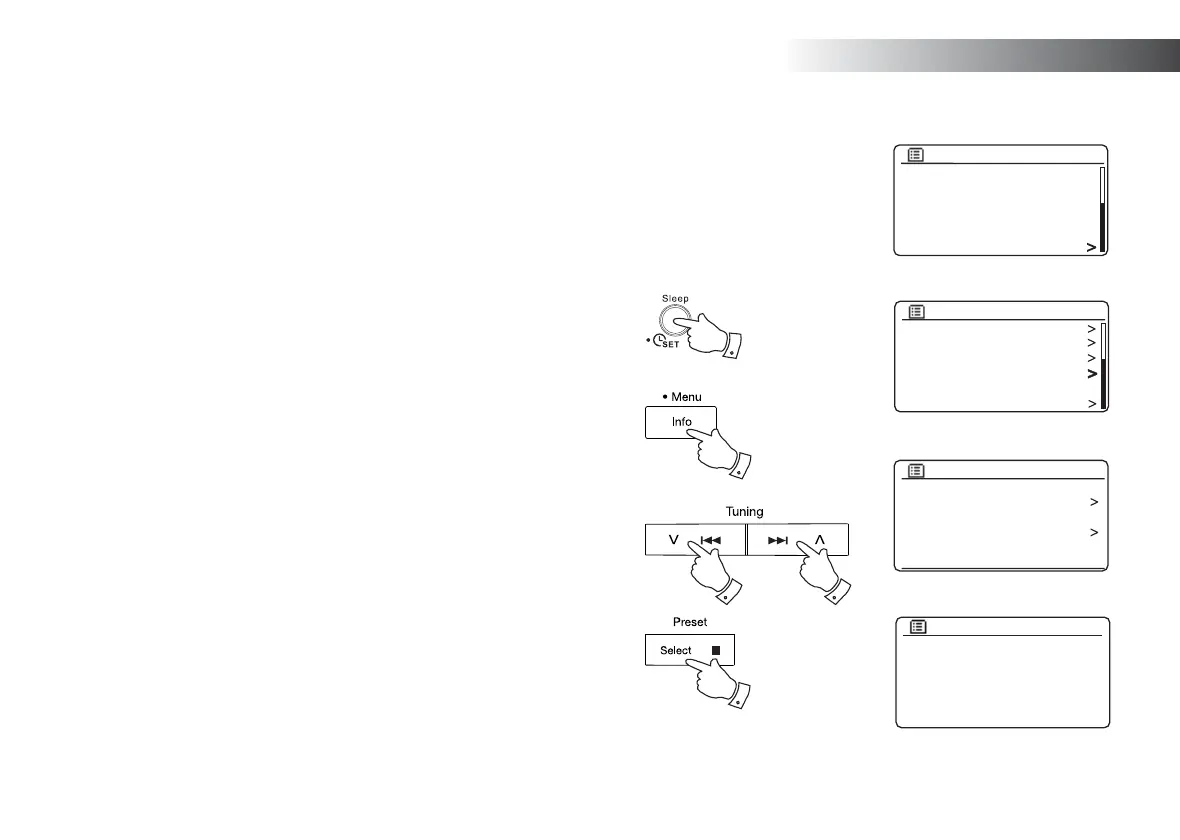
1. With your sound system switched on, press and hold the Clock set button
(on the remote control) and then skip to step 4 below. Alternatively press
and hold the Menu button to access the menu for the current mode.
2. Press the Menu Up or Down buttons until 'System settings' is highlighted
on the display. Press and release the Select button to enter the System
Settings menu.
3. Press the Menu Up or Down buttons until 'Time/Date' is highlighted on the
display. Press and release the Select button to enter the time setup.
4. Press the Menu Up or Down buttons until 'Auto update' is highlighted on
the display. Press and release the Select button to enter the Auto Update
menu.
5. Press the Menu Up or Down buttons to choose an update option from
'Update from DAB', 'Update from FM', 'Update from Network' or 'No update'
as required. Press and release the Select button to confi rm your choice.
The sound system will then exit to the previous menu display.
2-5 2-5
1
2-5
SD
Bluetooth
Aux in
Sleep
Alarms
System settings
Main menu
1
Backlight
Equaliser
Network
Time/Date
Inactive Standby
Language
System settings
Set Time/Date
Auto update
Set format
Set timezone
Daylight savings
Time/Date
Auto update
Update from DAB
Update from FM
Update from Network
No update
*



 To Next Page