75
Ejecting a CD
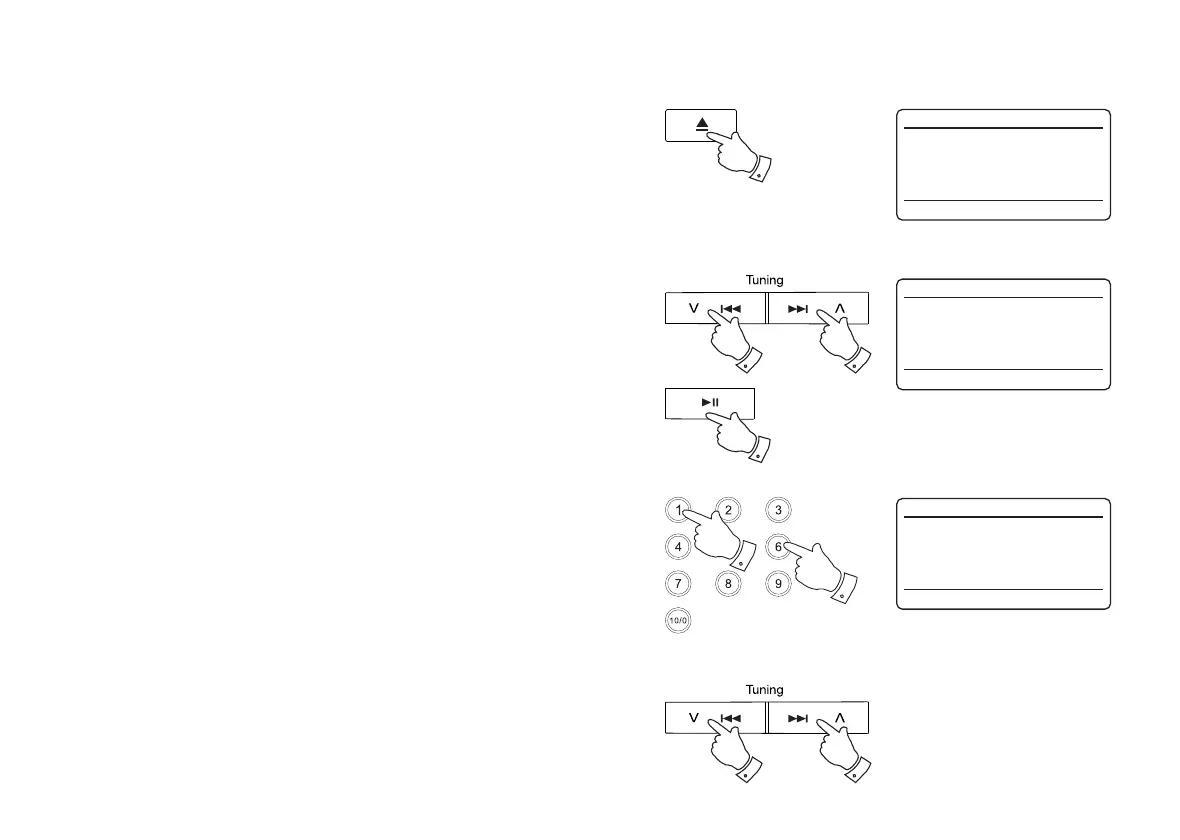
1. To take out the CD, press and release the CD Eject button. The display will
show 'Eject'. In order to protect the disc if it is not removed, the unit will reload
the CD after 10 seconds and then enter standby mode.
2. In the event that the CD fails to eject, press and hold the CD Eject button. This
will cause the CD player to eject the disc even if it is unable to detect the presence
of an inserted CD (as may happen if the CD has a large area of transparency).
Selecting a track
1. While the CD is playing, press either the Next or Previous buttons to change
to the desired track. The updated track number is shown in the display.
2. You can also skip tracks when the player is paused or stopped. Skip to the
desired track using the Next or Previous buttons, release the button when the
desired track is displayed.
3. Press the Play / Pause button to play the selected track.
Selecting a track
1. For track numbers 1-9 simply press the corresponding digit button on the remote
control. For track numbers ten and above press the required digits using the
10/0 button to enter the digit zero.
2. If the track number exceeds the number of tracks on the CD, then the last track
on the CD will be played.
Search function
1. While the CD is playing, press and hold the Next or Previous buttons. Release
the button when the desired part of the track is reached.
1,2
1,2 1,2
11
3
CD
12:34
T015 64:44
Eject
CD
12:34
T002 00:20
Playing
CD
12:34
T002 00:20
Playing



 To Next Page