120
SSID:
0 1 2 3 4 5 6
7 8 9 . _ - @
, a b c d e
f g h i j k l
m n o p q r s
mynetwork
Network settings
Please wait
Connecting...
Network wizard
PBC Wlan setup
View settings
Wlan region
Manual settings
NetRemote PIN Setup
Network settings
Network wizard
PBC Wlan setup
View settings
Wlan region
Manual settings
NetRemote PIN Setup
Network settings
Connection type
Wired
Wireless
IP settings
IP address
192 . 168 . 1 . 25
Subnet mask
255 . 255 . 255 . 0
Manual network confi guration
If you do not wish to use DHCP for automatic network confi guration, or if your network is confi gured with a
hidden SSID, then you will need to enter some network settings manually. The typical user will not need to use
manual network confi guration. The facility is provided to allow the product is to be used with networks where
the confi guration of devices is not managed by the router, or where customised settings may be required. In
such cases it is assumed that the user already has suffi cient knowledge to understand the terms and settings
used for this purpose. IPv4 address schemes are used.
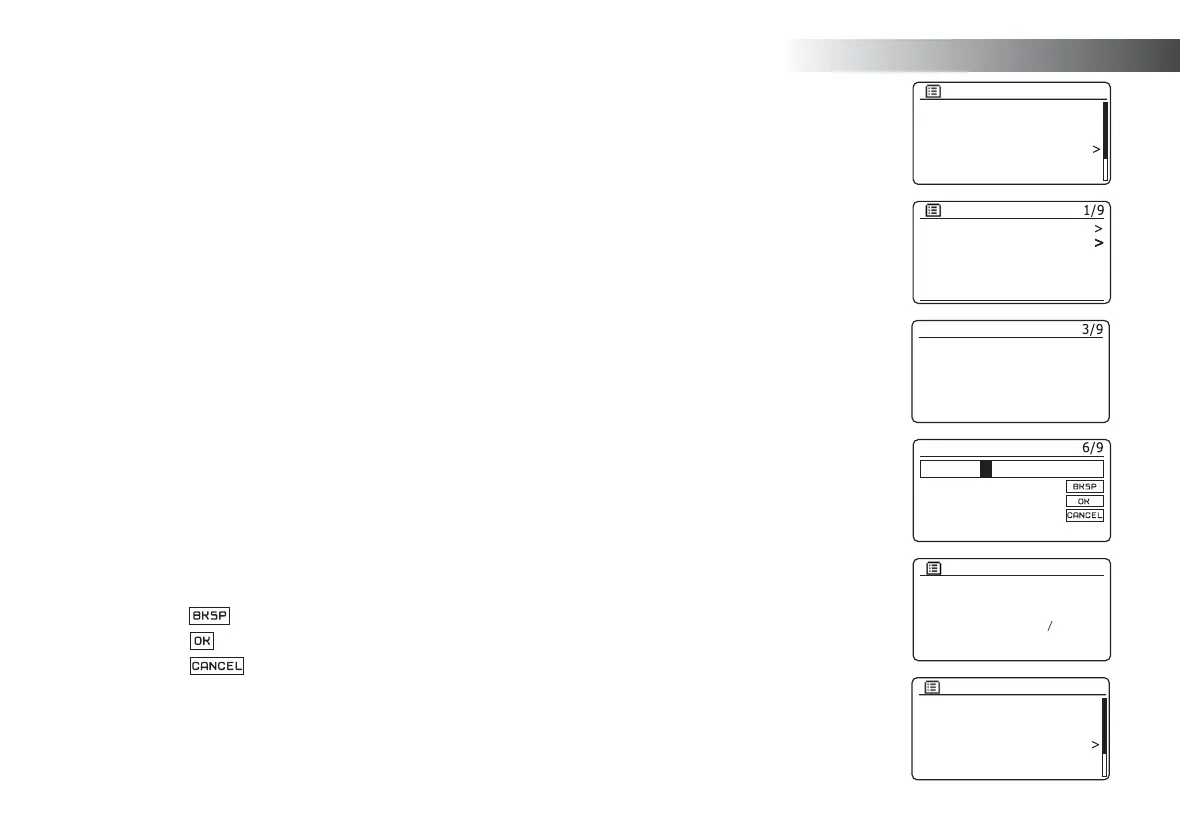
1. From the sound system's Network Settings menu, select 'Manual settings'. You must then choose whether
to connect using 'Wired' or 'Wireless' connections. If you choose 'Wireless' there are as many as nine
settings screens, shown by the '1 of 9' progress marker in the top right corner of the display. If you choose
'Wired' there are fi ve screens and the progress marker will refl ect this, although the steps to set up the
network parameters are basically the same.
2. The susequent menus allow confi guration of the following parameters:
DHCP - On or Off
IP address - e.g. 129.168.1.25
Subnet mask - e.g. 255.255.255.0
Gateway adress - e.g. 129.168.1.1
DNS address (primary and secondary addresses)
SSID - needed for WiFi connections if the SSID is not broadcast
WEP / WPA / WPA2 key and settings
When entering numbers, the SSID or the WiFi pass key, the three controls on the right-hand side of the
screen have special functions. You can quickly access these by pressing the Info button and then use the
Menu Up or Down and the Select buttons as needed:
select '
' to erase a character just entered (long press to clear); Info again to continue
select '
' when the complete encryption key has been entered
select '
' to cancel and go back to the TKIP / AES options screen
3. Upon completion of the settings the sound system should connect to the network. If the connection is
made successfully, the sound system will return to the Network Settings menu. If the unit cannot connect,
then it will display a 'Failed to connect' message. You will then need to identify which setting may need to
be changed, or whether some other network issue is responsible. Once connected, the network settings
are saved. They are retained in memory while the sound system is disconnected from the mains.
Information



 To Next Page