83
Playing MP3 / WMA fi les - SD / USB
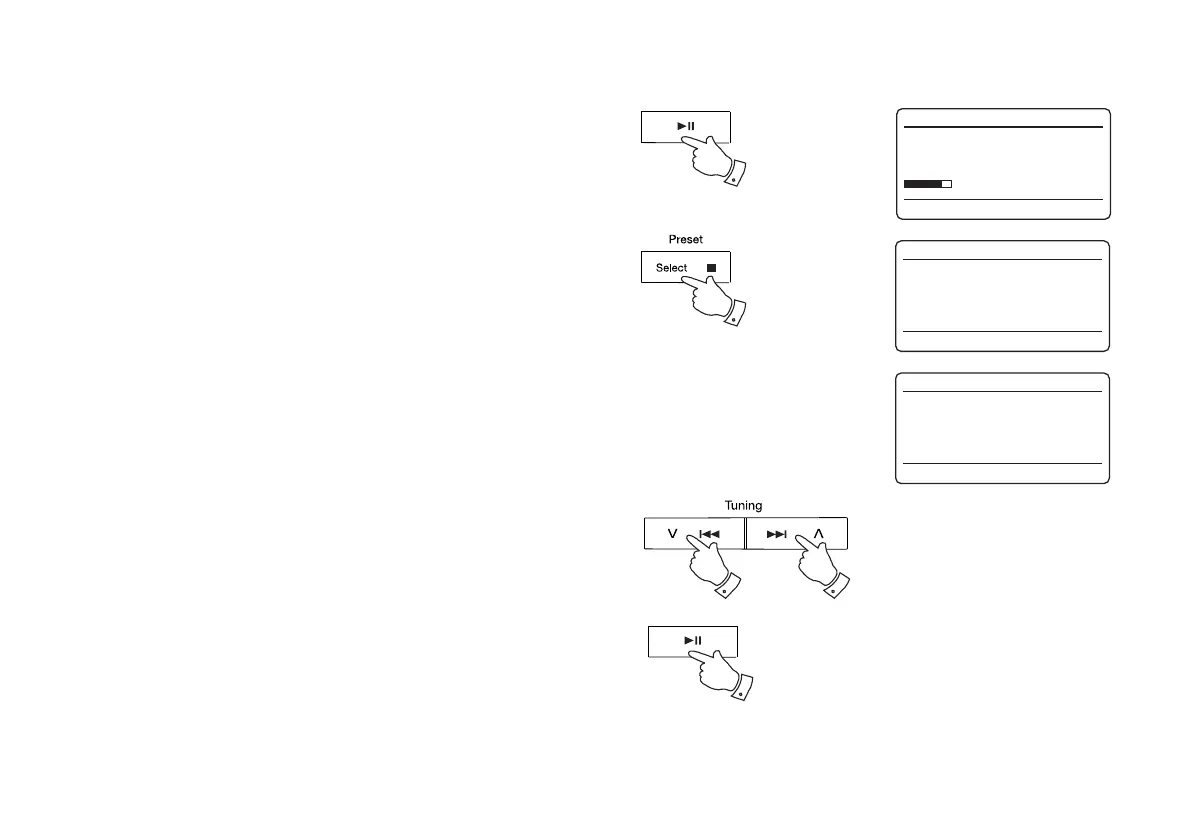
1. Press the Play / Pause button to start playing from the SD card / USB
memory device. The display will show the fi rst folder and fi le numbers
- "01" and "001".
2. To pause playing press the Play / Pause button.To resume playing
press the Play / Pause button again.
3. To stop play, press the Stop button.The total number of fi les and
folders on the media will be displayed.
If you put the unit into standby mode without pressing the Stop button,
then the next time the unit is switched on it will return to the previously
played fi le.
Selecting a fi le
1. While the SD card / USB memory device is playing, press either the
Next or Previous buttons to change to the desired fi le. The fi le number
is updated in the display. If there is more than one folder, when all fi les
in the current folder have been played the next folder will be played.
2. You can also skip fi les when the player is in stop mode. Skip to the
desired fi le using the Next or Previous buttons and release the button
when the desired fi le number is displayed.
3. Press the Play / Pause button to play the selected fi le.
1,2
3
1,2 1,2
3
USB
12:34
FO1 T001 00:15
Playing
USB
12:34
FO1 T001 00:15
Pause
USB
12:34
Reading



 To Next Page