38
Display modes
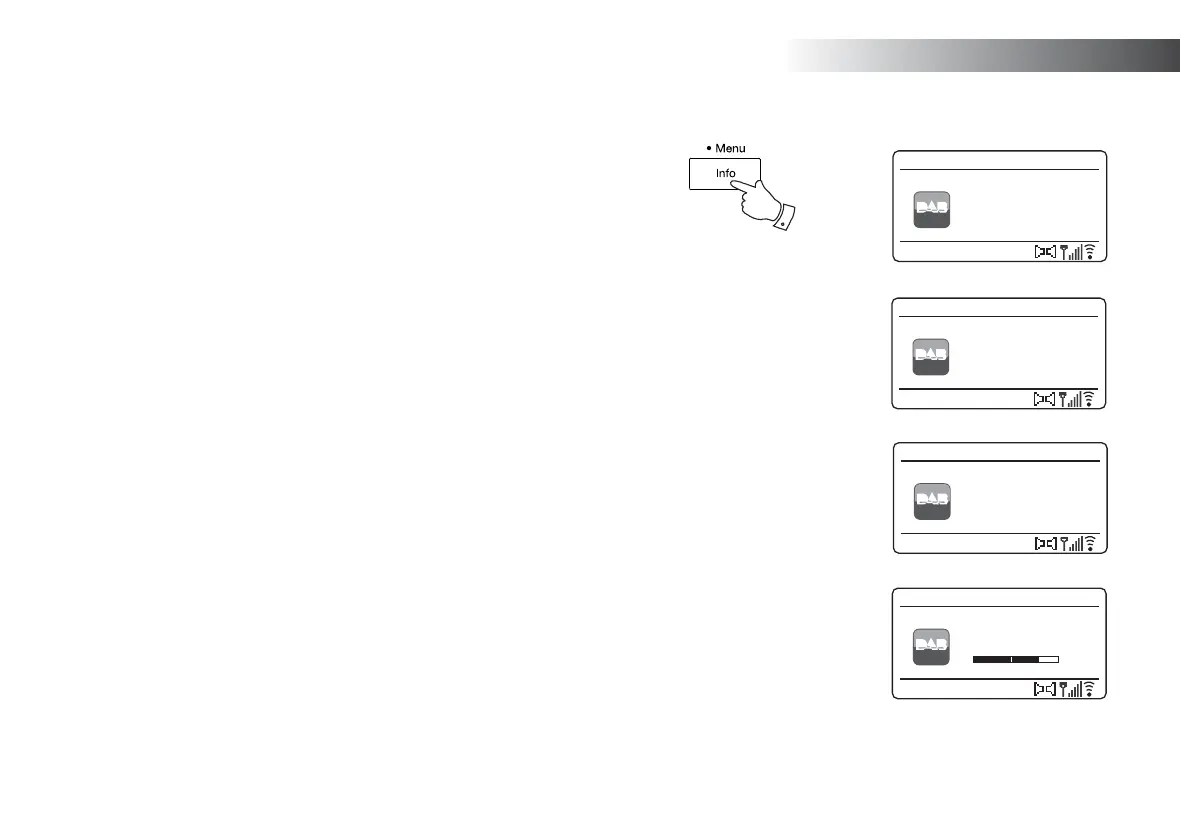
Your sound system has a range of display options when in DAB mode:-
1. Press and release the Info button to cycle through the different options.
Text Displays text messages such as the
artist or track name, phone in number,
traffi c alerts, etc.
Program Type Displays the type of station being listened
to such as Pop, Classic, News etc.
Multiplex / Frequency Displays the name of the DAB multiplex
to which the current station belongs as
well as its broadcast frequency.
Signal error / strength Displays the signal error and strength
for the station being listened to. A lower
error number indicates a better quality
of radio signal. The signal strength
graph can be used when positioning
the radio or its antenna. For good
reception the graph should occupy
three or more blocks.
Bit rate and audio type Displays the digital bit rate and audio
coding information for the station being
listened to.
Date Displays the current date.
DL Plus text Some stations may provide other
programme related information for the
display in addition to the regular text.
If none is available, a message
'[No DL+] is displayed.
Heart - More
Music Variety
DAB
12:34
Heart
DAB Radio
Pop Music
DAB
12:34
Heart
DAB Radio
MXR Yorkshire
Freq:223.936MHz
DAB
12:34
Heart
DAB Radio
Signal error: 0
Strength:
DAB
12:34
Heart
DAB Radio
1
A signal strength indicator is always shown in the lower area of the display on the right hand side.
If the broadcast being received is in stereo, then the stereo speaker symbol will be shown.
If the currently tuned station has been stored as a preset, then the preset number will also be shown (see page 49).
DAB Radio



 To Next Page