56
Music Player
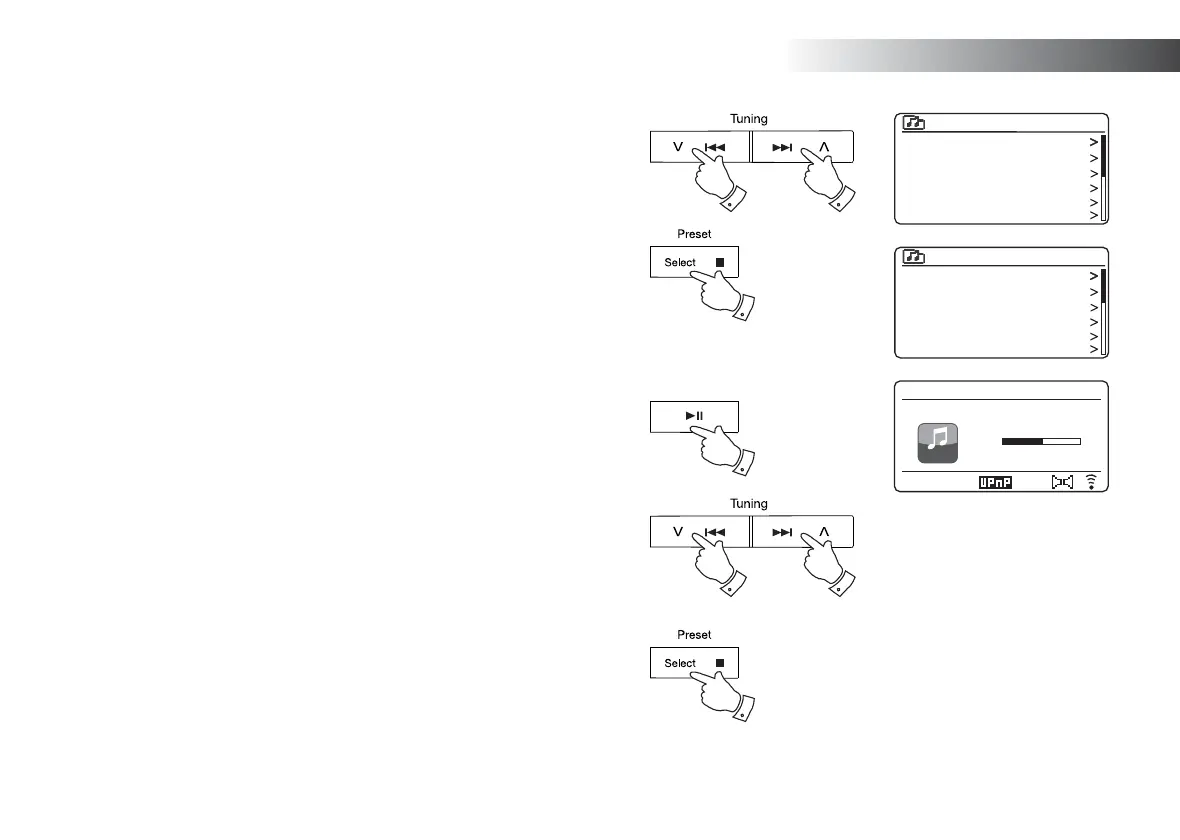
Listening to a particular track
1. If you wish to play only a particular track from an album or folder, fi rst
choose the album or folder as described on the preceding pages.
2. Press the Menu Up or Down buttons until the required track is highlighted.
3. Press and release the Select button. The track will begin playing. The sound
system will then play subsequent tracks from the same album or folder.
Controlling playback
1. Press the Play/Pause button to pause playback of the current track.
2. If you press the Play/Pause button, playback will resume from the point
where it was paused.
3. Press the Previous button to start playback of the previous track in the
list.
4. Press the Next button to start playback of the next track in the list.
5. Press and hold the Next or Previous button to move through the current
track. The longer the button is pressed, the greater the speed at which the
player will move through the track. Release the button when the desired
point is reached. (Note that this feature is not supported when playing fi les
encoded using the FLAC format.)
6. Press the Stop button to stop playback.
1,2
3
22
3,5 4,5
6
Love Me Do
From Me to You
She Loves You
I Want to Hold Your Hand
Can’t Buy Me Love
A Hard Day’s Night
1 - The Beatles
1 - The Beatles
Abbey Road
Help!
Revolver
Rubber Soul
Sgt Peppers Lonely Heart
The Beatles
1.06
Music player
12:34
Love Me Do
2.21
My Music



 To Next Page