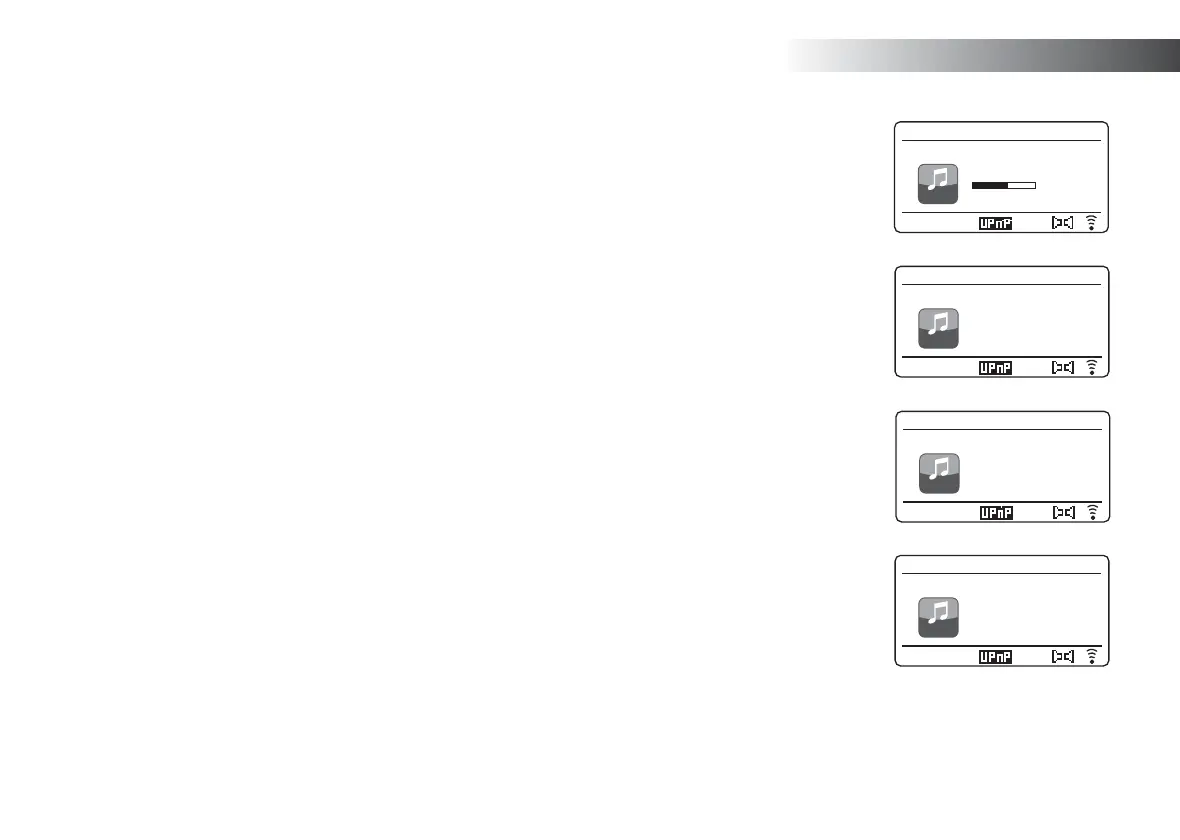
Music Player
64
DMR
12:34
Love Me Do
My Music
Playback buffer
DMR
12:34
Love Me Do
My Music
Bit rate: 192 kbps
Codec: WMA
Sampling Rate:
44.1 kHz
DMR
12:34
Love Me Do
My Music
Album:
1 - The Beatles
DMR
12:34
Love Me Do
My Music
Artist:
The Beatles
6. While the sound system is playing in DMR mode you can use the controls
in the 'Play to' / 'Cast to Device' window on your computer to skip tracks,
fast-forward or rewind, to pause or restart, and to change the volume
on the sound system.
You may also use the controls on your sound system to adjust volume,
display track information (press the Info button) or to change operating
mode. It is not possible to skip tracks or pause playback using the sound
system’s controls while it is in DMR mode.
7. While playing, you may select additional content within Windows and
again use the 'Play to' / 'Cast to Device' function (see steps 2 – 4). The
additional tracks will be added to the playlist in the current 'Play to' /
'Cast to Device' window. You may also delete or change the order of
tracks within the 'Play to' / 'Cast to Device' window.
8. When you wish to exit DMR mode, simply either switch off your sound
system or select a different operating mode.
Note: Some Windows security software can prevent correct operation of
the 'Play to' / 'Cast to Device' function. Such software may have updates or
confi guration options which will permit 'Play to' / 'Cast to Device' to operate
correctly - please consult your anti-virus software supplier. The 'Play to' / 'Cast
to Device' function in Windows 7, 8 and 10 has been tested successfully with
the Stream 65i when using Microsoft’s own security software without problems.



 To Next Page