87
2
4,7
Record initial...
12:34
T001 00:15
Playing
12:34
T001 00:15
Recording
CD USB
12:34
T001 01:45
Stop
Record end...
Recording MP3 / WMA fi les from CD / SD / USB
In addition to recording from conventional sources, the Stream 65i sound
system can also record from MP3 or WMA fi les that have previously been
written to CD, SD or USB media. In this case the fi les are copied rather
than re-encoded to MP3 in order to avoid a reduction in quality. You may
copy fi les from CD or SD to USB and from CD or USB to SD.
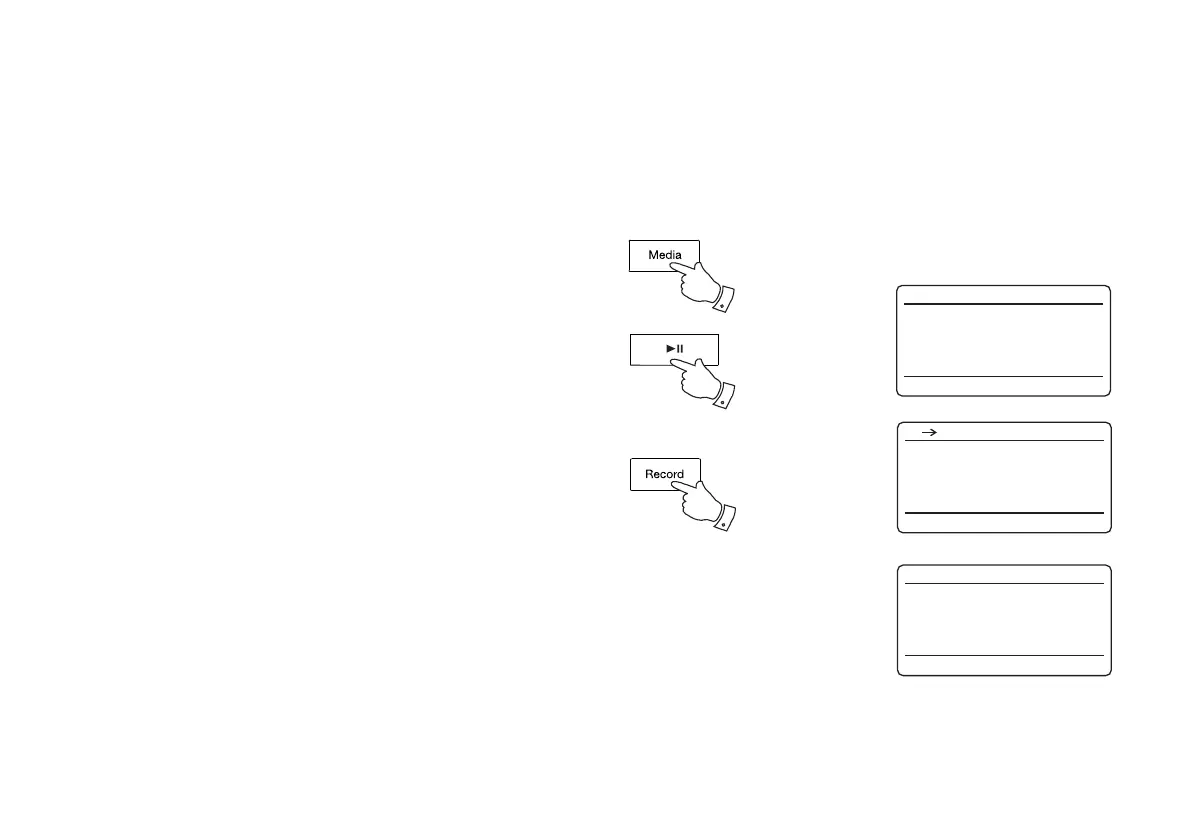
1. Select the desired source for the recording (SD, USB or CD).
2. Press the Play/Pause button to start playing the source media (if it
does not automatically start). Set the volume to the required listening
level (the volume of the recording will not be affected by this).
3. Insert the media that the fi les will be recorded on to (SD or USB).
4. Press the Record button. The display will show "Record initial...".
5. If only one media type is present, the audio will stop while the source
media is taken back to the beginning of the current fi le. Recording will
then start.
6. If both SD and USB media are detected, then the sound system
will default to the option previously set. The default media option is
accessed through the 'System settings' menu then by selecting 'Rec
default dest.'. Select 'SD card' or 'USB' memory as needed. The
source media will be taken back to the beginning of the current fi le
and recording will then start.
7. In order to stop the recording press the Record button once more.
Recording and playback will stop and all fi les that have been played
will have been copied to the storage media.
1



 To Next Page