INFORMATION ON HANDLING AND INSTALLATION
4.4.5. POSITIONING OF TEMPLATE FOR WORK AREA DRAWING (OPTIONAL)
1.
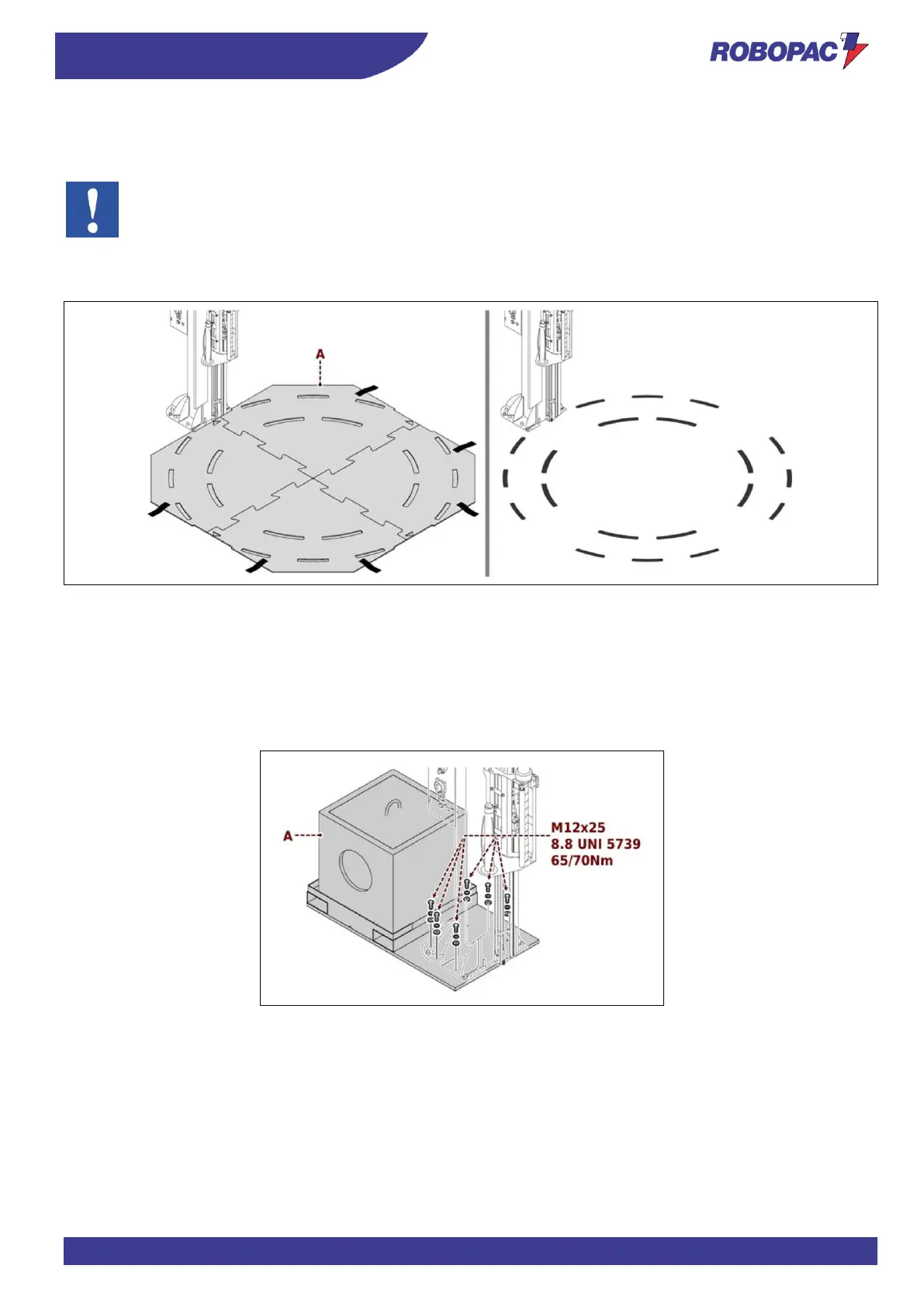
Install template (A) by using the engagement sections and position it resting against the column as indicated in
the figure.
Important
Perform a test rotation at low speed to check the correct alignment of the template with the arm.
2.
Fix it to the ground with gummed paper tape or similar.
3.
Make the drawing with the paint spray can provided.
4.4.6. MOBILE BASE INSTALLATION (OPTIONAL)
1.
Refer to the chapter “Machine installation”.
2.
Keep the column hooked to the lifting device.
3.
Fasten the column to the base (A) using the screws and washers provided and tighten using a tightening torque
of 65/70 Nm.
4.
Remove the lifting device.







 To Next Page