INFORMATION ABOUT THE USE
6.10. TURNING THE MACHINE ON AND OFF (MASTERWRAP PLUS)
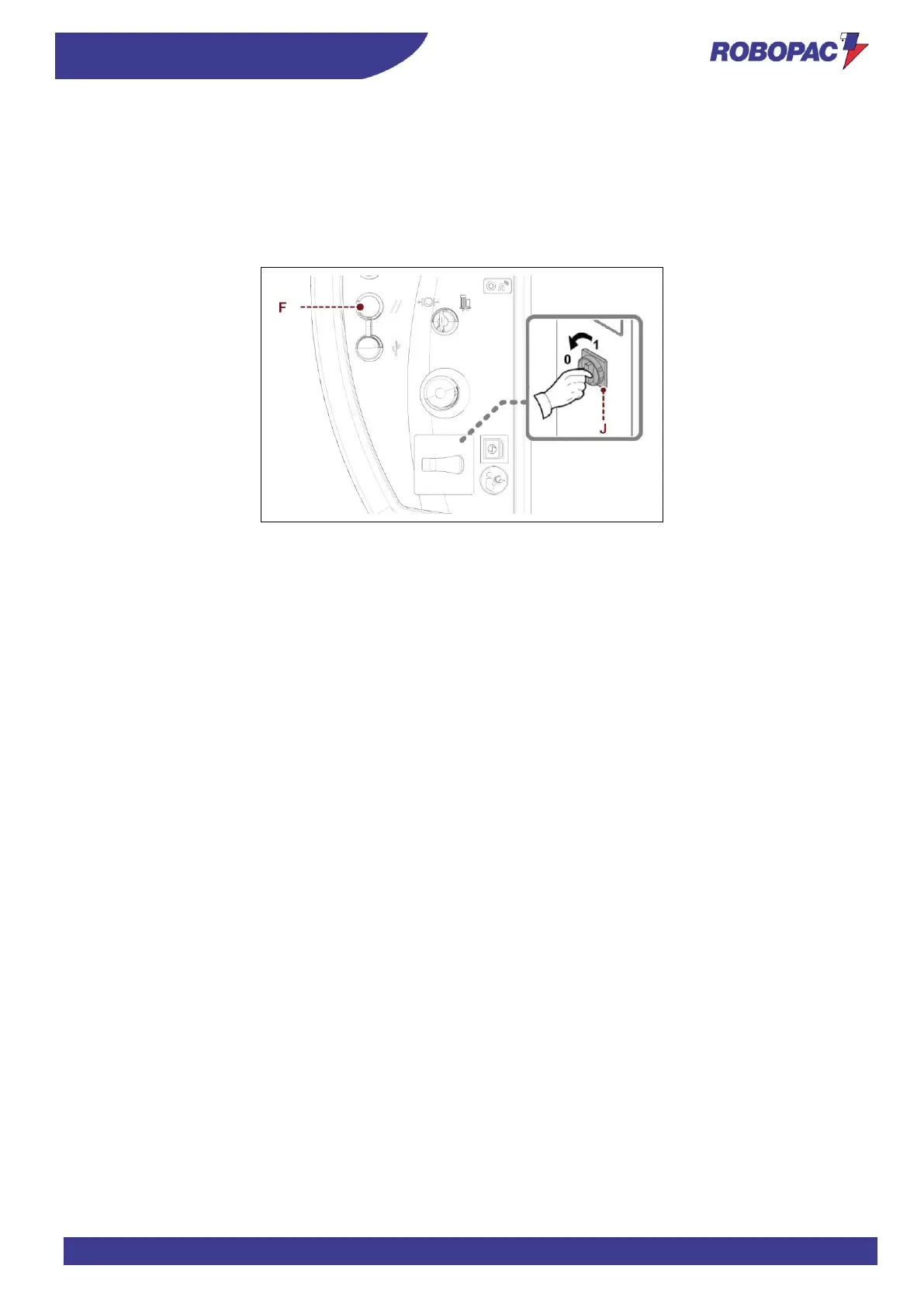
1. Turn the main switch (J) to “I” (ON) to activate the power supply.
The displayed icon indicates that the “Reset” button (F) must be pressed.
2. Press the “Reset (F)” button.
3. Set the cycle parameters (See paragraph “cycle parameters setting”).
4. Perform the cycle starting operations (see paragraph “Cycle start and stop”).
5. Turn the main switch (J) to “0” (OFF) to switch the machine off.
6.11. CYCLE PARAMETERS SETTING
1. Switch on the machine (See “Machine switching on and off”).
2. Choose the recipe by turning the jog control.
3. Press the jog control to select the recipe.
4. Turn to view and modify, if necessary, the parameters already set for the recipe.
5. Press the jog control to select the parameter and turn to edit the value.
This value will be stored in the relevant recipe.







 To Next Page