10
Basic Operations
Turning the Power On/O
Once everything is properly connected, be sure to follow the
procedure below to turn on their power. If you turn on equipment in
the wrong order, you risk causing malfunction or equipment failure.
* Before turning the unit on/o, always be sure to turn the volume
down. Even with the volume turned down, you might hear some
sound when switching the unit on/o. However, this is normal and
does not indicate a malfunction.
Turning the power on
* If still images are saved on the unit (p. 20), startup takes longer time
according to image size and the number of still images saved.
1. Make sure that all devices are powered-o.
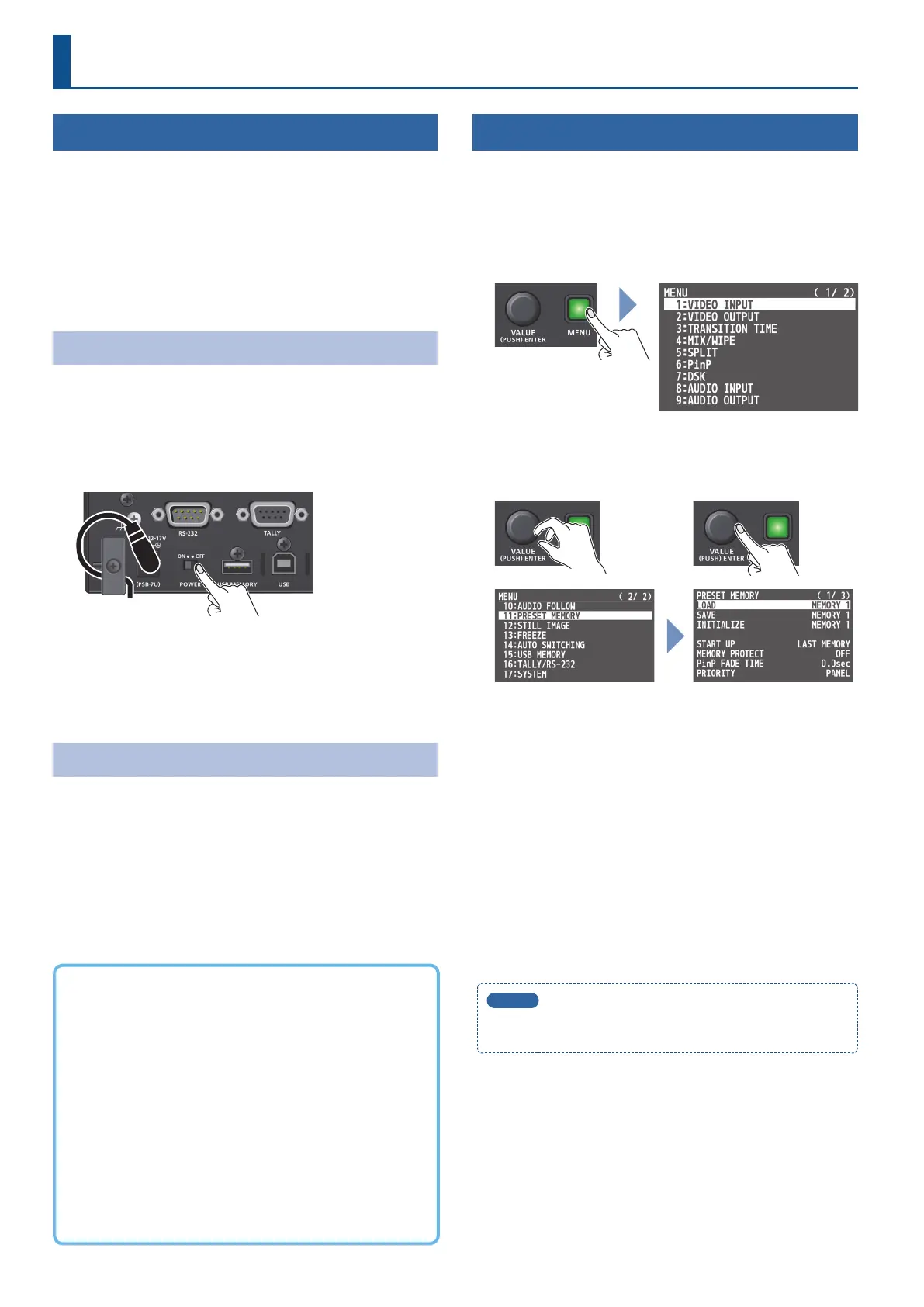
2. Turn on this unit’s [POWER] switch.
3. Turn on the power in the order of source devices
0
output devices.
Turning the power o
1. Turn o the power in the order of output devices
0
source devices.
2. Turn o this unit’s [POWER] switch.
Operating the Menu
Here’s how to access the menu, and make video/audio settings and
settings for this unit.
The menu is shown on the monitor that’s connected to the OUTPUT
2 connector.
1. Press the [MENU] button to display the menu.
The menu is organized into functions.
2. Turn the [VALUE] knob to select the menu item that you
want to edit, and press the [VALUE] knob to conrm.
3. Repeat step 2 as needed.
Pressing the [MENU] button moves you back one level higher.
4. Turn the [VALUE] knob to change the setting value, and
then press the [VALUE] knob to conrm.
5
By turning the [VALUE] knob while pressing it, you can change the
value more greatly.
5
Long-pressing the [VALUE] knob returns the current menu item
you’re setting to its default value.
5. Press the [MENU] button several times to close the menu.
MEMO
The [SETUP] button is a shortcut button used to display the
AUDIO INPUT menu.
About the Auto O function
The power to the unit turns o automatically when all of the
following states persist for 240 minutes (Auto O function).
5
No operation performed on the unit
5
No audio or video input
5
No equipment is connected to the OUTPUT 1 and 2 connectors
If you do not want the power to be turned o automatically,
disengage the Auto O function.
Use the [MENU] button
0
“SYSTEM”
0
set “AUTO OFF” to “OFF.”
* Unsaved data is lost when the power turns o. Before turning
the power o, save the data that you want to keep.
* To restore power, turn the power on again.



 To Next Page