38
Other Features
Saving/Recalling Settings (Preset Memory)
You can save the current settings, including the video/audio settings and the state of the operating panel, in preset memory and recall those
settings for use when necessary. This unit is provided with eight memories.
About the Last Memory function
This unit has a built-in Last Memory feature. Last Memory is a feature that saves the state of the unit that is in eect immediately before
power-down, and automatically restores the state at the next startup. The Last Memory feature is enabled by default.
If you want the unit to recall a preset memory when it starts up, press the [MENU] button
0
“PRESET MEMORY”
0
“START UP” to specify the
preset memory number.
Saving to a Preset Memory
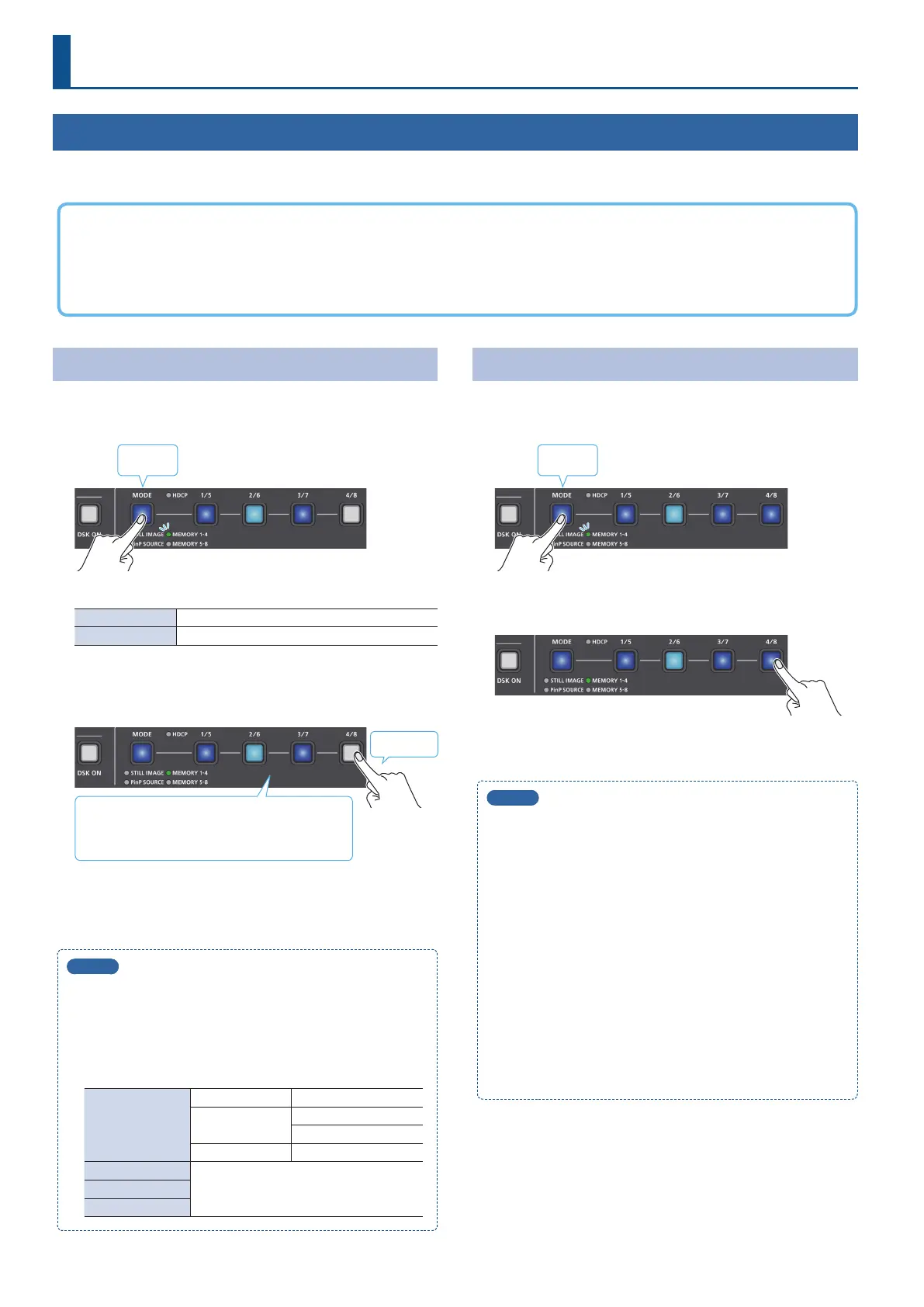
1. Press the [MODE] button several times to select
“MEMORY 1–4” or “MEMORY 5-8.”
Lit blue
The [1/5]–[4/8] buttons function as memory selection buttons.
MEMORY 1–4 Preset memory selection buttons 1–4
MEMORY 5–8 Preset memory selection buttons 5–8
2. Long-press one of the [1/5]–[4/8] buttons to select the
preset memory number where the settings are to be
saved.
Long-press
Blue: Memories in which settings are saved
Light blue: Currently selected memory
Unlit: Memories with no settings
All of the [1/5]–[4/8] buttons are briey illuminated in light blue,
and the current settings are saved in the selected preset memory.
MEMO
5
You can prohibit settings from being saved or initialized (p. 39)
to protect the preset memories.
Use the [MENU] button
0
“PRESET MEMORY”
0
and set
“MEMORY PROTECT” to “ON.”
5
The state of the [OUTPUT FADE] knob and the settings shown
below are not saved to preset memories.
AUDIO OUTPUT
PHONES OUTPUT LEVEL
AUDIO IN 1, 2
SETUP (LINK) SW
PHANTOM +48V
MIC/AUX IN PLUG-IN POWER
PRESET MEMORY
All menu itemsSTILL IMAGE
SYSTEM
Recalling a Preset Memory
1. Press the [MODE] button several times to select
“MEMORY 1–4” or “MEMORY 5-8.”
Lit blue
2. Press one of the [1/5]–[4/8] buttons to select the preset
memory number to recall.
The settings are recalled.
MEMO
5
About the knob setting value
With the factory default settings, the preset memory values
are not applied to the knobs when recalling a preset memory.
Instead, the current knob settings are retained.
If you want the preset memory values to be applied, use the
[MENU] button
0
“PRESET MEMORY”
0
and set “PRIORITY” to
“MEMORY.”
5
You can choose not to recall a certain setting when recalling a
preset memory.
For each item selected using the [MENU] button
0
“PRESET
MEMORY”
0
“LOAD PARAMETER,” you can set whether to
recall that setting.
5
You can set the fade-in time for the inset screen when recalling
a preset memory that includes a PinP composite.
To make this setting, use the [MENU] button
0
“PRESET
MEMORY”
0
“PinP FADE TIME.”



 To Next Page