8
Panel Descriptions
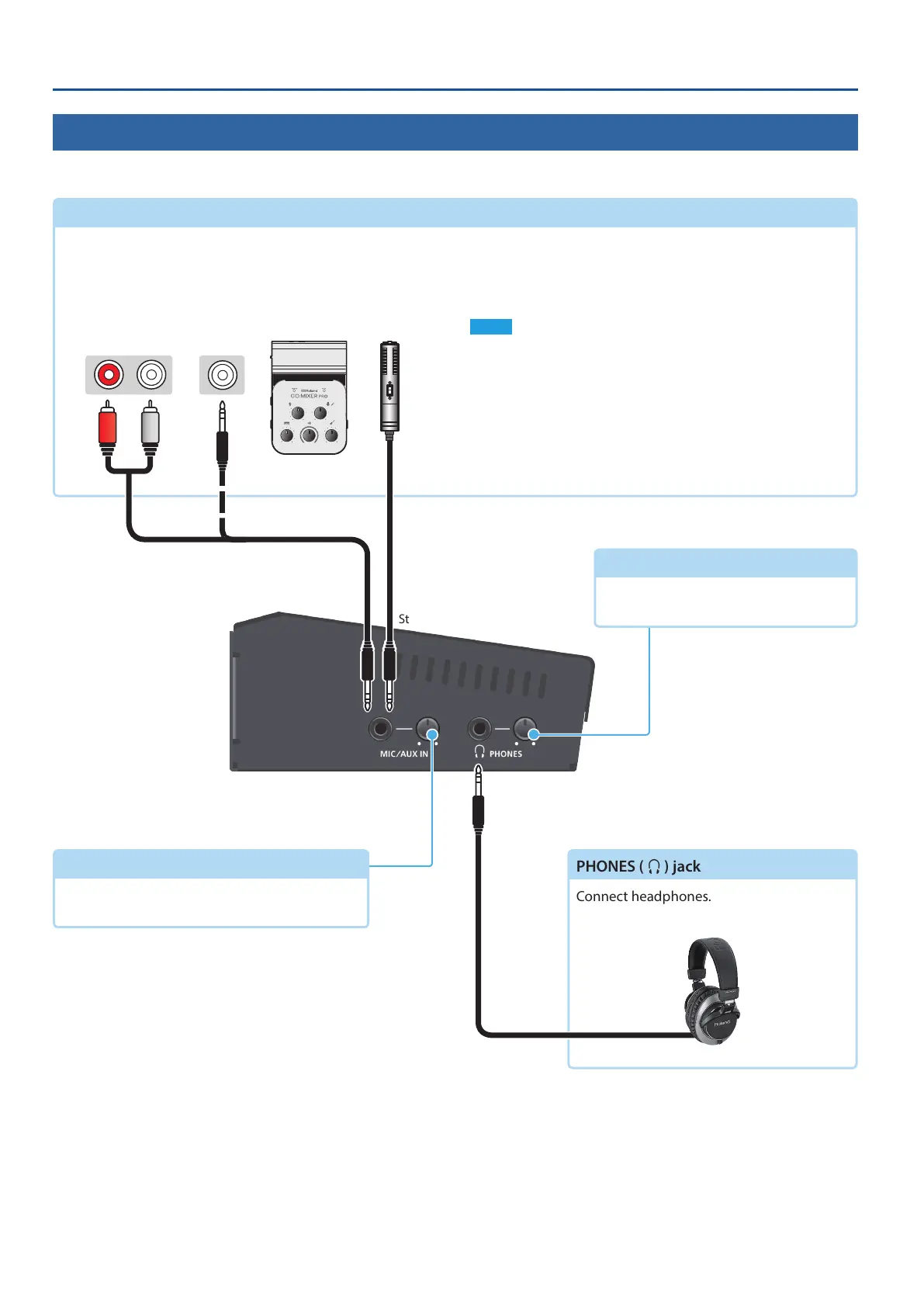
Side Panel (Connecting Your Equipment)
* To prevent malfunction and equipment failure, always turn down the volume, and turn o all the units before making any connections.
MIC/AUX IN jack
This inputs audio. Connect a mic, audio mixer, CD players, or
other such audio equipment.
* Plug-in Power type mics are supported.
Plug-in Power settings
If you’re using a Plug-in Power type mic, turn plug-in power on.
Use the [SETUP] button
0
“MIC/AUX IN”
0
set “PLUG-IN
POWER” to “ON.”
NOTE
When connecting a dynamic mic or a mic that does not support
Plug-in Power, be sure to turn Plug-in Power o. If Plug-in Power is on
when such a mic is connected, malfunctions will occur.
PHONES (
Q
) jack
Connect headphones.
[MIC/AUX IN] knob
(p. 33)
Adjusts the volume of the MIC/AUX IN.
[PHONES] knob
Adjusts the volume of the headphones.
Audio output jacks
Stereo miniature phone
Stereo miniature phone



 To Next Page