40
Other Features
Backing Up and Restoring the Unit’s Settings on a USB Flash Drive
You can group together the unit’s settings into a single le (.V1P) and back up it to a USB ash drive connected to the USB MEMORY port. You can
access the backed up setting le on the USB ash drive and restore it into the unit for use when needed.
NOTE
5
When using a USB ash drive for the rst time, you must
format it using this unit (p. 41).
5
Never turn o the power or remove the USB ash drive while
the message “PLEASE WAIT” is shown.
5
Depending on the USB ash drive, recognition of the ash
drive might take some time.
Backing Up
Saving a new le
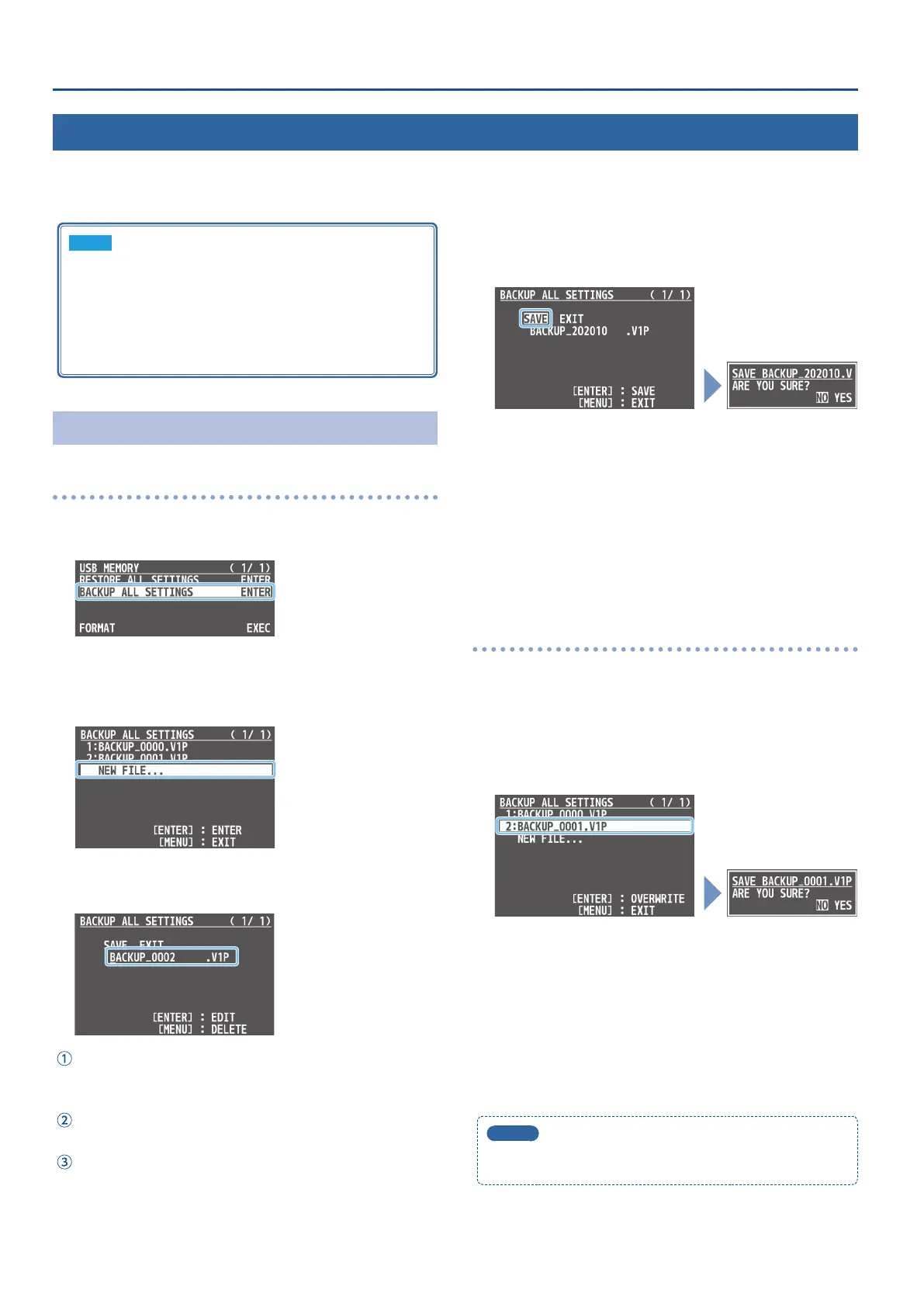
1. [MENU] button
0
“USB MEMORY”
0
select “BACKUP ALL
SETTINGS,” and press the [VALUE] knob.
The settings les in the USB ash drive are listed.
2. Use the [VALUE] knob to select “NEW FILE...,” and press
the [VALUE] knob.
3. Enter the le name.
* You can enter a text string of up to 16 characters in length.
Use the [VALUE] knob to move the cursor.
Pressing the [MENU] button deletes the character at the cursor
location.
Press the [VALUE] knob to highlight the character at the cursor
location.
Use the [VALUE] knob to change the character, and press the
[VALUE] knob.
4. When you nish entering the name, use the [VALUE]
knob to select “SAVE,” and press the [VALUE] knob.
A conrmation message appears.
* If you want to cancel the operation, press the [MENU] button.
5. Use the [VALUE] knob to select “YES,” and press the
[VALUE] knob.
The settings le (.V1P) is backed up on the USB ash drive. When
the operation is nished, the message “COMPLETE” appears.
6. Press the [MENU] button several times to close the menu.
Overwrite-saving
1. [MENU] button
0
“USB MEMORY”
0
select “BACKUP ALL
SETTINGS,” and press the [VALUE] knob.
The settings les in the USB ash drive are listed.
2. Use the [VALUE] knob select the settings le that you
want to overwrite, and press the [VALUE] knob.
A conrmation message appears.
* If you want to cancel the operation, press the [MENU] button.
3. Use the [VALUE] knob to select “YES,” and press the
[VALUE] knob.
The settings le is overwrite-saved. When the operation is
nished, the message “COMPLETE” appears.
4. Press the [MENU] button several times to close the menu.
MEMO
Some settings are not saved to the le.
See “BACKUP ALL SETTINGS” in “15: USB MEMORY” (p. 57) for details.



 To Next Page