56
Menu List
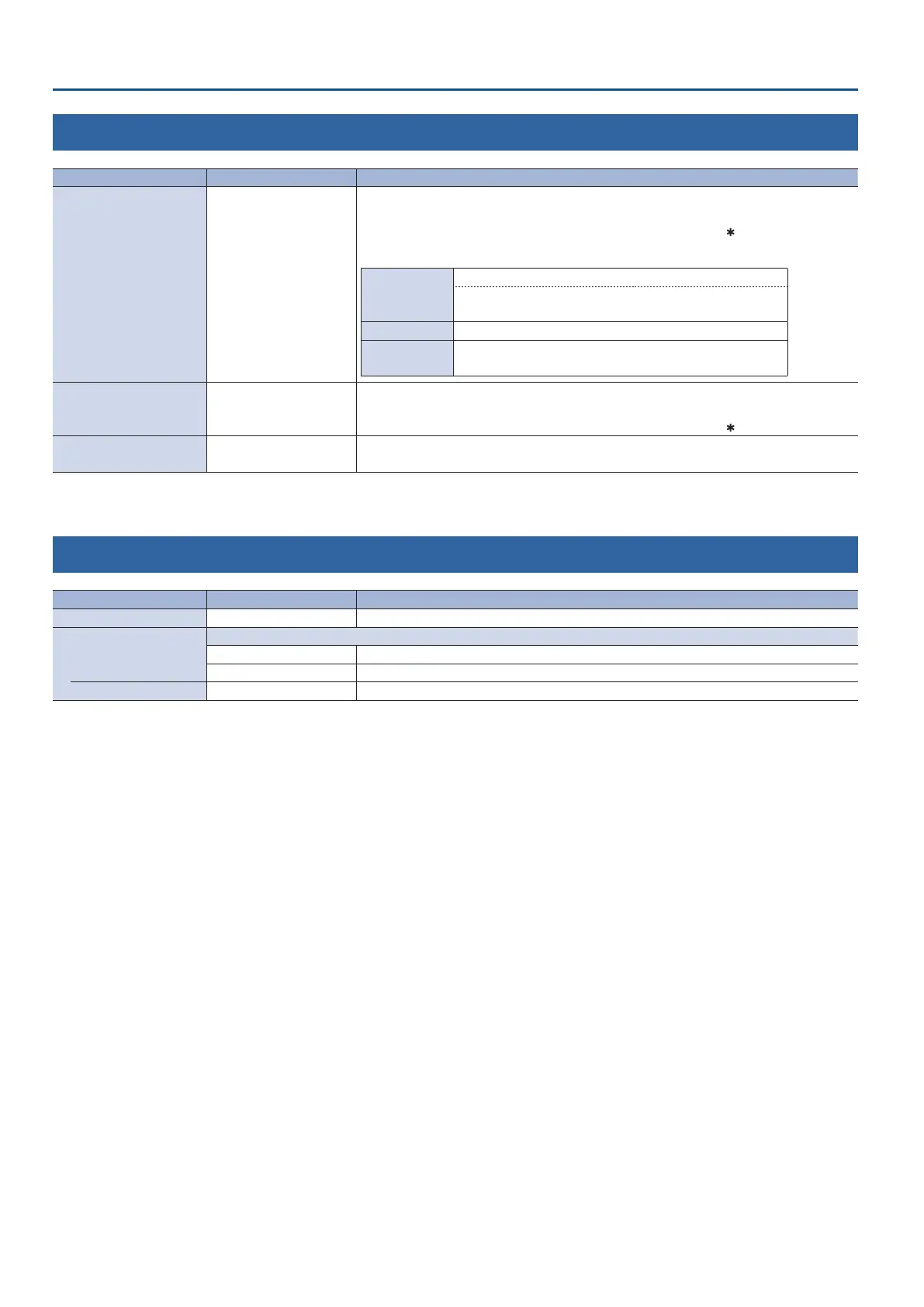
12: CAPTURE IMAGE
Menu item Value (bold text: default value) Explanation
LOAD FROM USB MEMORY STILL 1–4
Species where to save still images imported from a USB ash drive to this unit’s internal memory.
Press the [VALUE] knob to load the still images.
* An internal memory in which a still image is loaded is indicated by a “
” symbol.
Formats supported for loading
Format
Windows Bitmap le (.bmp), 24-bit color, uncompressed
PNG le (.png), 24-bit color
* Alpha channel is not supported.
Resolution Maximum 1920 x 1080 pixels
File name
No more than 28 single-byte alphanumeric characters
* The extension “.bmp” or “.png” must be added.
DELETE STILL IMAGE STILL 1–4
Selects the still images to delete.
Press the [VALUE] knob to delete the still images.
* An internal memory in which a still image is loaded is indicated by a “
” symbol.
CAPTURE IMAGE ENTER
Displays the CAPTURE IMAGE screen.
Follow the instructions on the screen, capture a still image from the input video.
13: FREEZE
Menu item Value (bold text: default value) Explanation
FREEZE OFF, ON Turns the freeze function on/o. If this is “ON,” the input video is temporarily frozen.
TYPE
Species the operation mode for freezes.
ALL Freezes all video that is being input.
SELECT Freezes only the specied input video.
INPUT 1–4 (*16) DISABLE, ENABLE For each input, species whether the freeze function is enabled (ENABLE) or disabled (DISABLE).
(*16) This can be set if “TYPE” is “SELECT.”



 To Next Page