39
Other Features
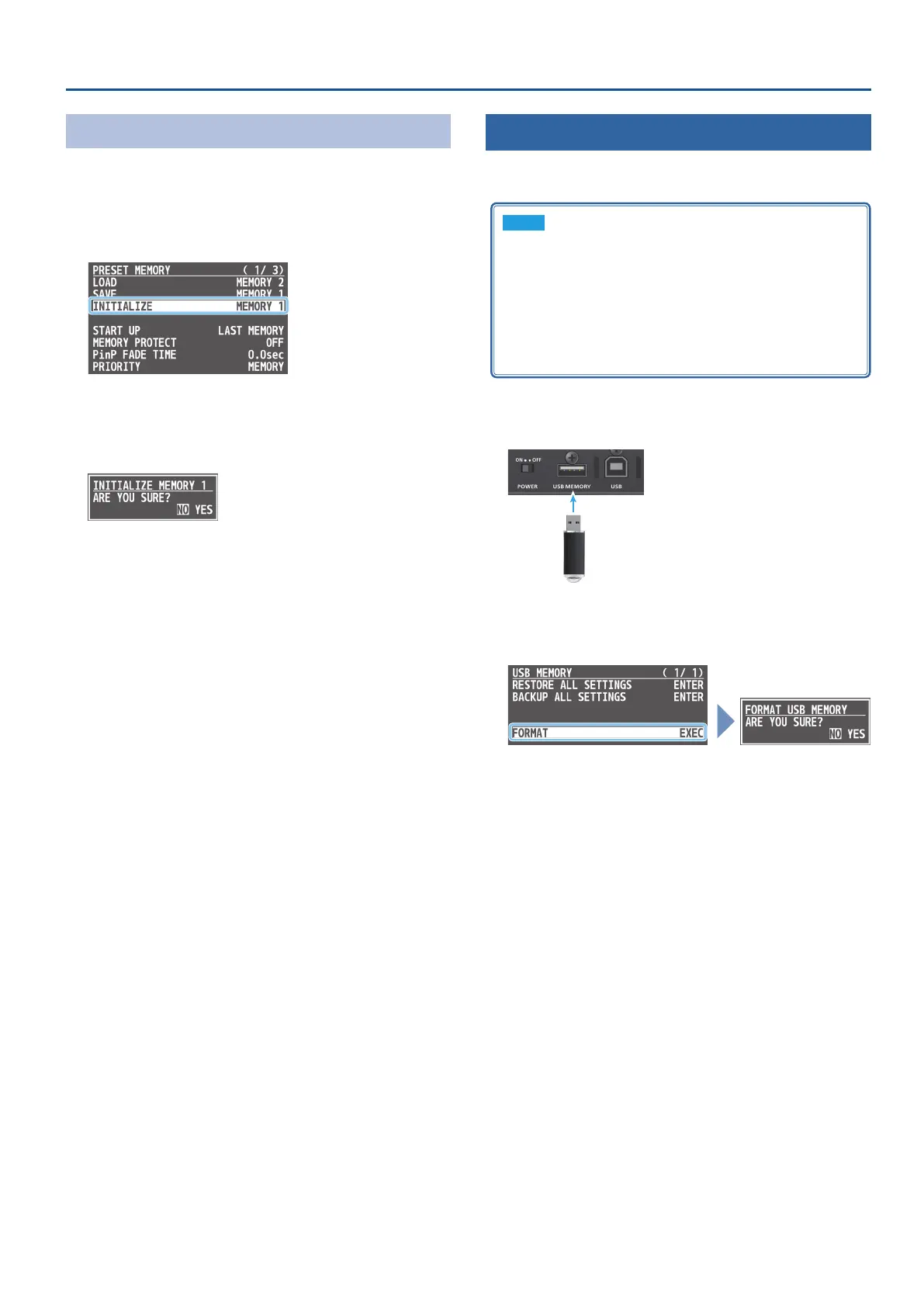
Initializing a Preset Memory
Here’s how you can initialize the settings of a specic preset memory
to the factory-set condition.
1. [MENU] button
0
“PRESET MEMORY”
0
select “INITIALIZE,”
and press the [VALUE] knob.
2. Use the [VALUE] knob to select the preset memory
(MEMORY 1–8) that you want to initialize, and press the
[VALUE] knob.
A conrmation message appears.
* If you want to cancel the operation, press the [MENU] button.
3. Use the [VALUE] knob to select “YES,” and press the
[VALUE] knob.
The preset memory is initialized. When the operation is nished,
the message “COMPLETE” appears.
4. Press the [MENU] button several times to close the menu.
Formatting a USB Flash Drive
The rst time that you use a USB ash drive, you must use this unit to
format it.
NOTE
5
A USB ash drive that was not formatted by this unit will not
be recognized.
5
Never turn o the power or remove the USB ash drive while
the message “PLEASE WAIT” is shown.
5
When you format a USB ash drive, all data on that USB ash
drive is erased. If the drive contains important data, back it up
to your computer before you format the drive.
1. Connect the USB ash drive to the USB MEMORY port.
* Ensure that the USB ash drive is oriented
correctly, and insert it all the way into the port.
Do not use excessive force.
2. [MENU] button
0
“USB MEMORY”
0
select “FORMAT,”
and press the [VALUE] knob.
A conrmation message appears.
* If you want to cancel the operation, press the [MENU] button.
3. Use the [VALUE] knob to select “YES,” and press the
[VALUE] knob.
Formatting is executed. When the operation is nished, the
message “COMPLETE” appears.
4. Press the [MENU] button several times to close the menu.



 To Next Page