27
Video Composition Operations
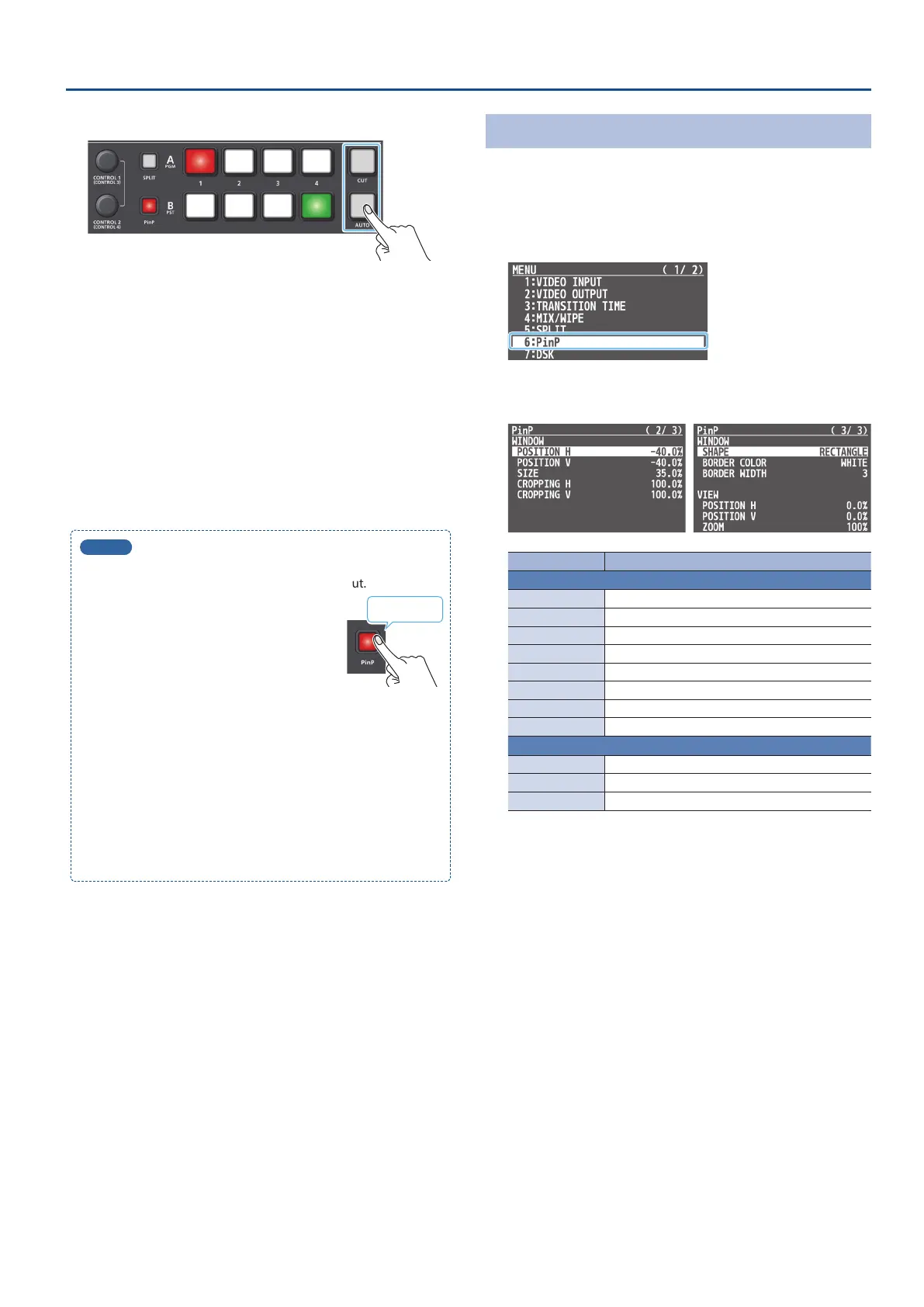
6. Press the [AUTO] or [CUT] button to switch the video.
The [PinP] button lights up, then PinP compositing turns on. The
inset screen is composited onto the background video and the
result is sent to nal output.
* The video fader can be similarly used.
7. To turn o PinP compositing, press the [AUTO] or [CUT]
button once again.
The [PinP] button goes dark.
8. To turn o the inset screen preview output, press the
[PinP] button once again.
MEMO
5
Long-press the [PinP] button to switch between displaying or
hiding only the inset screen used for nal output.
The fade-in/out time settings for the inset
screen are applied (made from the [MENU]
button
0
“TRANSITION”
0
“PinP TIME”).
5
What the [CONTROL 1] and [CONTROL 2] knobs operate
When both split (p. 24) and PinP compositing are on, use the
[CONTROL 1] and [CONTROL 2] knobs to operate either setting.
Set the target of operation from the [MENU] button,
“SYSTEM”
0
“CONTROL KNOB PRIORITY.”
5
The still images loaded into this unit (p. 20) can be used as
source images for the inset screen.
Use the [MENU] button
0
“PinP”
0
and set “PinP SOURCE” to
“STILL 1–4.”
Long-press
Making Detailed Settings for the Inset Screen
Detailed settings for size, shape, and border width etc. can be made
for the inset screens.
1. [MENU] button
0
select “PinP,” and press the [VALUE]
knob.
2. Use the [VALUE] knob to select a menu item, and press
the [VALUE] knob.
Menu item Explanation
WINDOW Adjusts the inset screen.
POSITION H Adjusts the horizontal position.
POSITION V Adjusts the vertical position.
SIZE Adjusts the size (zoom).
CROPPING H Adjusts the horizontal size.
CROPPING V Adjusts the vertical size.
SHAPE Species the shape (rectangle, circle, diamond).
BORDER COLOR Species the color of the border.
BORDER WIDTH Adjusts the width of the border.
VIEW Adjusts the video that is shown in the inset screen.
POSITION H Adjusts the horizontal position.
POSITION V Adjusts the vertical position.
ZOOM Adjusts the zoom.
3. Use the [VALUE] knob to change the value.
4. Press the [MENU] button several times to close the menu.



 To Next Page