41
Other Features
Restoring
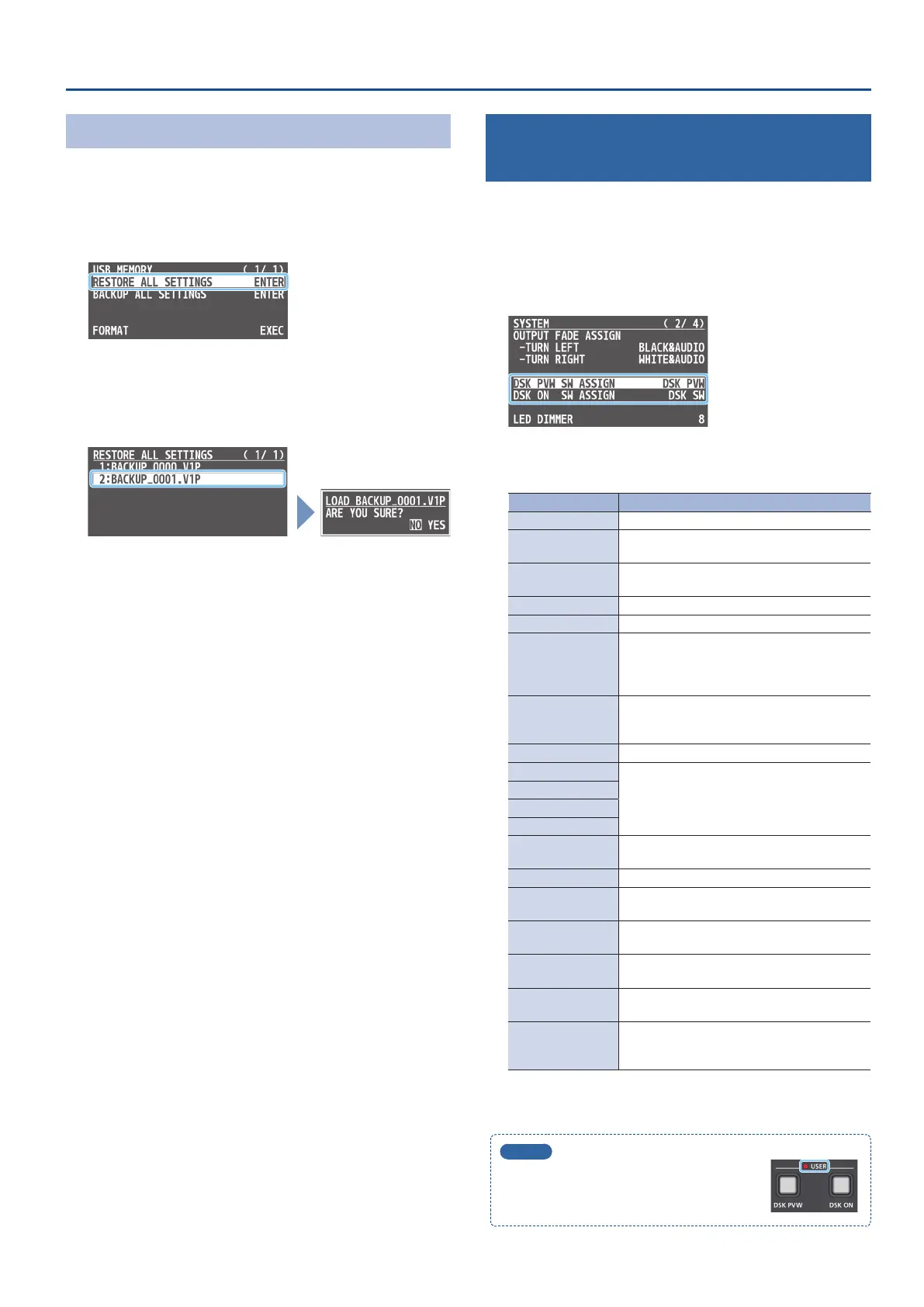
Here’s how to restore this unit’s settings that you saved on a USB ash
drive. When you restore settings, the current settings are overwritten.
1. [MENU] button
0
“USB MEMORY”
0
select “RESTORE
ALL SETTINGS,” and press the [VALUE] knob.
The settings les in the USB ash drive are listed.
2. Use the [VALUE] knob to select the le you want to
restore, and press the [VALUE] knob.
A conrmation message appears.
* If you want to cancel the operation, press the [MENU] button.
3. Use the [VALUE] knob to select “YES,” and press the
[VALUE] knob.
The settings are restored. When the operation is nished, the
message “COMPLETE” appears.
4. Press the [MENU] button several times to close the menu.
Assigning Dierent Functions to Control
with the [DSK PVW] and [DSK ON] Buttons
You can assign dierent functions to control with the [DSK PVW] and
[DSK ON] buttons.
1. [MENU] button
0
“SYSTEM”
0
select “DSK PVW SW
ASSIGN” or “DSK ON SW ASSIGN,” and press the [VALUE]
knob.
2. Use the [VALUE] knob to select the assign function that
you want to assign to the [DSK PVW] or [DSK ON] button.
Value Explanation
N/A No function is assigned.
DSK SW
Turns DSK composition on/o. This is the
default setting for “DSK ON SW ASSIGN.”
DSK PVW
Turns the preview output of the DSK
compositing result on/o.
FREEZE Turns the freeze function on/o.
AUTO SWITCHING Turns the auto switching function on/o.
BPM TAP
When “TYPE” in the AUTO SWITCHING menu is
“BPM SYNC,” you can set the BPM according to
the tempo at which you press the button. The
buttons ash in sync with the current BPM setting.
INPUT 1–4 ASSIGN
The video source assigned to the specied input
switches between HDMI and STILL 1 through 4
in order, with each press of the button.
STILL 1–4 OUTPUT Outputs the specied still image.
INPUT 1–4 MUTE
Turns the mute function on/o for the specied
input audio.
AUDIO IN 1, 2 MUTE
LINE IN MUTE
MIC/AUXIN MUTE
OUTPUT MUTE
Turns on/o the mute function for the output
audio.
REVERB SW Turns reverb on/o.
INPUT SCAN N
The nal output switches from INPUT 1
0
4 in
order, with each press of the button.
INPUT SCAN R
The nal output switches from INPUT 4
0
1 in
order, with each press of the button.
MEMORY SCAN N
The preset memories 1
0
8 are recalled in
order with each press of the button.
MEMORY SCAN R
The preset memories 8
0
1 are recalled in
order with each press of the button.
REC START/STOP
Controls the recorder’s video record start/
stop if a recorder that supports REC control
functionality is connected.
3. Press the [MENU] button several times to close the menu.
MEMO
The USER indicator lights when a dierent
function is assigned to the [DSK PVW] or
[DSK ON] button.



 To Next Page