14
Switching the Video
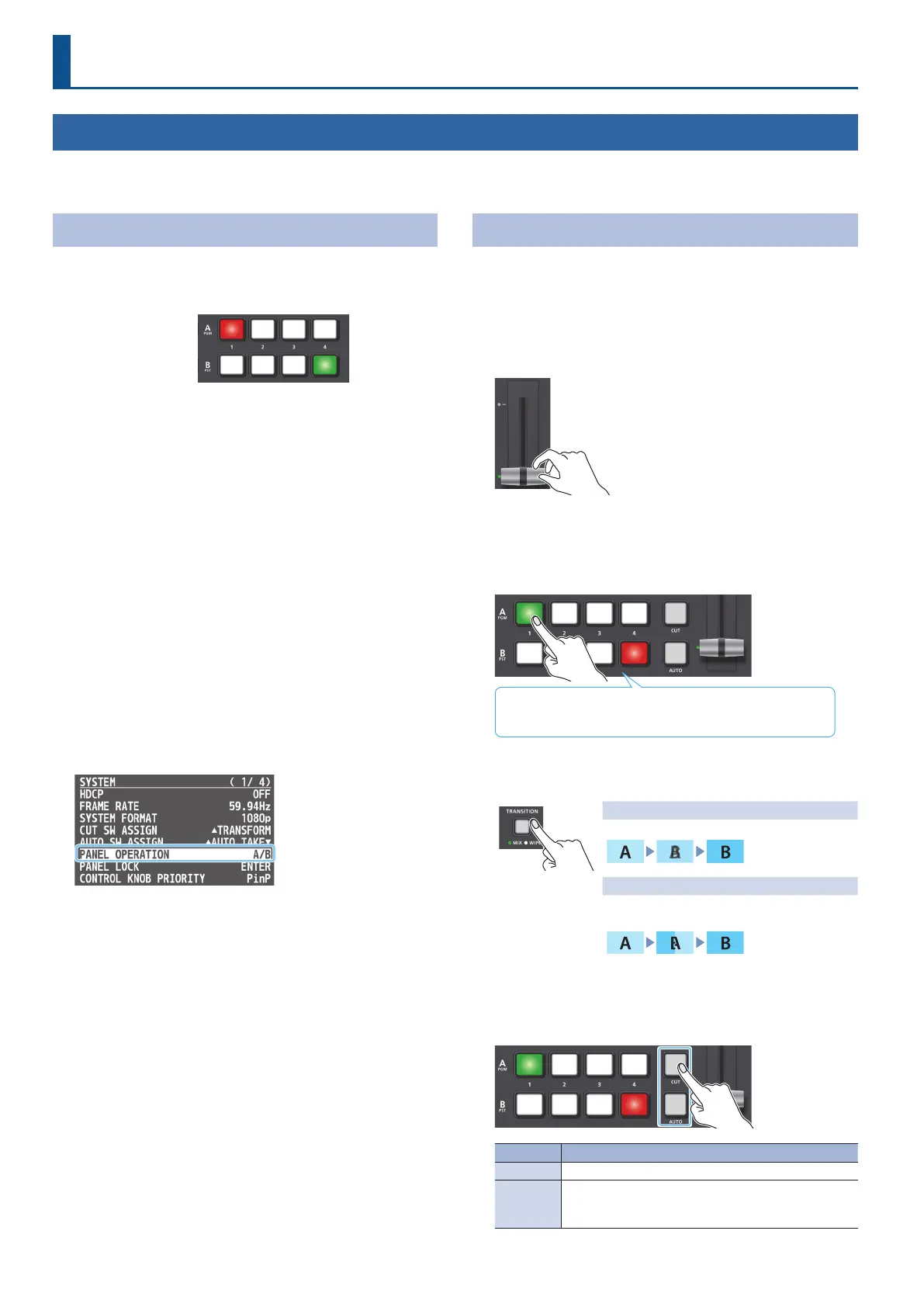
You can switch between the videos of the A/PGM bus and B/PST bus to specify the nal output.
Setting the Operation Mode
There are two operation modes for switching the video: the “A/B
mode” and the “PGM/PST mode.”
Video on the A/PGM bus
Video on the B/PST bus
A/B mode (factory settings)
When you operate the video fader, the video of the bus toward which
you slide the video fader becomes the nal output.
The video of the other bus becomes the preview output video (the
video that is output next).
When the [CUT] or [AUTO] button is operated, the video on the
A/PGM bus and the video on the B/PST bus become the nal output
in alternation.
PGM/PST mode
The video on the A/PGM bus is always the nal output.
The video on the B/PST bus is preview output video (the video to be
output next).
Operating the video fader or the [CUT] or [AUTO] button makes the
nal video output and the preview output video change places.
1. Press the [MENU] button
0
“SYSTEM”
0
select “PANEL
OPERATION,” and press the [VALUE] knob.
2. Turn the [VALUE] knob to select “A/B” or “PGM/PST.”
3. Press the [MENU] button several times to close the menu.
Switching in the A/B Mode
Here are the steps when selecting “A/B mode” in the operation mode
settings.
For more details on the operation modes, see “Setting the Operation
Mode” on this page.
1. Slide the video fader all the way to the top or bottom.
The video of the bus toward which you slide the
video fader becomes the nal output.
2. To select the preview output video (the video that is
output next), press a cross-point [1]–[4] button that is on
the opposite side as the direction in which you slid the
video fader.
Lit red: Final output video
Lit Green: Preview output video (the video to be output next)
3. Press the [TRANSITION] button to select the transition
eect (MIX, WIPE).
Mix
The two videos are mixed as the transition occurs.
Wipe
The next video moves across to replace the
original video.
<Using the buttons to switch>
4. Press the [AUTO] or [CUT] button.
Button Explanation
[CUT] The picture switches instantly.
[AUTO]
A transition eect is applied and the video is switched
automatically. The [AUTO] button ashes while the
video transition is in progress.
Video Operations



 To Next Page