11
Video Input/Output Settings
Setting the Video Input/Output Format
Here’s how to specify the input/output format as appropriate for the device that’s connected.
Setting the System Format
On this unit, the input/output format is determined according to
the system format. You set the input/output format to match the
connected equipment.
System format
Input format (*1) Output format
INPUT 1–3 connectors OUTPUT 1 and 2 connectors
1080p 1080p, 1080i 1080p
1080i 1080p, 1080i 1080i
720p 720p 720p
(*1) You can specify separate individual input formats for the INPUT 4
connector, regardless of the system format.
For details, refer to “Setting the Input Format for the INPUT 4
Connector” on this page.
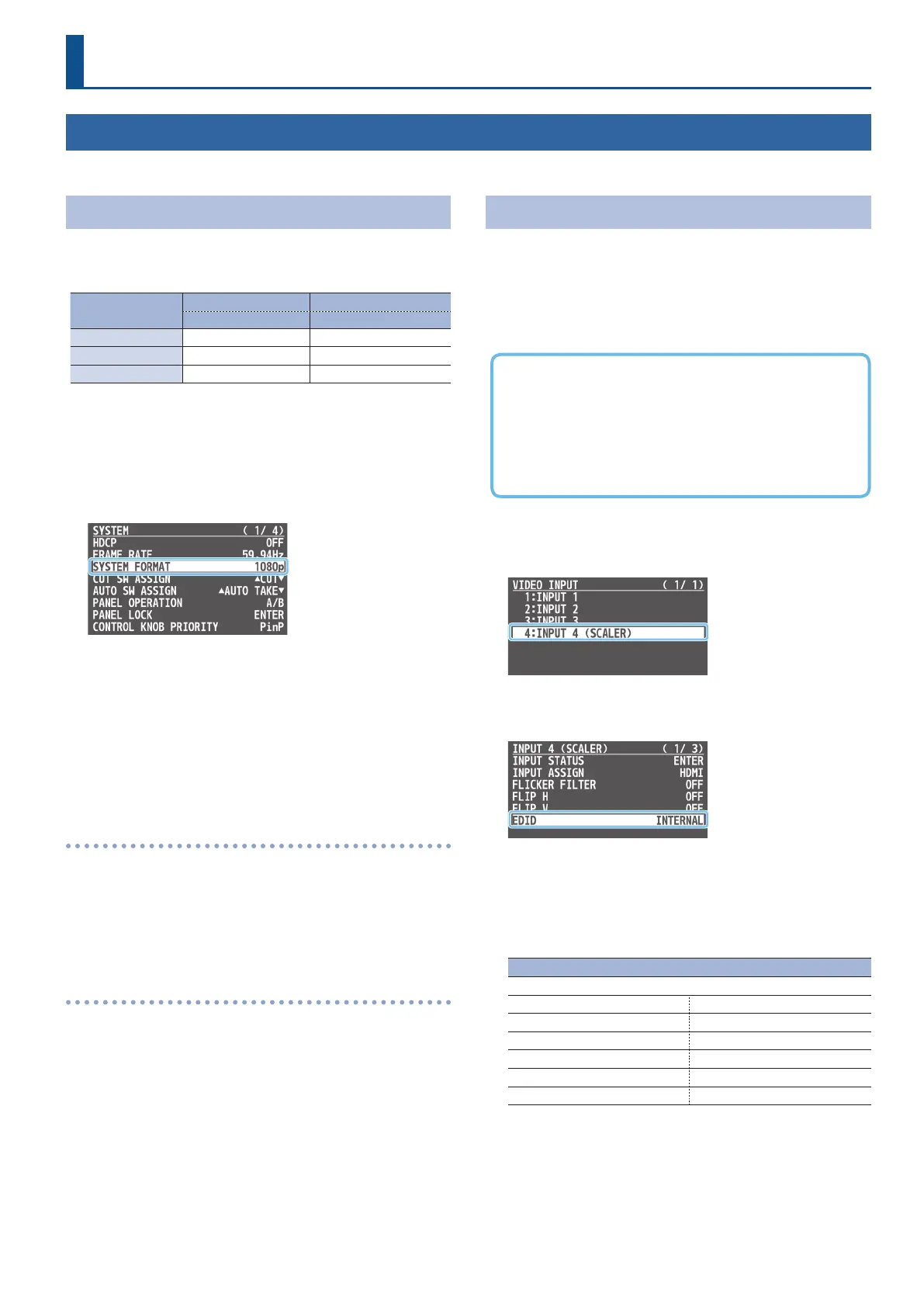
1. [MENU] button
0
“SYSTEM”
0
select “SYSTEM FORMAT,”
and press the [VALUE] knob.
2. Use the [VALUE] knob to select “1080p,” “1080i,” or
“720p,” and press the [VALUE] knob to conrm.
* A change in the setting is not applied until you press the [VALUE]
knob to conrm.
3. Press the [MENU] button several times to close the menu.
Internal processing
The unit’s internal processing is progressive. Interlaced input video is
automatically converted to a progressive signal.
The video might appear jagged at this time, or the video in a PinP
inset screen or on the multi-view might waver.
This is due to progressive conversion, and is not a malfunction.
About frame rate
The frame rates “59.94 Hz” and “50 Hz” are supported for input and
output video.
To make this setting, use the [MENU] button
0
“SYSTEM”
0
“FRAME
R AT E.”
Setting the Input Format for the INPUT 4 Connector
With the factory settings, the EDID assignment for the INPUT 4
connector is “INTERNAL” (set so that EDID values of all inputtable
formats are sent).
To specify an input format of your choice, change the setting of the
EDID information being sent so that it matches the incoming video
signal.
What is EDID?
EDID is data that is transmitted from the unit to the source
device when the unit is connected to a source device. EDID
contains data such as the formats that can be input to the unit
(resolution, color space, color depth) and audio information.
Based on the EDID information that the source device receives, it
will output the most appropriate video format to the unit.
1. [MENU] button
0
“VIDEO INPUT”
0
“INPUT 4 (SCALER)”
0
select “EDID,” and press the [VALUE] knob.
2. Use the [VALUE] knob to select “EDID,” and press the
[VALUE] knob.
3. Use the [VALUE] knob to set the input format (the EDID
information to send), and press the [VALUE] knob to
conrm.
* A change in the setting is not applied until you press the [VALUE]
knob to conrm.
Value
INTERNAL (EDID information for all inputtable formats is sent.)
SXGA+ (1400 x 1050) UXGA (1600 x 1200)
SVGA (800 x 600) WUXGA (1920 x 1200)
XGA (1024 x 768) 720p
WXGA (1280 x 800) 1080i
FWXGA (1366 x 768) 1080p
SXGA (1280 x 1024)
4. Press the [MENU] button several times to close the menu.



 To Next Page