16
Video Operations
<Using the fader to switch>
4. Slide the video fader in the direction opposite to the
direction in step 1.
The transition indicator on the bus side
where you slid the fader lights up.
The video is switched according to the movement of the video
fader.
MEMO
5
Video transition time
If you use the [AUTO] button to switch video, the transition
occurs over a pre-specied time.
To specify the video transition time, use the [MENU] button
0
“TRANSITION TIME”
0
“MIX/WIPE TIME.”
5
Video transition eects
You can change the transition pattern used for a wipe or mix
transition.
&“Changing the Mix/Wipe Pattern” (p. 16)
5
When you use the [AUTO] or [CUT] button to switch video, the
actual output might come to dier from the position of the
video fader.
If you operate the video fader in this state, the output does
not change until the position of the video fader matches the
actual output.
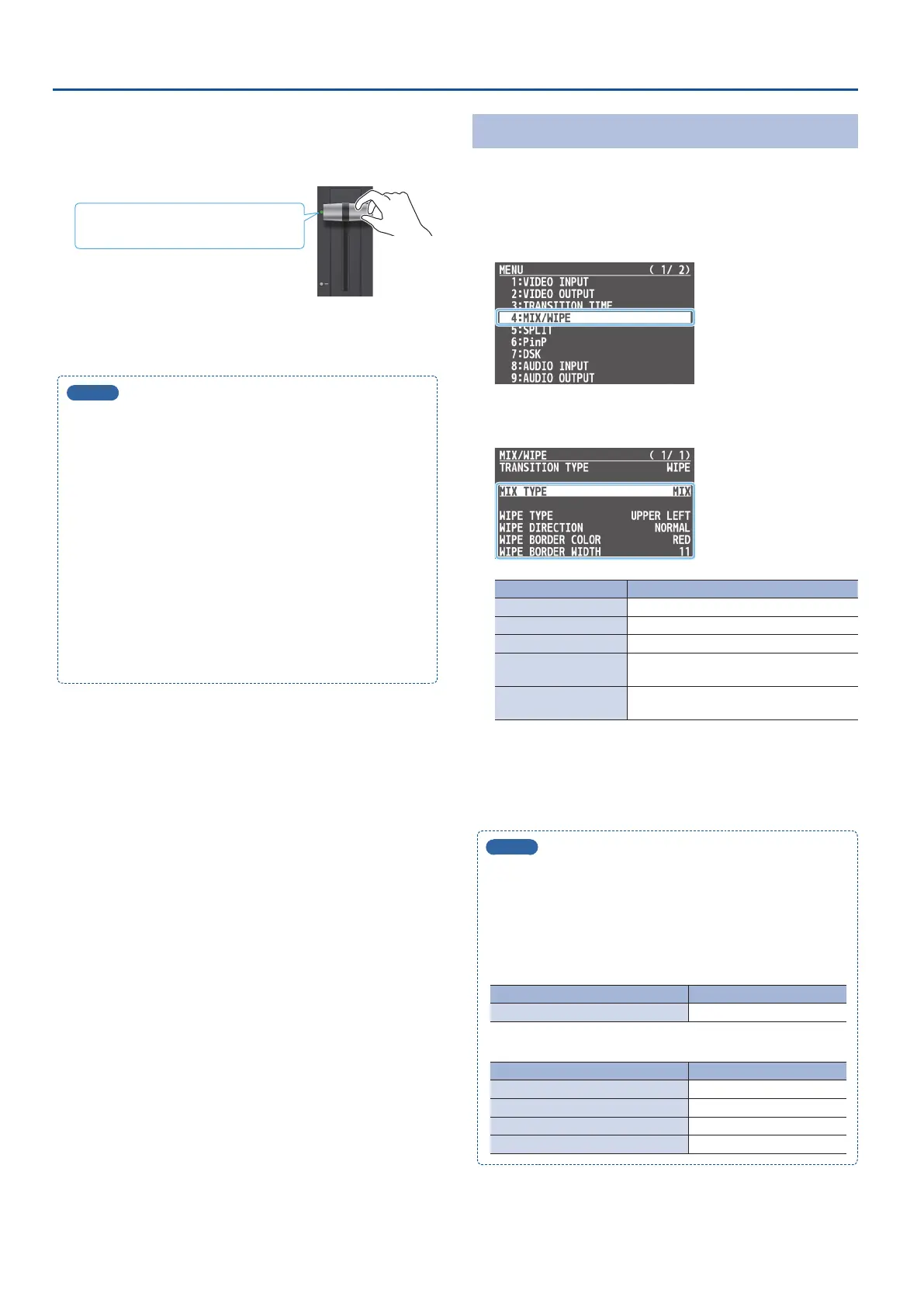
Changing the Mix/Wipe Pattern
You can change the transition pattern by which the mix/wipe occurs
and the direction of the wipe.
1. [MENU] button
0
select “MIX/WIPE,” and press the [VALUE]
knob.
2. Use the [VALUE] knob to select a menu item, and press
the [VALUE] knob.
Menu item Explanation
MIX TYPE Species the transition pattern for mix.
WIPE TYPE Species the transition pattern for wipe.
WIPE DIRECTION Species the direction of wipe.
WIPE BORDER COLOR
Species the color of the border added to
the edge of the wipe area.
WIPE BORDER WIDTH
Species the width of the border added to
the edge of the wipe area.
3. Use the [VALUE] knob to change the value of the setting.
4. Press the [MENU] button several times to close the menu.
MEMO
You can change the settings of the MIX/WIPE menu by holding
down the [TRANSITION] button and turning the [CONTROL 1] or
[CONTROL 2] knob.
* If you turn the [CONTROL 1] [CONTROL 2] knobs while pressing
it, these knobs function as [CONTROL 3] [CONTROL 4] knobs.
When mix is selected
Operation Explanation
[TRANSITION] + [CONTROL 1] MIX TYPE
When wipe is selected
Operation Explanation
[TRANSITION] + [CONTROL 1] WIPE TYPE
[TRANSITION] + [CONTROL 2] WIPE DIRECTION
[TRANSITION] + [CONTROL 3] WIPE BORDER COLOR
[TRANSITION] + [CONTROL 4] WIPE BORDER WIDTH



 To Next Page