19
Video Operations
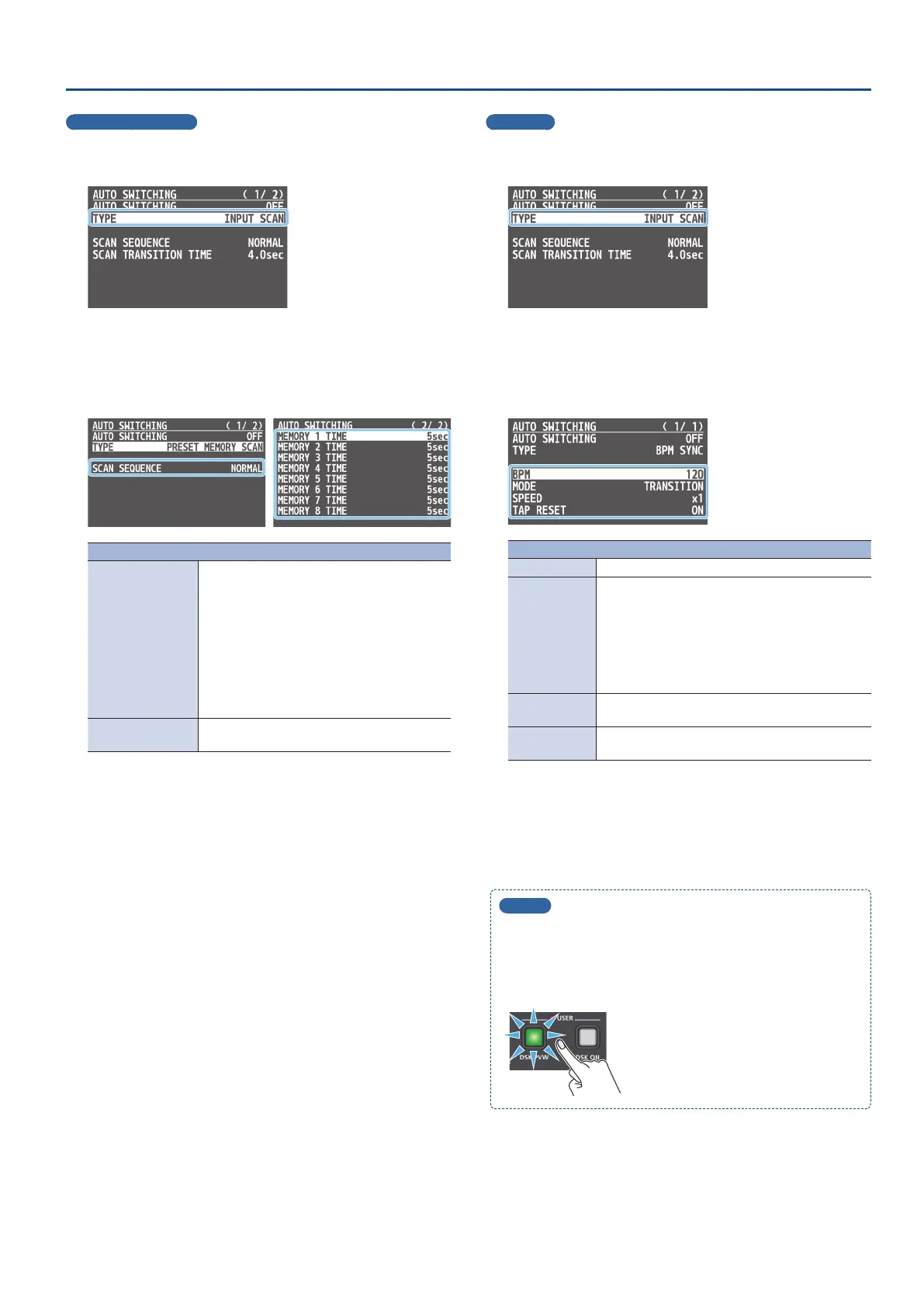
Preset memory scan
1. [MENU] button
0
“AUTO SWITCHING”
0
select “TYPE,”
and press the [VALUE] knob.
2. Use the [VALUE] knob to select “PRESET MEMORY SCAN,”
and press the [VALUE] knob.
3. Use the [VALUE] knob to select a menu item, and press
the [VALUE] knob.
Menu item Explanation
SCAN SEQUENCE
Species the order in which preset memories
are switched.
NORMAL:
Switches in the order of preset memory 1
0
8.
REVERSE:
Switches in the order of preset memory 8
0
1.
RANDOM:
Switches randomly.
MEMORY 1–8 TIME
Species the time it takes to switch to the next
preset memory. Turn this “OFF” to skip.
4. Use the [VALUE] knob to change the value of the setting.
5. Press the [MENU] button several times to close the menu.
BPM sync
1. [MENU] button
0
“AUTO SWITCHING”
0
select “TYPE,”
and press the [VALUE] knob.
2. Use the [VALUE] knob to select “BPM SYNC,” and press
the [VALUE] knob.
3. Use the [VALUE] knob to select a menu item, and press
the [VALUE] knob.
Menu item Explanation
BPM Species the BPM.
MODE
Species how the video is switched.
TRANSITION:
The video switches using the currently selected
transition eect (mix or wipe).
CUT:
The video switches as a cut.
SPEED
Species the video switching speed as a multiple of
the specied BPM.
TAP RESET
Species how the video switches while you edit the
BPM with the [DSK PVW] or [DSK ON] buttons.
4. Use the [VALUE] knob to change the value of the setting.
5. Press the [MENU] button several times to close the menu.
MEMO
If the “BPM TAP” function is assigned to the [DSK PVW] or
[DSK ON] button, you can set the BPM according to the tempo at
which you press the button (p. 41).
The [DSK PVW] or [DSK ON] button ashes in sync with the
current BPM setting.



 To Next Page