9
Reference Manual
00809-0100-4803, Rev GA
Configuration
September 2017
Configuration
2.4.3 Launching Engineering Assistant
Flow configuration for the Rosemount 3051SMV is achieved by launching the Engineering Assistant
Software from the START menu. The following steps show how to open the Engineering Assistant
Software, and connect to a device:
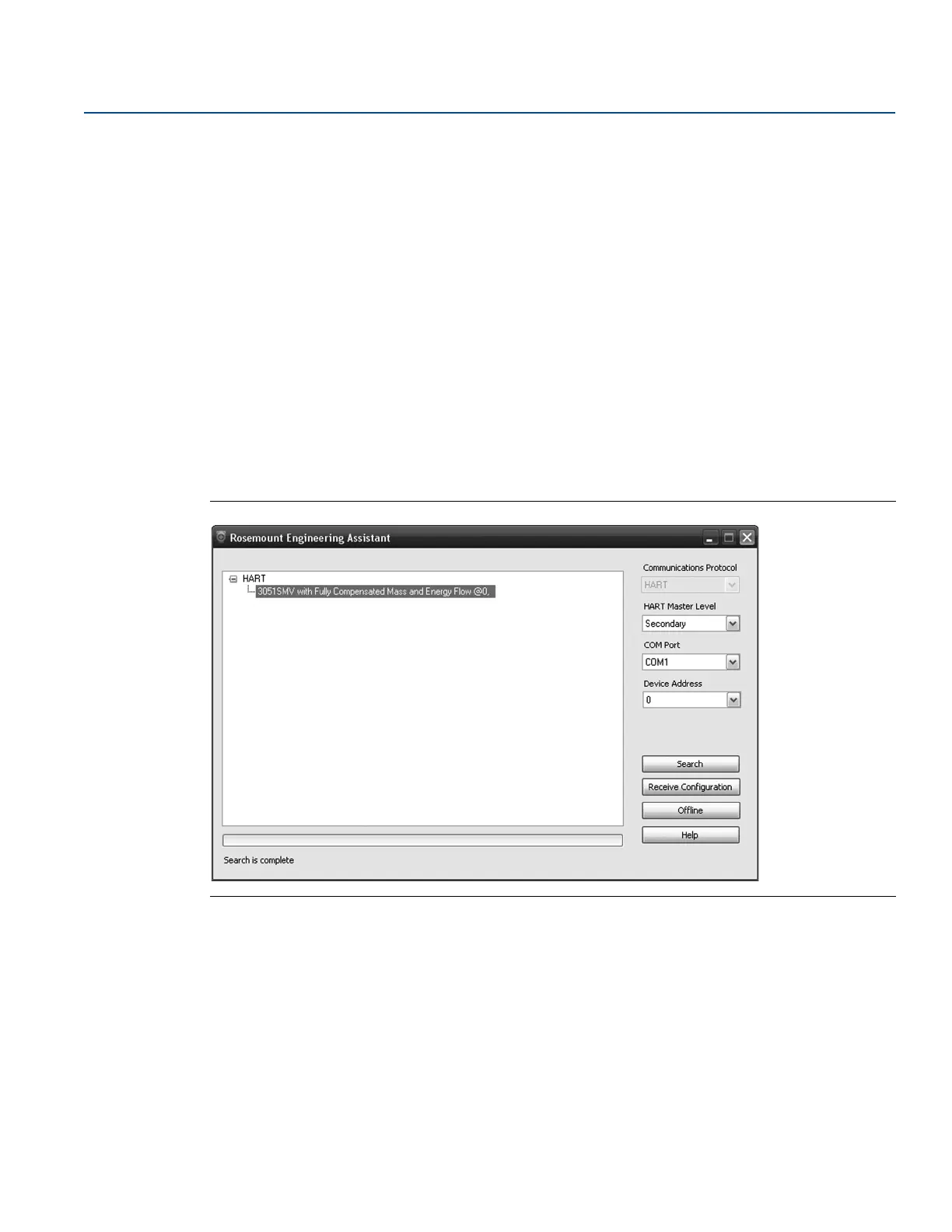
1. Select the Start menu > All Programs > Engineering Assistant. Engineering Assistant will open to
screen as shown in Figure 2-4.
2. If working offline, select the Offline button located on the bottom of the screen as shown in
Figure 2-4.
OR
If working online, select the Search button located on the lower right corner of the screen as shown in
Figure 2-4. Engineering Assistant will begin to search for online devices. When the search is
completed, select the device to communicate with and select Receive Configuration button.
The HART Master Level can be set to either primary or secondary. Secondary is the default and should be
used when the transmitter is on the same segment as another HART communication device. The COM
Port and device address may also be edited as needed.
Figure 2-4. Engineering Assistant Device Connection Screen
2.4.4 Preferences
The Preferences tab, shown in Figure 2-5 on page 10, allows the user to select the preferred engineering
units to display and specify flow configuration information.
Select the preferred engineering units. If units are needed other than the default U.S. or S.I. units, use
the Custom Units setting. If Custom Units are selected, configure the Individual Parameters using the
drop-down menus.
Unit preferences selected will be retained for future Engineering Assistant sessions. Check the box to
prevent the Preferences tab from being automatically shown in future sessions. The Preferences are
always available by select the Preferences tab.











 To Next Page