56
Reference Manual
00809-0100-4803, Rev GA
Configuration
September 2017
Configuration
2.7.8 Analog output
Note
For Analog calibration, see page 95.
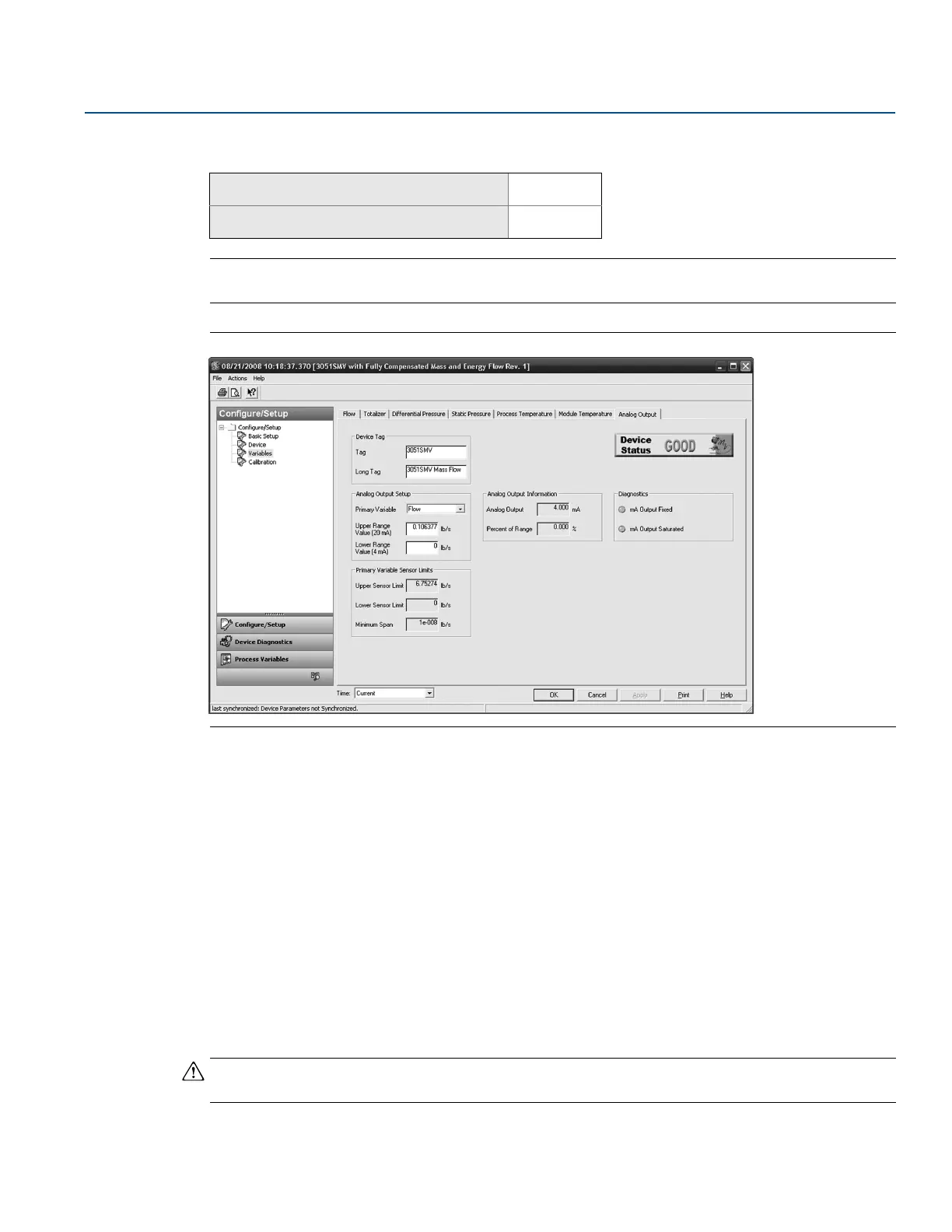
Figure 2-40. Variables - Analog Output Tab
1. Select the Primary Variable under the Analog Output Setup heading. The Upper Range Value and Lower
Range Value may also be edited under this heading.
2. Verify the Upper Sensor Limit and Lower Sensor Limit and minimum span under the Primary Variable
Sensor Limits heading.
Transfer function (direct process variable output feature board only)
The Rosemount 3051SMV with direct process variable output feature board has two analog output
settings: Linear and Square Root. Activate the square root output option to make analog output
proportional to flow. As input approaches zero, the Rosemount 3051SMV automatically switches to
linear output in order to ensure a smooth, stable output near zero (see Figure 2-41 on page 57).
From 0 to 0.6 percent of the ranged pressure input, the slope of the curve is unity (y = x). This allows
accurate calibration near zero. Greater slopes would cause large changes in output (for small changes at
input). From 0.6 to 0.8 percent, curve slope equals 41.72 (y = 41.72x) to achieve continuous transition
from linear to square root at the transition point.
Note
Do not set both the analog output of the device and the control system to square root.
Mass and energy flow Fast Keys
1, 4, 3, 2
Direct process variable output Fast Keys
1, 4, 3, 2











 To Next Page