7
Reference Manual
00809-0100-4803, Rev GA
Configuration
September 2017
Configuration
2.4 Flow configuration
2.4.1 Rosemount 3051SMV Engineering Assistant 6.3 or later
The Rosemount 3051SMV Engineering Assistant is designed to guide the user through the setup of the
flow configuration of a Rosemount 3051SMV. The flow configuration screens allow the user to specify
the fluid, operating conditions, and information about the primary element including the inside pipe
diameter. This information will be used by the Rosemount 3051SMV Engineering Assistant to create the
flow configuration parameters that can be sent to the transmitter or saved for future use.
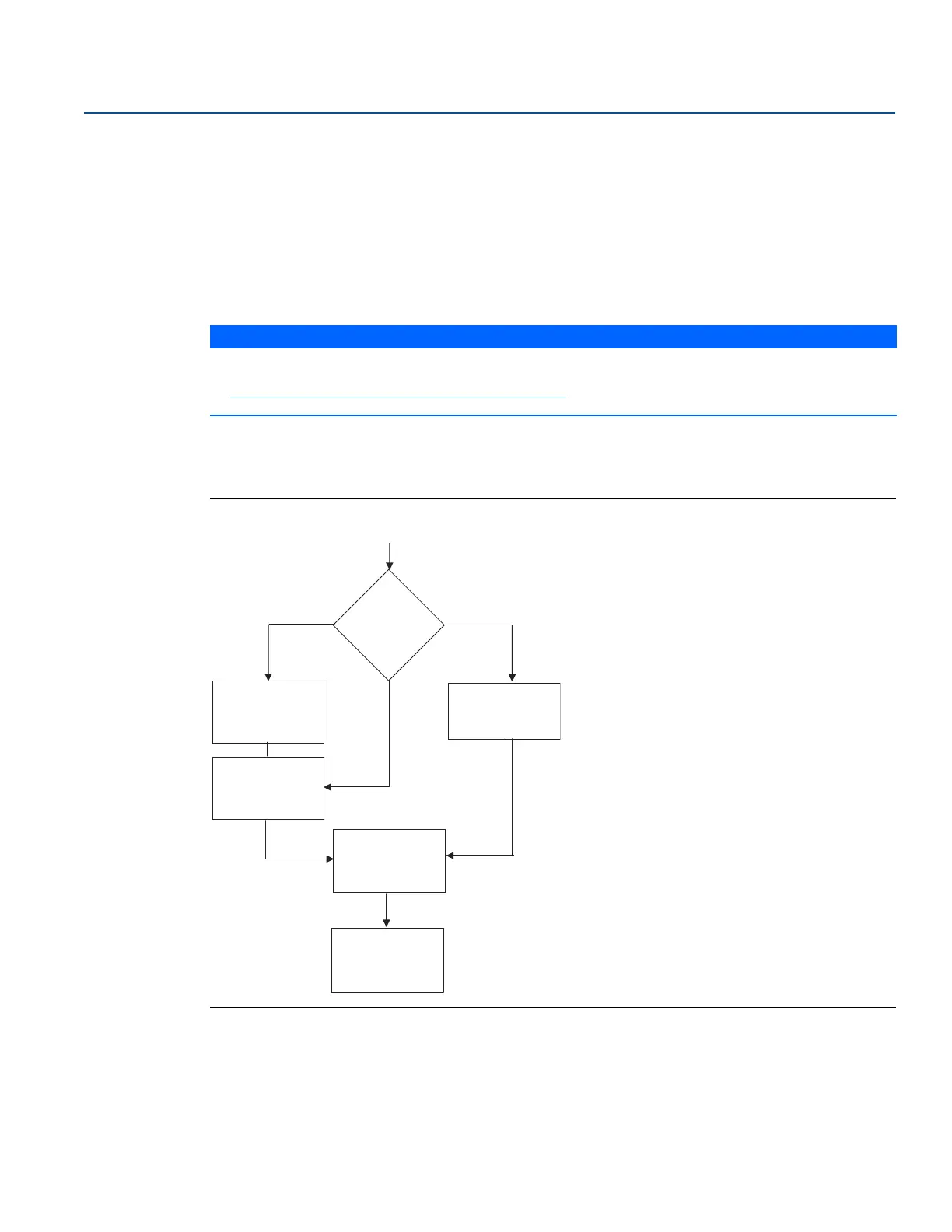
Figure 2-2 shows the path in which the Rosemount 3051SMV Engineering Assistant will guide the user
through a flow configuration. If a natural gas, custom liquid, or custom gas option is chosen, an extra
screen will be provided to specify the gas composition or fluid properties.
Figure 2-2. Flow Configuration Flowchart
NOTICE
To ensure correct operation, download the most current version of the Engineering Assistant software
at Emerson.com/Rosemount-Engineering-Assistant-6
.
Start
Process fluid
selection
Natural gas Custom liquid
Custom gas
Custom gas or
custom liquid
fluid properties
Natural gas
composition
Fluid properties
(optional)
Database liquid
Database gas or
steam
Primary
element
selection
Save/Send
flow
configuration
Ideal gas











 To Next Page