6
Reference Manual
00809-0100-4803, Rev GA
Configuration
September 2017
Configuration
Connecting to a PC
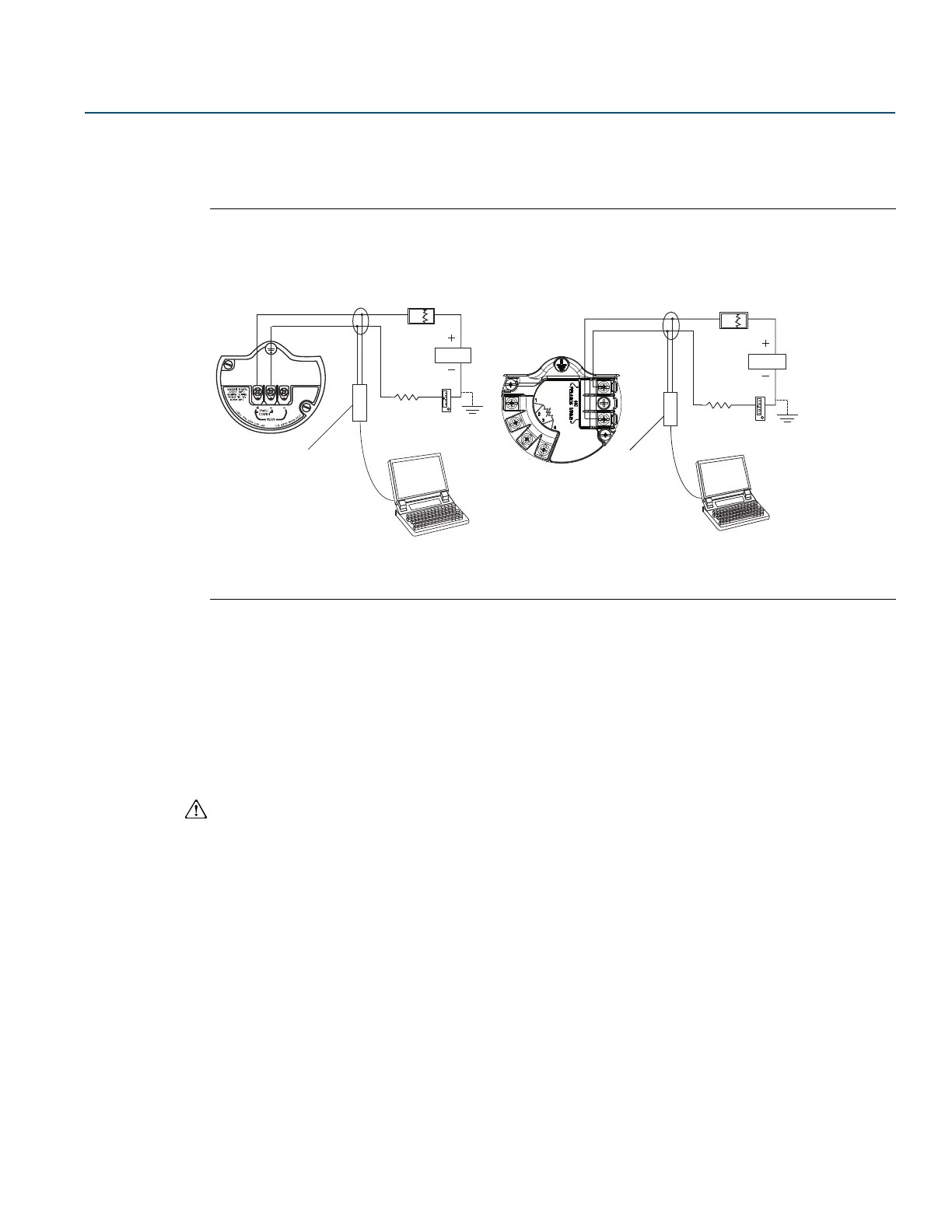
Figure 2-1 shows how to connect a computer to a Rosemount 3051SMV.
Figure 2-1. Connecting a PC to the Rosemount 3051SMV
A. Power supply
B. HART modem
1. Remove the cover from the field terminals side of the housing.
2. Power the device as outlined in “Connect wiring and power up” on page 75.
3. Connect the HART modem cable to the PC.
4. On the side marked “Field Terminals,” connect the modem mini-grabbers to the two terminals
marked “PWR/COMM.”
5. Launch the Rosemount 3051SMV Engineering Assistant. For more information on launching
Engineering Assistant, see “Launching Engineering Assistant” on page 9.
6. Once the configuration is complete, replace cover and tighten until metal contacts metal to meet
flameproof/explosion-proof requirements. See “Cover installation” on page 69 for more information.
Rosemount 3051SMV without
optional process temperature
connection
Rosemount 3051SMV with optional
process temperature connection











 To Next Page