27
Reference Manual
00809-0100-4803, Rev GA
Configuration
September 2017
Configuration
2.6 Detailed device configuration
2.6.1 Model identification
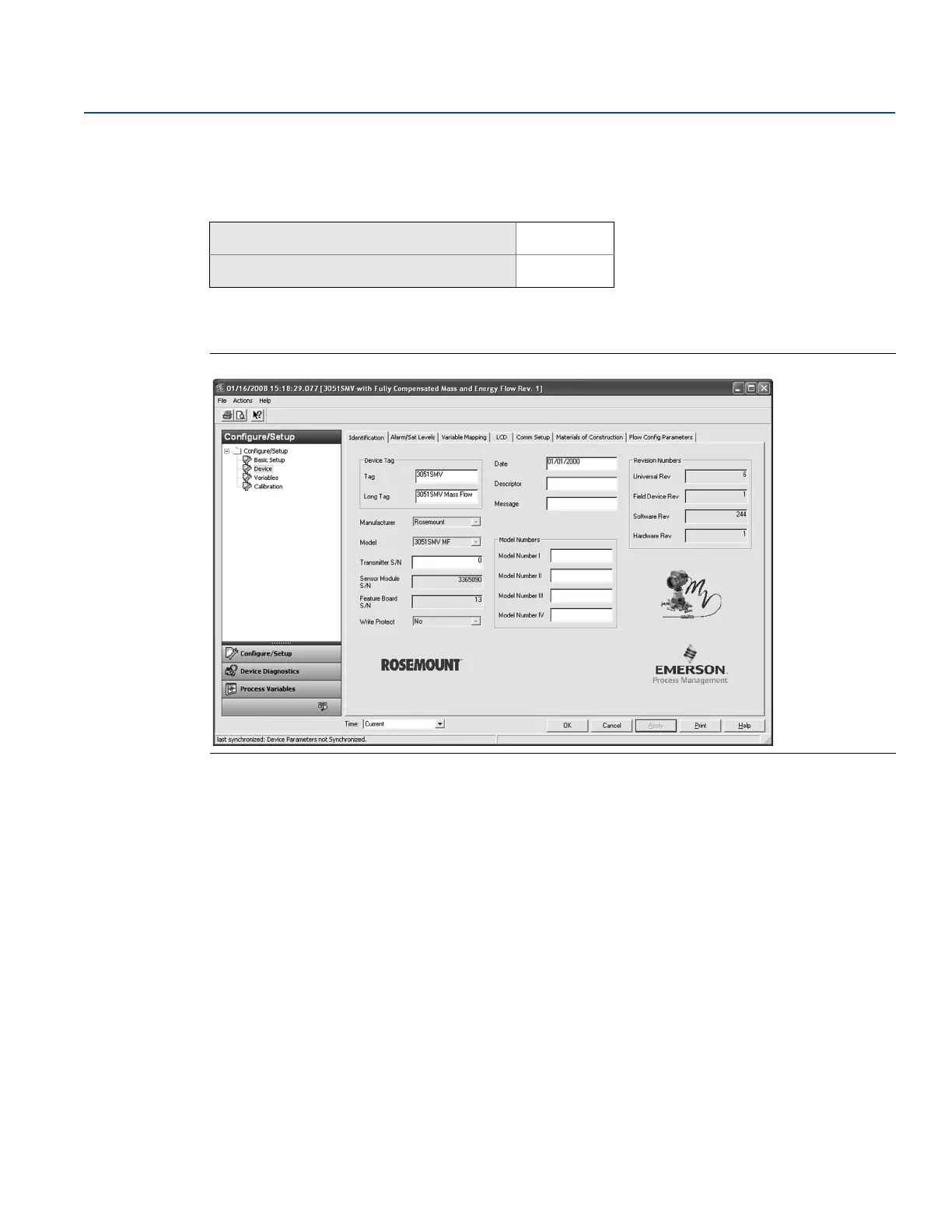
The Identification tab displays the device identification information on one screen. The fields with white
backgrounds may be edited by the user.
Figure 2-19. Device - Identification Tab
2.6.2 Alarm and saturation
The Rosemount 3051SMV automatically and continuously performs self-diagnostic routines. If the
self-diagnostic routines detect a failure, the transmitter drives the output to the configured alarm value.
The transmitter will also drive the output to configured saturation values if the primary variable goes
outside the 4–20 mA range values.
The alarm and saturation settings can be configured using Engineering Assistant, AMS Device Manager,
or a Field Communicator. See “Alarm and saturation level configuration” on page 28 for more
information. The alarm direction can be configured using the hardware switch on the feature board. See
“Configure security (write protect)” on page 67 for more information on the hardware switch.
The Rosemount 3051SMV has three options for alarm and saturation levels:
Rosemount (Standard), see Table 2-4 on page 28
NAMUR, see Table 2-5 on page 28
Custom (user-defined), see Table 2-6 on page 28
Mass and energy flow Fast Keys
1, 3, 5
Direct process variable output Fast Keys
1, 3, 5











 To Next Page