92
Reference Manual
00809-0100-4803, Rev GA
Operation and Maintenance
September 2017
Operation and Maintenance
Recall factory trim
The Recall Factory Trim button will restore the transmitter to the original factory characterization
curve. The Recall Factory Trim button can be useful for recovering from an inadvertent zero trim or
inaccurate pressure source.
When the recall factory trim function is used, the transmitter’s upper and lower trim values are set to the
values configured at the factory. If custom trim values were specified when the transmitter was ordered,
the device will recall those values. If custom trim values were not specified, the device will recall the
upper and lower sensor limits.
Last DP sensor trim point
The current upper and lower trim points can be seen under the Last DP Sensor Trim Point heading.
4.3.4 Static pressure sensor calibration
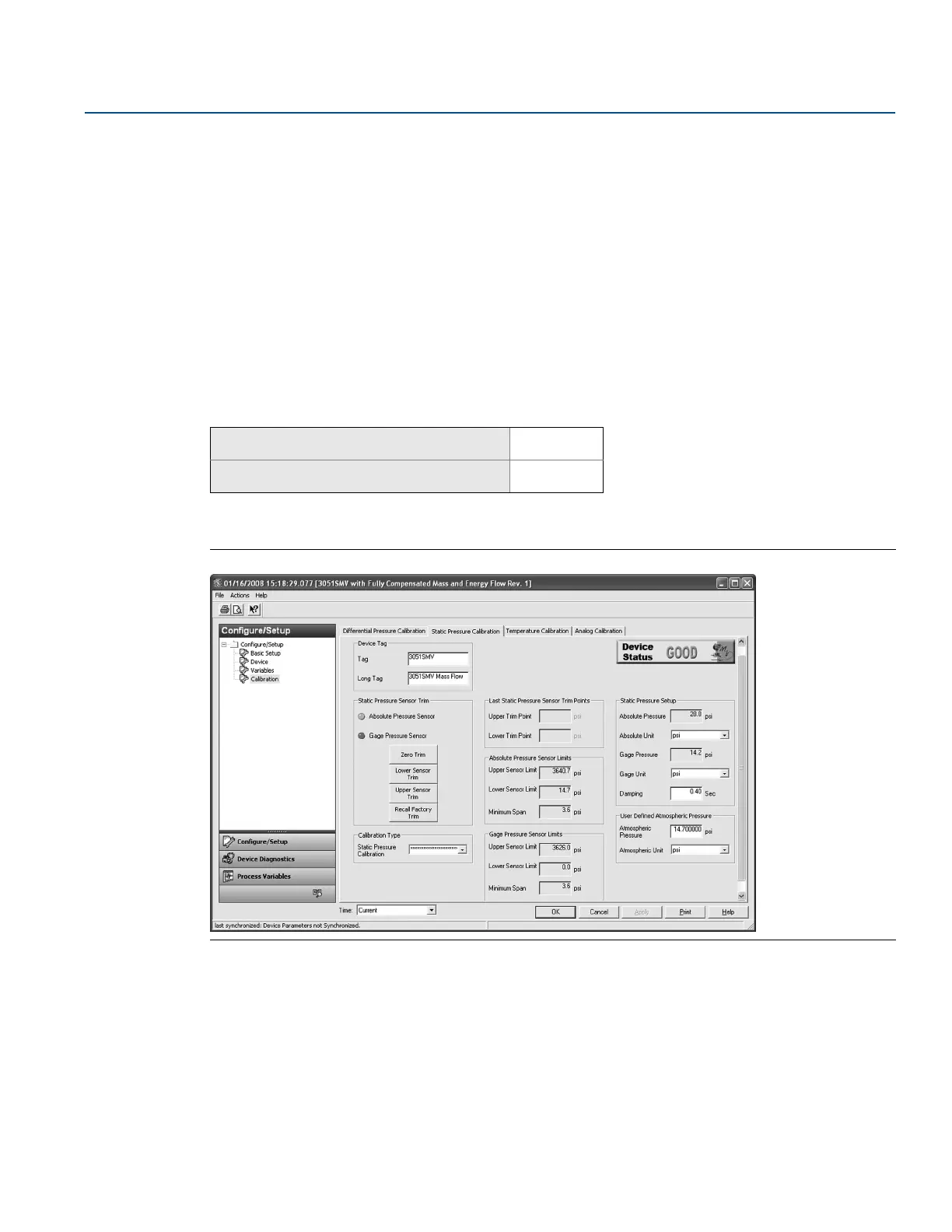
The Static Pressure Calibration tab allows the user to complete either a zero trim procedure or a full SP
sensor trim, see Figure 4-3.
Figure 4-3. Calibration - Static Pressure Calibration Tab
Zero trim and lower sensor trim
The type of static pressure sensor equipped in the transmitter can be determined by referring to the
Static Pressure Sensor Type heading. This determines whether a zero trim (gage sensor) or lower sensor
trim (absolute sensor) required to correct for mounting position effects.
To perform a zero trim on a gage static pressure sensor, select the Zero Trim button under the Static
Pressure Sensor Trim heading and follow the on-screen prompts. The transmitter must be within five
percent or less of the maximum span of true zero (zero-based) in order to calibrate with zero trim
function.
Mass and energy flow Fast Keys
1, 2, 5, 4
Direct process variable output Fast Keys
1, 2, 4, 4











 To Next Page