33
Reference Manual
00809-0100-4803, Rev GA
Configuration
September 2017
Configuration
2.6.5 Communication setup
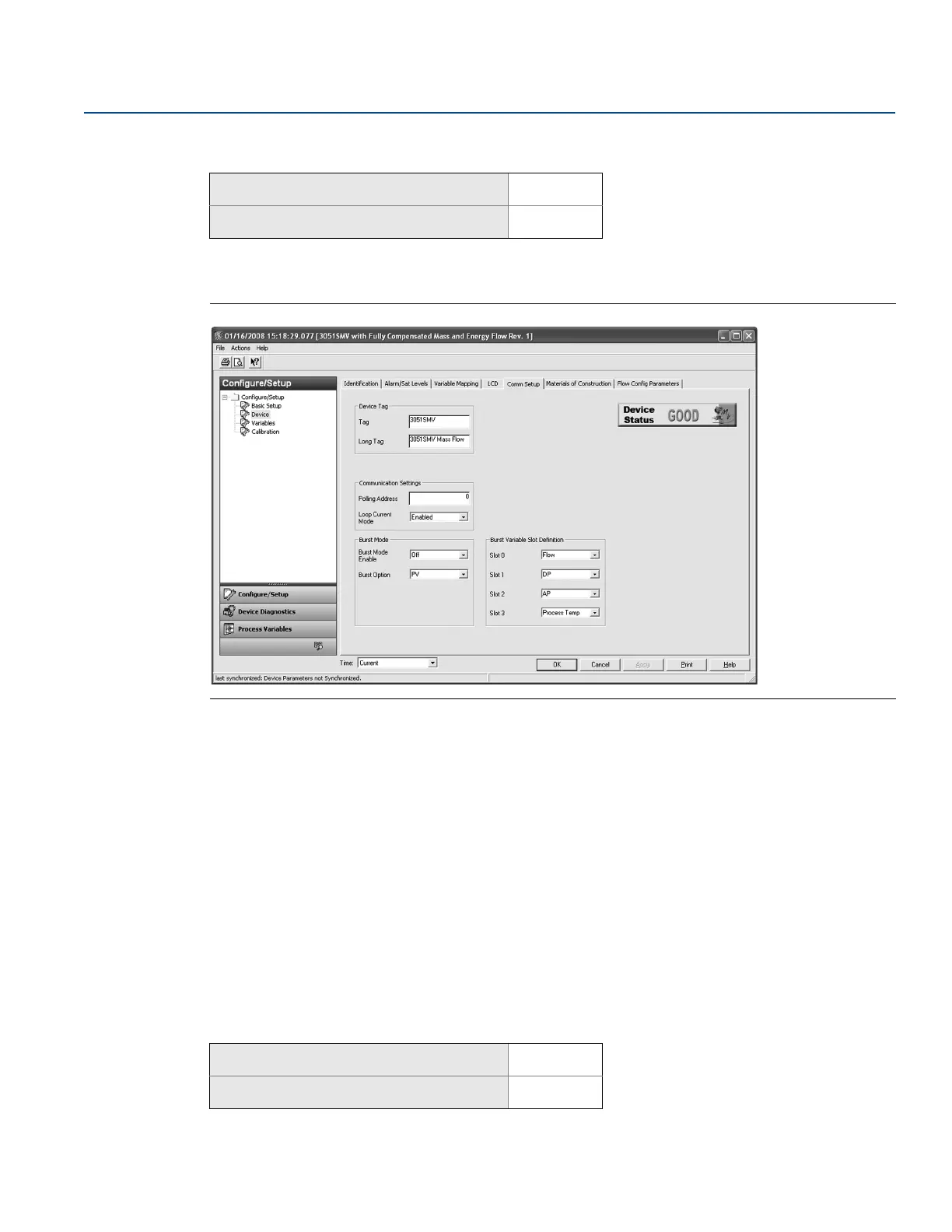
The Comm Setup tab allows the settings for burst mode and multidrop communications to be
configured.
Figure 2-23. Device - Comm Setup Tab
Burst mode
When Burst Mode Enable is set to on, the Rosemount 3051SMV sends up to four HART variables to the
control system without the control system polling for information from the transmitter.
When operating with Burst Mode Enable set to on, the transmitter will continue to output a 4–20 mA
analog signal. Because the HART protocol features simultaneous digital and analog data transmission,
the analog value can drive other equipment in the loop while the control system is receiving the digital
information. Burst mode applies only to the transmission of dynamic data (process variables in
engineering units, primary variable in percent of range, and/or analog output), and does not affect the
way other transmitter data is accessed.
Access to information that is not burst can be obtained through the normal poll/response method of
HART communication. A Field Communicator, AMS Device Manager, Engineering Assistant, or the
control system may request any of the information that is normally available while the transmitter is in
burst mode.
Enabling burst mode
To enable burst mode, select On from the Burst Mode Enable drop-down menu under the Burst Mode
heading.
Mass and energy flow Fast Keys
1, 4, 3, 3
Direct process variable output Fast Keys
1, 4, 3, 3
Mass and energy flow Fast Keys
1, 4, 3, 3, 3
Direct process variable output Fast Keys
1, 4, 3, 3, 3











 To Next Page