4.10
Section 4
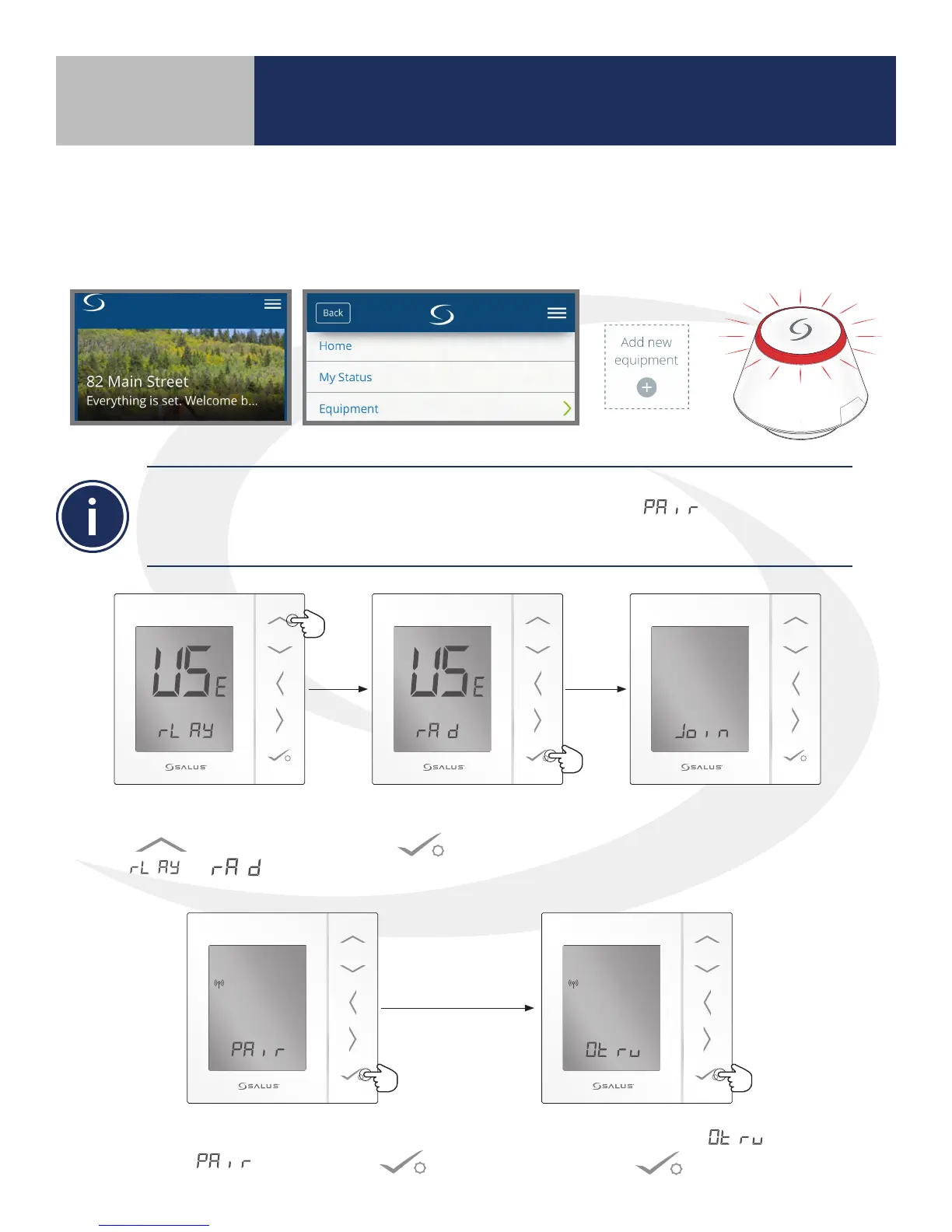
The SG888ZB Gateway will begin ashing red while it is searching for the devices. This will continue
until the pair process is complete. The AS20 Thermostat must be set to for it to appear on
the SALUS Smart Home application. COMPLETE step 3 before proceeding with pairing the ARV10RFM
Radiator Actuator.
4. When the AS20WRF/BRF Thermostat
displays , press conrm .
5. When the display shows ,
press conrm .
2. Use the Up arrow
to change to from
to .
3. Then press conrm
.
The ASWRF Thermostat will
become visible on the SALUS
Smart Home application
1. Open the SALUS Smart Home mobile application and select the drop down
menu from the upper right side of the screen select:
Equipment All Equipment Add New Equipment Scan for Equipment
Device Pairing & Setup
with Internet Connection



 To Next Page