4.11
Section 4
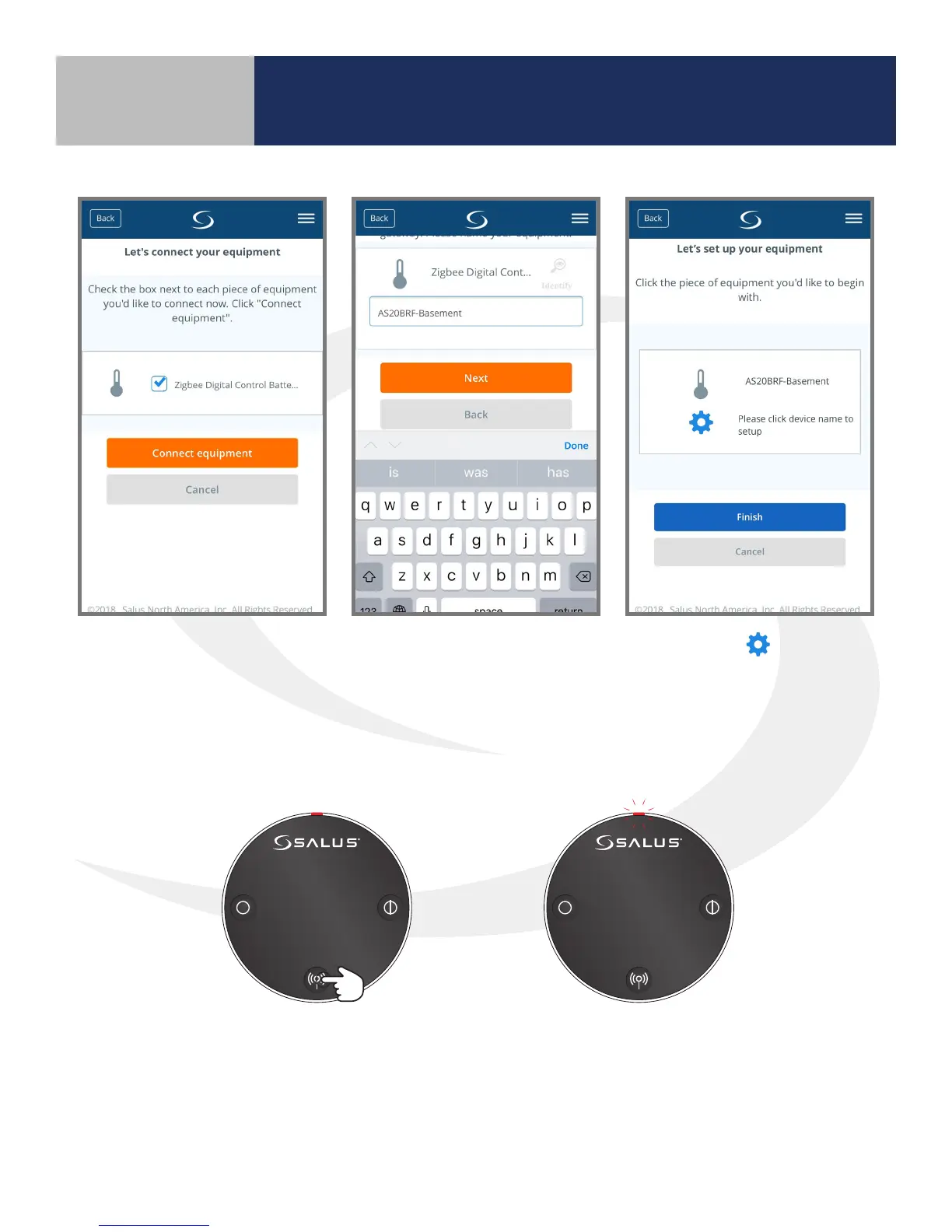
6. Select the Zigbee Digital
Control Thermostat,
checking the box. Press
the “Connect equipment”
button.
7. Give each thermostat a
descriptive name that
dierentiates it from others
in the network and press
“Next”.
8. Pressing the icon
advances to thermostat
setup. However, this can be
completed later. “Finish” to
complete the connection to
the wireless network.
10 seconds The LED indicator will ash red.
9. Press and hold the pair button for 10 seconds to enter pairing mode on each actuator to be connected.
Device Pairing & Setup
with Internet Connection



 To Next Page