② [ALL]: Decide if the data below is also applied or not to another denomination.
-. Fitness Levels & On/Off set
-. Fitness Levels
-. Fitness On/Off set
③ [SAVE]: Save current setting (Currency, Fitness Sub-mode, Denomination)
[CURRENCY]: The current currency’s displayed and if this is touched, another currency is set.④
[Fitness Sub⑤ -Mode]: The currency Fitness Sub-Mode is displayed and if this is touched,
another Fitness Sub-Mode is set.
[Denomination]: The currency denomination is displayed and if this is touched another ⑥
denomination is set.
[Fitness Sorting]: Items for fitness are displayed⑦ .
[Default]: The default of each item is displayed. ⑧
[Current value]: The current value for each item is displayed/⑨
[2] Import fitness level
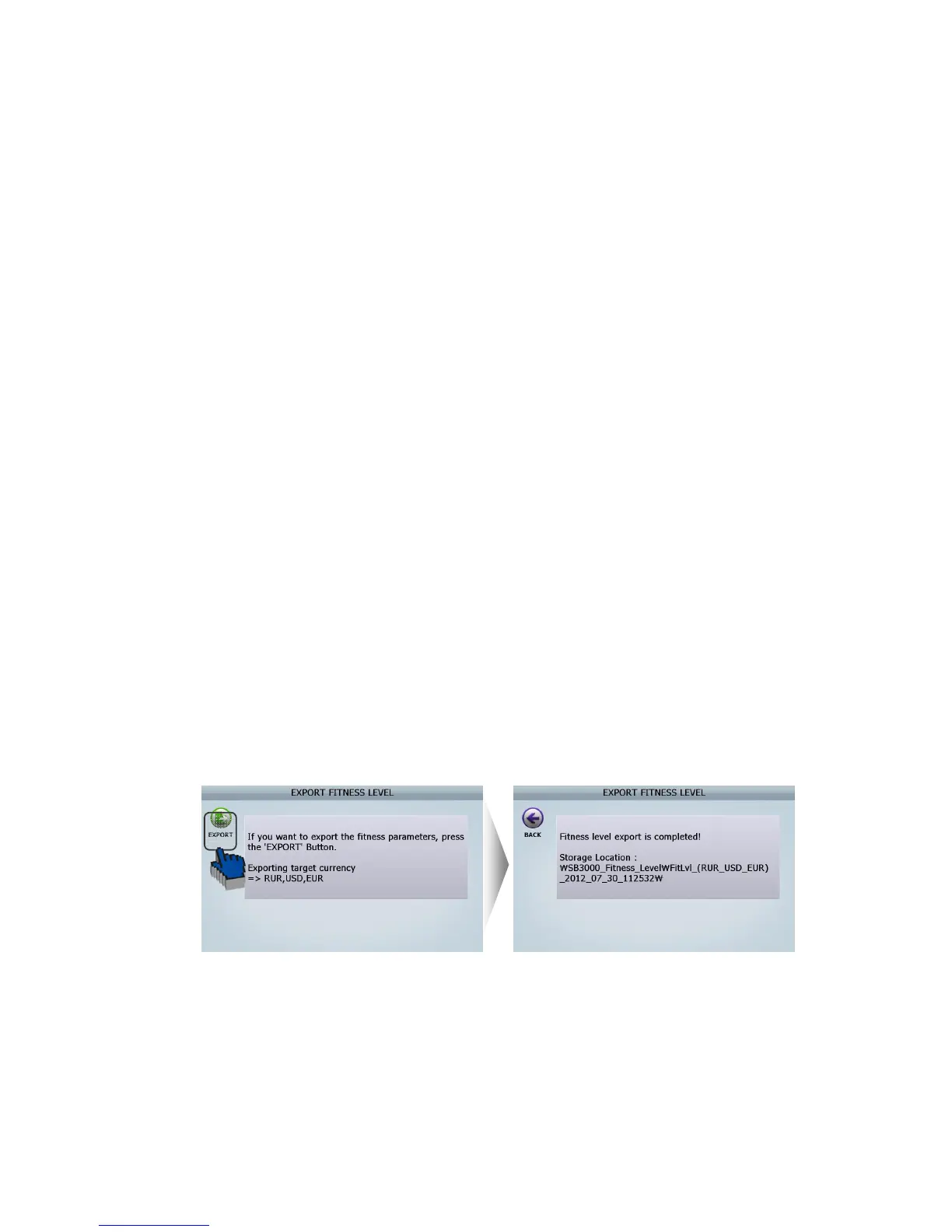
[3] Export fitness level
Can put fitness level gotten from one machine into another machine by using Import fitness level
menu and Export fitness level menu.
Please refer to the below to know how to do this.
Follow the below steps
Insert USB Memory Stick to USB port in SB① -3000
Select ‘Export fitness level’ in this menu ②
(ADIMN MENU _ Value setting/ Fitness/ Export fitness level)
Touch on [EXPORT] Icon. Then LCD will be displayed as follows ③
The file is created in USB memory stick. ④
(File folder name: SB3000_Fitness_Level)
Insert USB Memory Stick, which has ‘SB3000_Fitness_Level’ folder, to⑤ another SB-3000
that supervisor want to input previously fitness level to.
Select ‘Import fitness level’ in this menu.⑥
(FIG 7-08)



 To Next Page