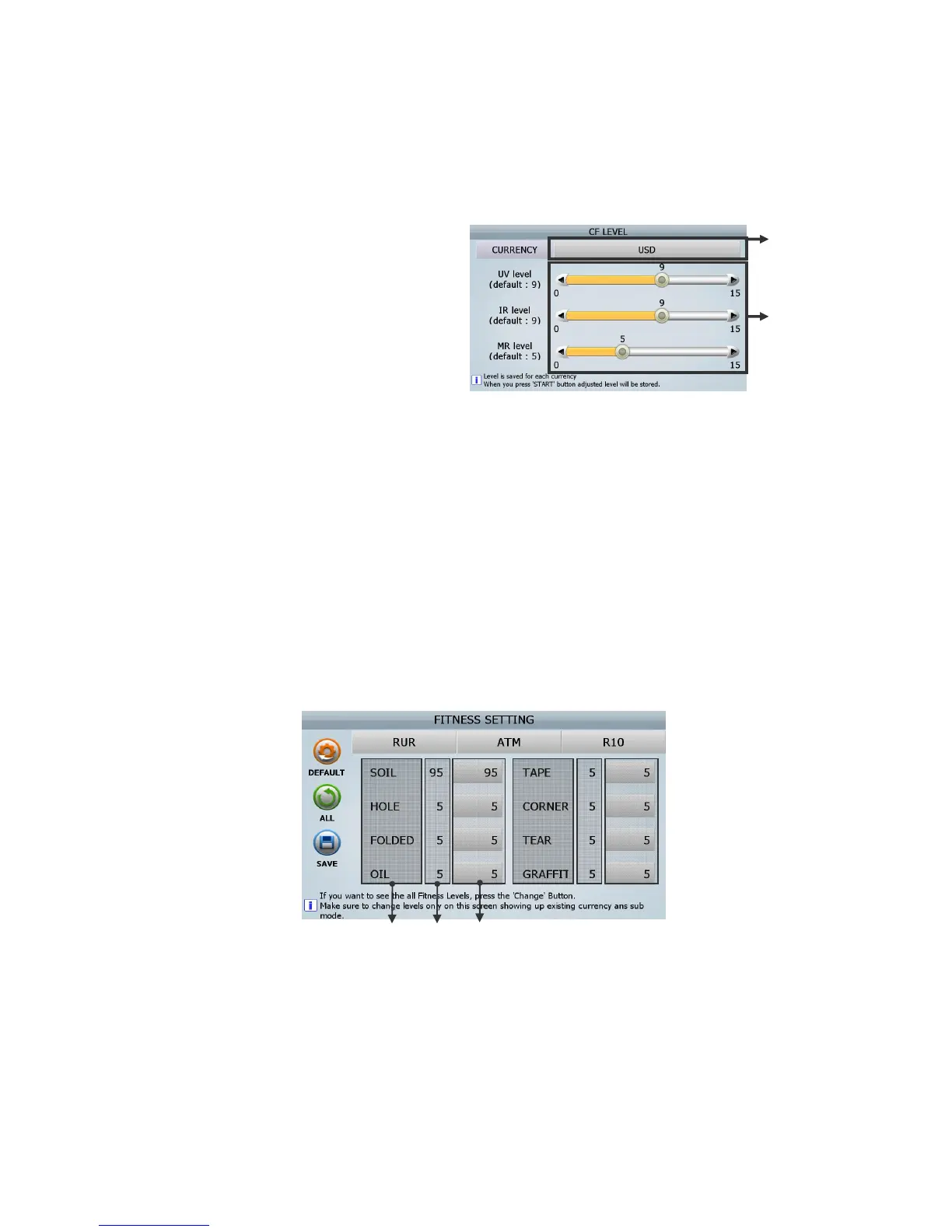
[How to set]
[1] Select Currency. (ⓐ)
[2] Move each circle and set the levels (ⓑ)
Move the circle of the first bar and ①
set UV level.
Move the circl② e of the second bar
and set IR level.
Move the circle of the third bar and ③
set MR level.
(It is possible to set each level in detail
by using “
” key◀▶
)
[3] Press [START/STOP] Key to save the level.
The lower number is less sensitive. If the machine detects CF note as real notes, increase level by
one to set the level. If the machine detect real note as CF note, decrease level by one to set the
level.
If the level is ‘0’ (Zero), the sensor is deactivated.
2 Fitness setting
[1] Fitness parameter
In this menu, user can set fitness sorting level for each currency and each denomination.
① [DEFAULT]: Set Fitness value to the Default
-. [YES]: Apply to all Fitness Sub-mode
-. [NO]: Apply only to current Fitness Sub-mode
-. [CANCEL]: Do not apply
(FIG 7-06)



 To Next Page