And place them on the hopper
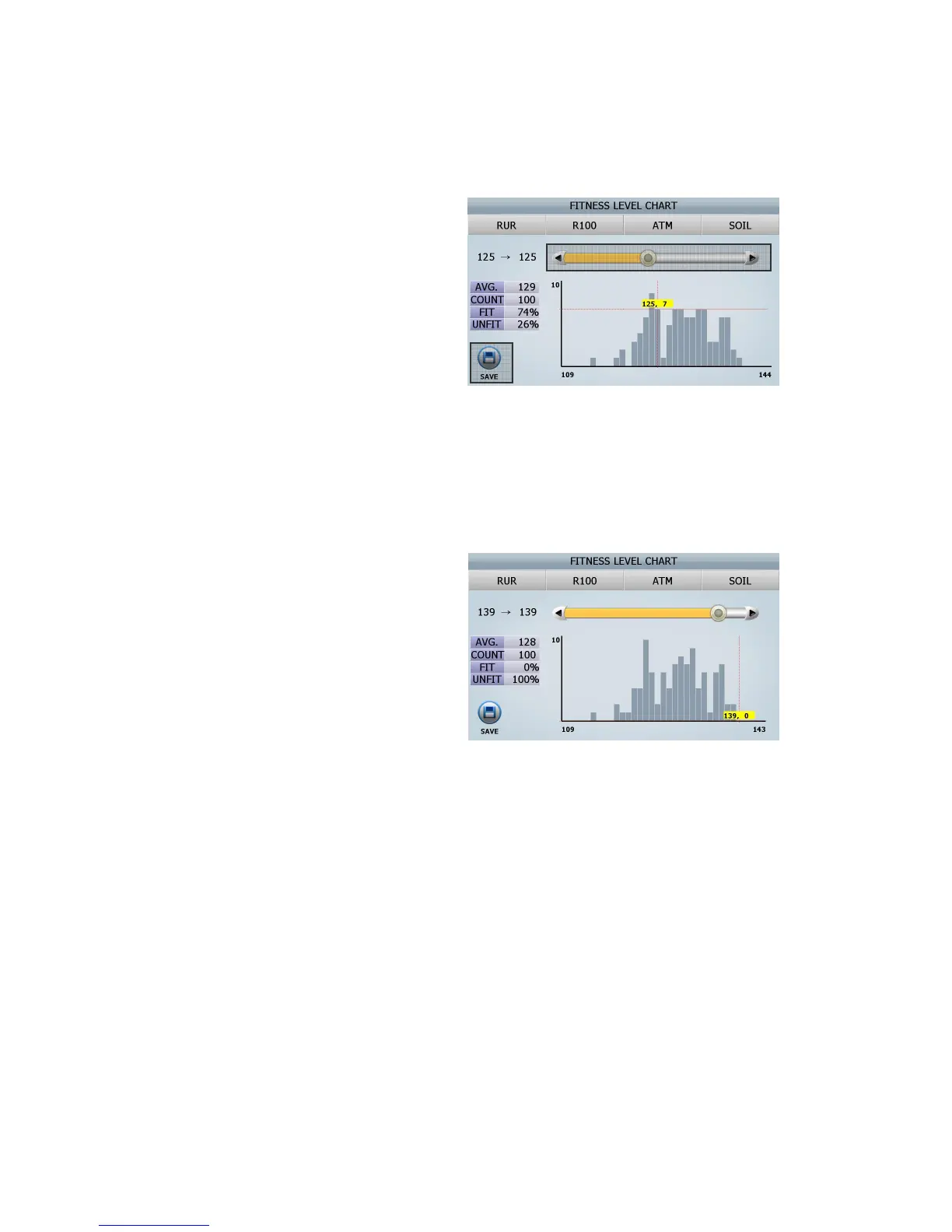
[3] After counting, the screen will be shown as
right
- AVG.: the average of soil level
- COUNT: the number of notes
- FIT: the percentage of fit notes
- UNFIT: the percentage of unfit notes
[4] As you can see the screen, Service Man can change this level in this menu by dragging it (⑤)
[5] If User want to adjust the soil level in order to process all of 100 notes as unfit ones, Find the highest
number of in the FIT range, in this case, it will be the level, 139
[6] If the level 139 is entered, Initial processed
100 notes are automatically distributed to the
level in the UNFIT range.
By touching the section (⑥) or pressing the
[START/STOP]key, adjusted soil levels are
applied.
From now on, all of 100 notes will be processed
as UNFIT ones.
■ Import fitness level
■ Export fitness level
You can apply the specified fitness level from one machine to another by Import fitness level & Export
fitness level Menu. This is how to export the specified fitness level and how to import.
Follow the below steps
[1] Insert USB Memory Stick to USB port in SB-3000
[2] Select ‘Export fitness level’ in this menu
⑤
⑥
(FIG 8-24)



 To Next Page