3. How to adjust
1) Press “ MENU -> MODE -> ***** ->
VALUE_FITNESS_SOIL ADJUSTMEN”,. Then,
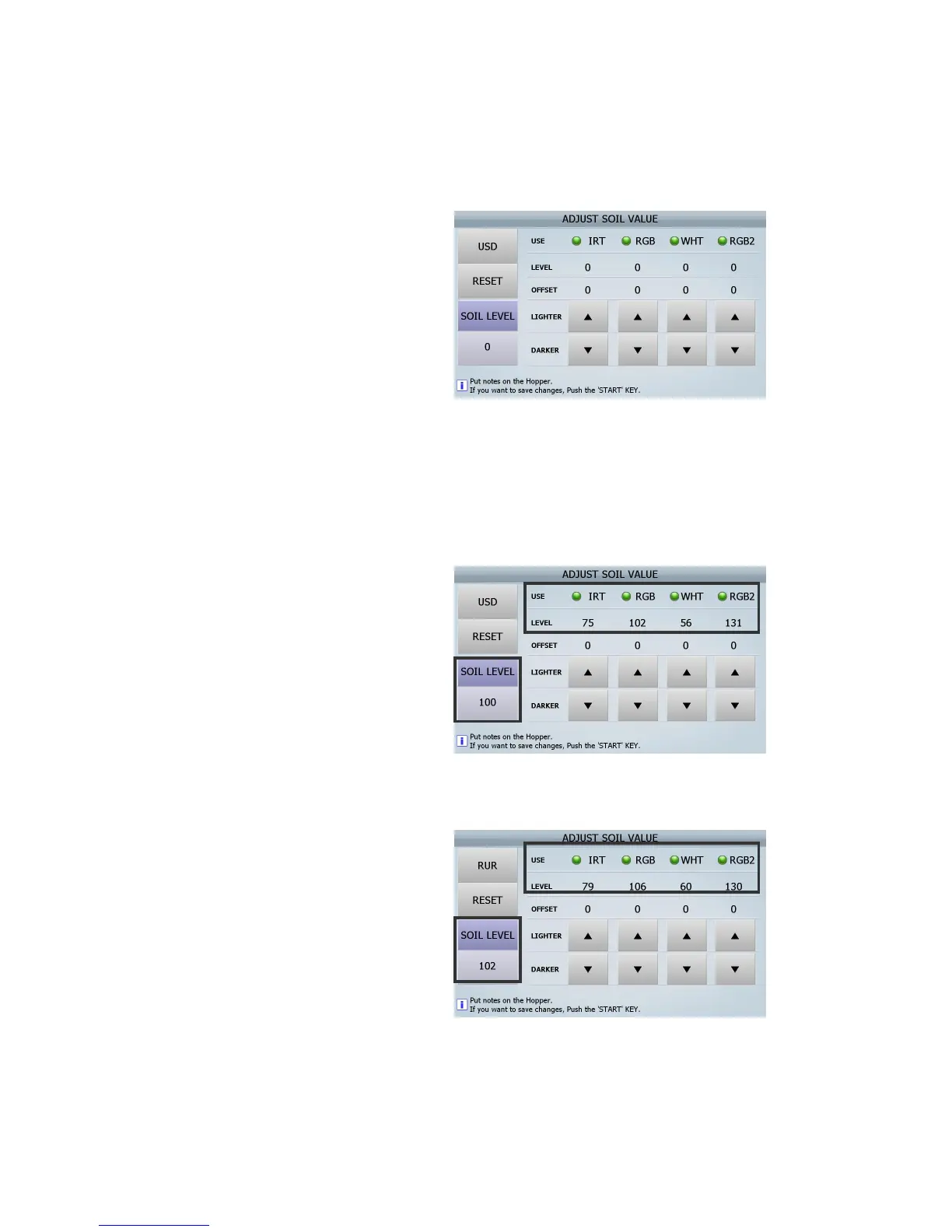
The Screen will be displayed as below
2) Adjust Bill Guide and place one standard note (US 1$).
- When adjusting the soil level in the machines, you have to put the standard note with same direction
- The quality of the note shall be Fit note.
3) The picture as right shows the result after
placing US 1$ into the standard machine (No 1
machine).
You can see the below data
- IRT level: 75
- RGB level: 102
- WHT level: 56
- RGB2 level: 131
- SOIL LEVEL: 100
4) The picture as right shows the result after
placing US 1$ into another machine (No 2
machine).
You can see the below data.
- IRT level: 79
- RGB level: 106
- WHT level: 60
- RGB2 level: 130
- SOIL LEVEL: 102
(FIG 8-33)



 To Next Page