Assembly and settings
38 02.00 | PGL-plus-P | Assembly- and Operating Manual | en | 1508050
5.5.7 Mounting MMS 22-PI1 programmable magnetic switch
NOTICE
Risk of damage to the sensor during assembly!
• Observe the maximal tightening torque.
NOTE
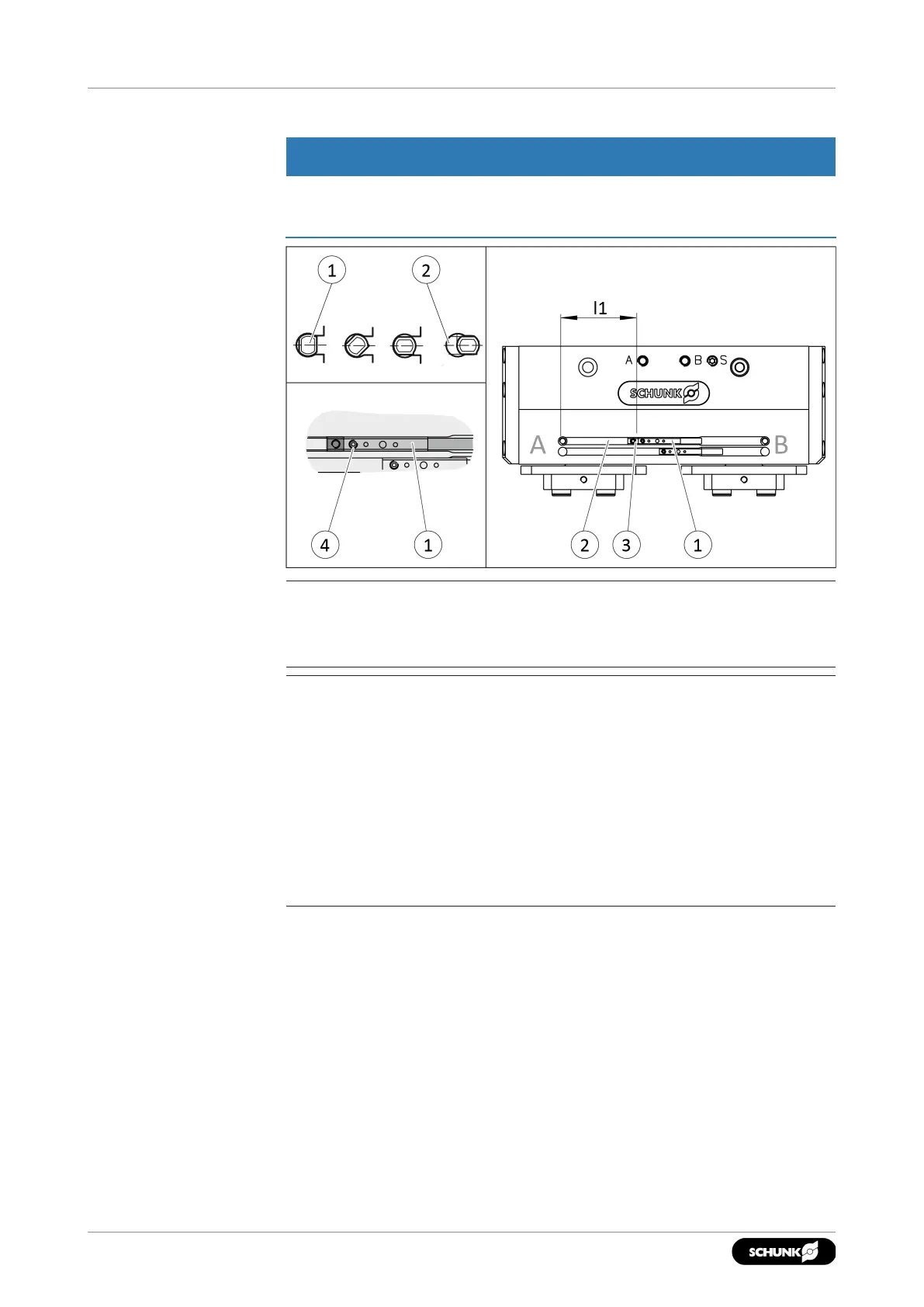
If there is no T-nut available, slide the sensor according to
dimension I1 into the groove (2), }5.5.2 [
/
31].
NOTE
The magnetic switch MMS 22-PI1 can be adjusted and taught in
two ways.
• "Standard mode" allows for quick installation on the T-nut
preset by SCHUNK in the groove or the defined setting
dimension "l1."
• In "Optimal Mode", the sensor identifies the optimal position in
the groove itself.
SCHUNK recommends "Optimal Mode" for setting the sensors.
Setting the sensor in "Optimum mode":
Position "Gripper open" or "Part gripped (I.D. gripping)"
1. Put product in the position in which it is to be set.
2. If necessary remove T-nut(3).
3. Turn sensor1(1) into the groove(2).
OR: Slide sensor1(1) into the groove (2) until sensor1(1)
stops at starting point/groove end "B".
4. Hold teaching tool to the sensor1(1) until the sensor flashes.
5. Pull sensor1(1) back again slowly until it switches.


 To Next Page