Section 4 - Operations
HV-18 revised 11/18 SCHWARZE HYPERVAC 39
4.2 Camera System
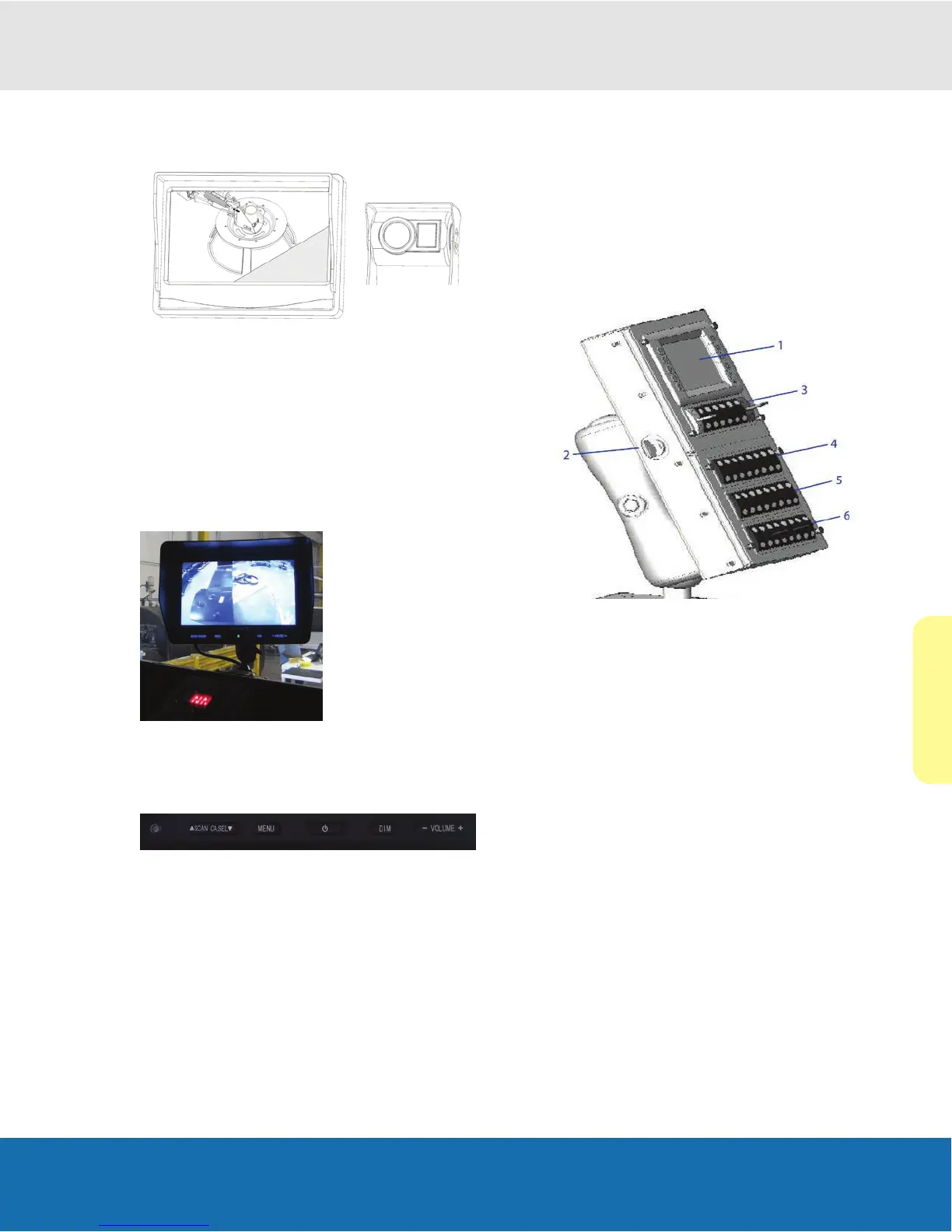
To increase the operator’s eld of vision, a camera system
is installed on your sweeper.
• Standard, one camera is mounted at the rear of the
hopper to view what is directly behind the sweeper.
In a multi-camera system, the picture on the camera
system runs continuously while sweeping. It also
automatically switches to the rear view when the
sweeper is shifted into reverse.
•
Two additional cameras (if equipped) are mounted
near the left and right-gutter broom. This allows
observation of the gutter broom operation as well as
providing a view of approaching curb line obstacles.
Each camera view can be displayed by pressing the
“Scan”, or the “Camera Select” buttons on the camera
display system.
For additional camera functionality or camera system
troubleshooting please refer to the camera system
manufacturer’s owner’s manual, which is provided with
the HYPERVAC’s sweeper manual set.
4.3 The Sweeping Control Console
The Hypervac sweeping functions are operated from a
swivel control console inside the truck cab.
Console Features
The console consists of control switches, an auxiliary
engine ignition switch, and a display module with auxiliary
engine controls.
1.
DISPLAY MODULE
2. AUXILIARY ENGINE IGNITION KEY
3. MAIN PANEL TOP BANK
4. MAIN PANEL BOTTOM BANK
5. AUX PANEL TOP BANK*
6. AUX PANEL BOTTOM BANK*
* Standard optional switch banks


 To Next Page