Section 4 - Operations
HV-18 revised 11/18 SCHWARZE HYPERVAC 55
4.6 Hopper Operation
Hopper Dumping
Warning: Operator must ensure no personnel or objects
are near the hopper before operating.
Note: Engagement of the parking brake is required to
dump the hopper or operate the hopper door. The brake
may then be released for load spreading.
Note: Dump lights turn on automatically when the hopper
is raised.
Note: Water functions and sweep operations are disabled
while hopper is up/activated.
Dumping the Hopper (Hopper Up)
Warning: Check to make sure there are no obstructions
above the hopper before raising. Sweeper should not
pass through doors or overhead objects with the hopper
in the raised position, which could cause serious injury or
damage.
1. Apply parking brake.
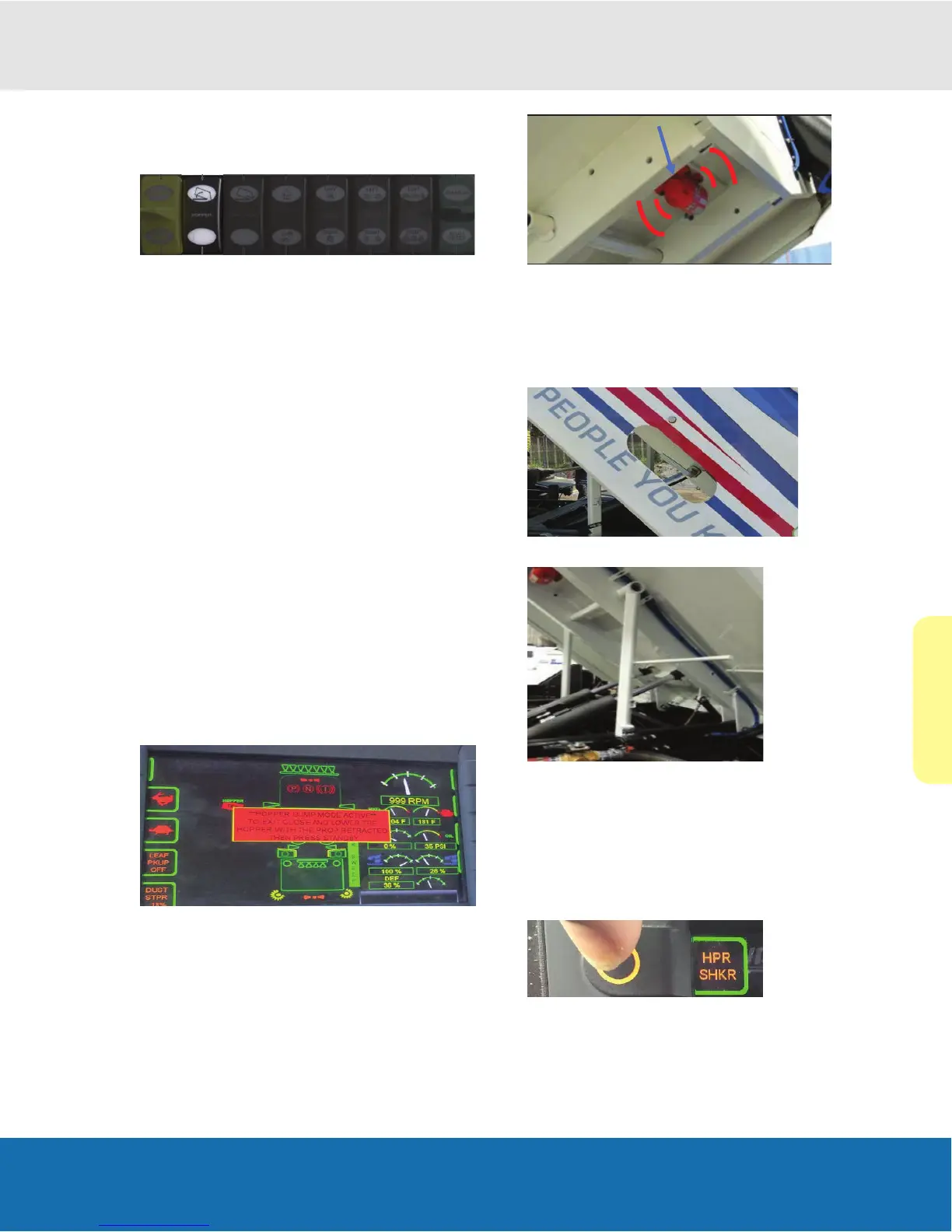
2. Push the switch up until the desired height has been
reached or until the hopper has reached its highest
dump height and has stopped moving.
3. Once the hopper is activated an audible alarm will
sound and an on-screen warning will appear until the
hopper has been seated.
Note: The hopper shaker will activate for 20 seconds after
the switch is activated to help dump the hopper.
• After completing the dump cycle, press standby to exit
the dump mode.
Note: Indicators on screen will show that the hopper is up,
if the Safety chocks are set, and if the hopper safety prop
has been manually released and has fully seated.
• Once the hopper is tilted up, pull handle to deploy the
safety prop and place into position.
(Safety Prop)
Lowering the Hopper (Hopper Down)
• Push the switch down until the desired height has
been reached or until the hopper has fully retracted
and has seated on the fan and intake tubes.
Hopper Shaker Button
1.
Push once to expose.
2. Push again to turn activate 20 second shaker.


 To Next Page